MCP Servers
Model Context Protocol (MCP) servers expose tools and resources to AI agents over a standard protocol. CoderFlow lets administrators attach HTTP MCP servers to an environment so that agents running in that environment's tasks can use them.
MCP server snapshots are applied to Claude, Codex, Gemini, and Bob task containers at launch.
Managing MCP Servers
Open Environments -> Overview in the Web UI. The MCP Servers row sits below the Skills row and behaves the same way:
- Click + to add a new server.
- Click a chip to edit.
- Click the × on a chip to remove.

Managing MCP servers requires the environments:mcp-servers permission. See Permissions.
Fields
- Server Name — Unique identifier within the environment. Letters, numbers, hyphens, and underscores only.
workspaceis reserved by Claude Code andcoderflowis reserved for the server-managed entry described below. An entry namedcoderflowthat was saved before the name became reserved keeps working and can still be edited or disabled; it is replaced by the managed entry whenever CoderFlow MCP Access is on. - Description — Optional short label.
- URL — HTTP or HTTPS endpoint that speaks the Model Context Protocol.
- Headers — Optional request headers sent on every connection. Each header value is either a Literal string or a reference to an environment Secret. See Headers and Secrets below.
- Enabled — Toggle to keep the entry configured but skip it for new tasks.
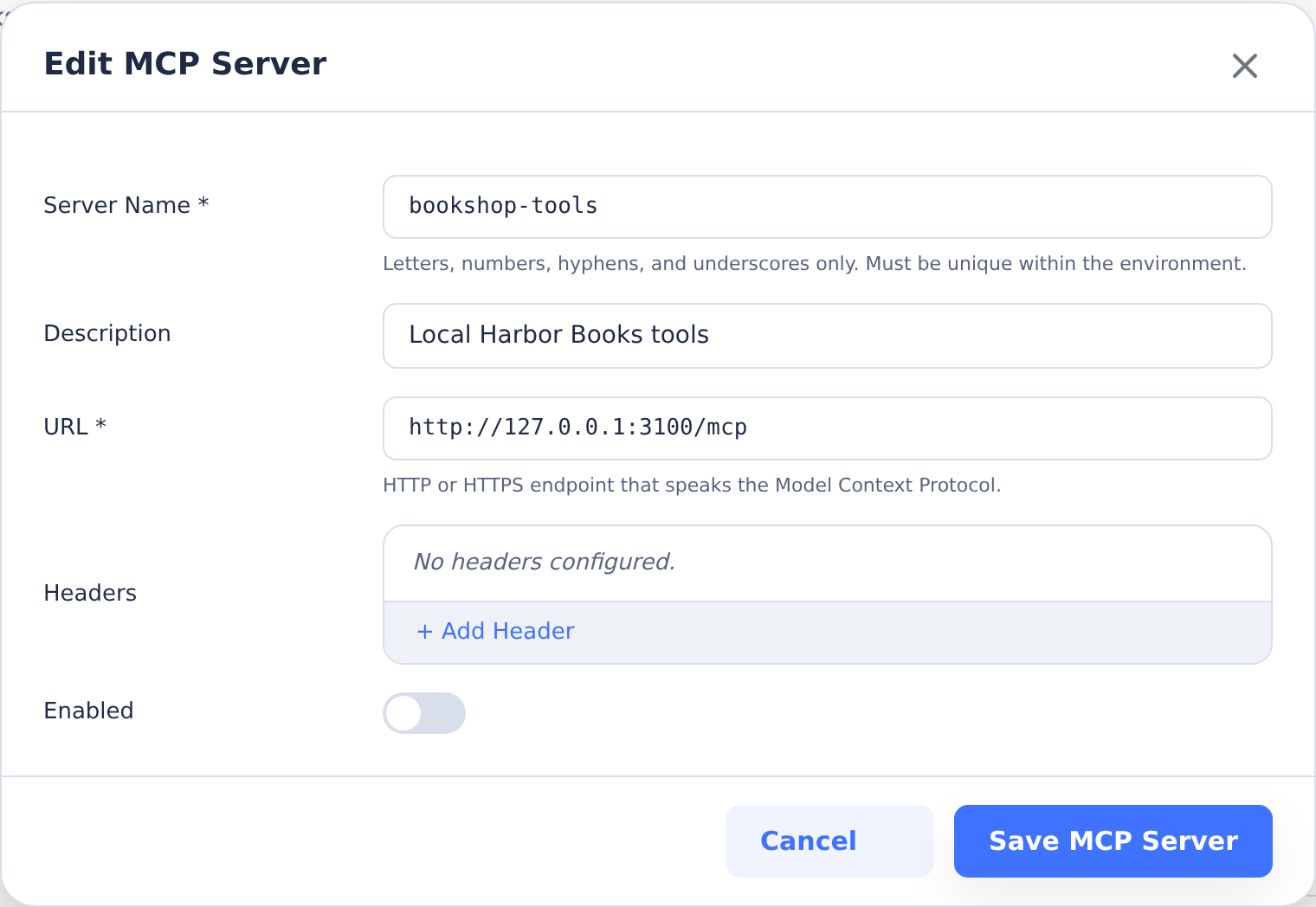
The local endpoint shown is an example address. Use an endpoint reachable from your task containers.
CoderFlow MCP Access
Below the MCP Servers row, CoderFlow MCP Access lets tasks in the environment use CoderFlow's own MCP server to orchestrate other tasks. When it is on, every new task gets a read-only coderflow entry with a task-bound token; no API key or secret is needed. The row offers:
- Account for tasks without a creator — The account whose permissions apply to tasks without a creator, such as environment-scope automation tasks. Select None to skip CoderFlow MCP for those tasks. Tasks with a creator always act as their creator. Naming anyone other than yourself, or widening the setting (enabling it, allowing deployments, raising limits) while someone else is the run-as user, requires a server administrator.
- Max nesting depth and Max child tasks per task — Limits on how far and how wide tasks may spawn other tasks.
- Allow deployments — Whether the deployment tools are exposed to tasks. Off by default.
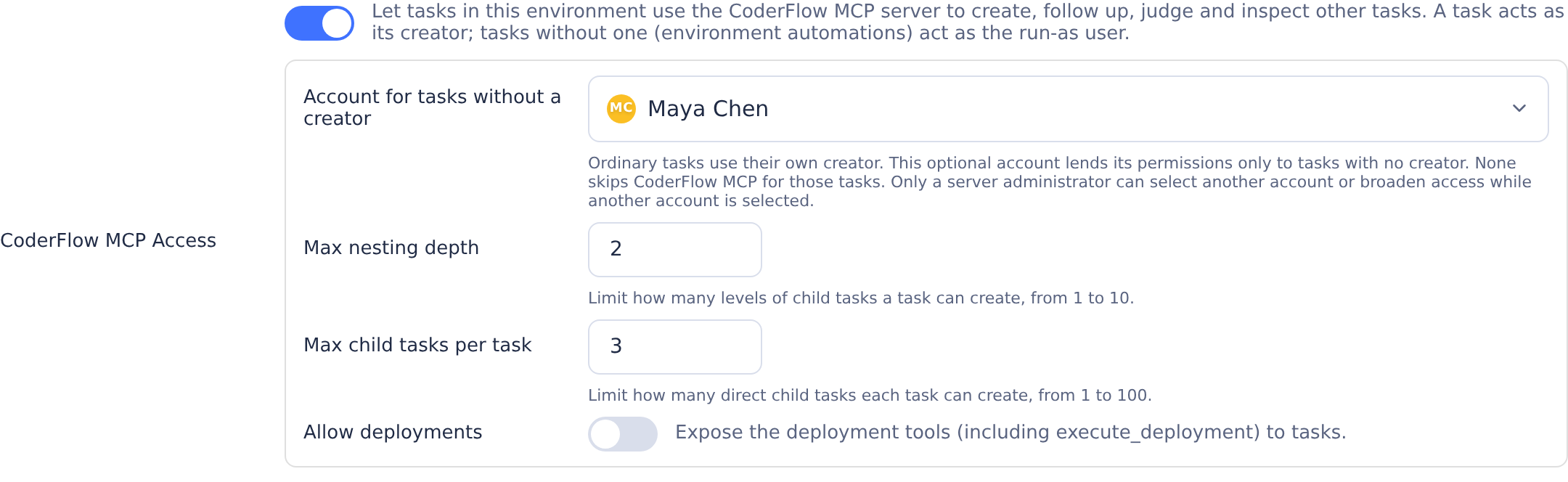
The setting is stored as coderflow_mcp on environment.json and needs the global MCP server to be enabled under Settings → Integrations → MCP Server.
Headers and Secrets
Headers commonly carry credentials, like Authorization: Bearer …. To avoid storing credentials alongside environment configuration:
- Define the credential as a secret on the environment with Tasks in Available For.
- In the MCP server modal, add a header row, switch its value mode to Secret, enter any literal prefix or suffix required by the header, and select the secret from the dropdown. For example, put
Bearerin the prefix field for anAuthorizationheader when the secret value is only the token.
The credential is resolved to its current value when each task container is created, and a user-scoped secret can override the environment secret for that user's tasks—matching how secret-backed environment variables work.
Only value-type secrets with Tasks availability are eligible for header references. File-type and build-only secrets are filtered out of the dropdown and rejected by validation.
Lifecycle
Each task's MCP server set is captured when the task's container is created:
- Updates to an MCP server's URL, headers, or referenced secret values take effect for new tasks. Tasks that are already running, or that are restarted from a stopped state, continue to use the configuration they were launched with.
- Disabling an entry removes it from new tasks. Already-running tasks are unaffected.
- Deleting an entry behaves the same as disabling it.