Skills
Skills are reusable, prompt-based actions that agents can invoke during tasks. Each skill lives in your coder setup repository under skills/<skill-id>/ with a SKILL.md file and optional supporting files (templates, scripts, references).
Managing Skills
Open Administration -> Skills in the Web UI to create and manage skills. The Skills page includes the same git workflow as environments:
- Save changes without committing
- Commit & Push to version skills in your coder setup repository (default scope is
skills/, with an advanced option to include all repository changes) - Pull and Discard to sync with teammates
Create or Edit Skills
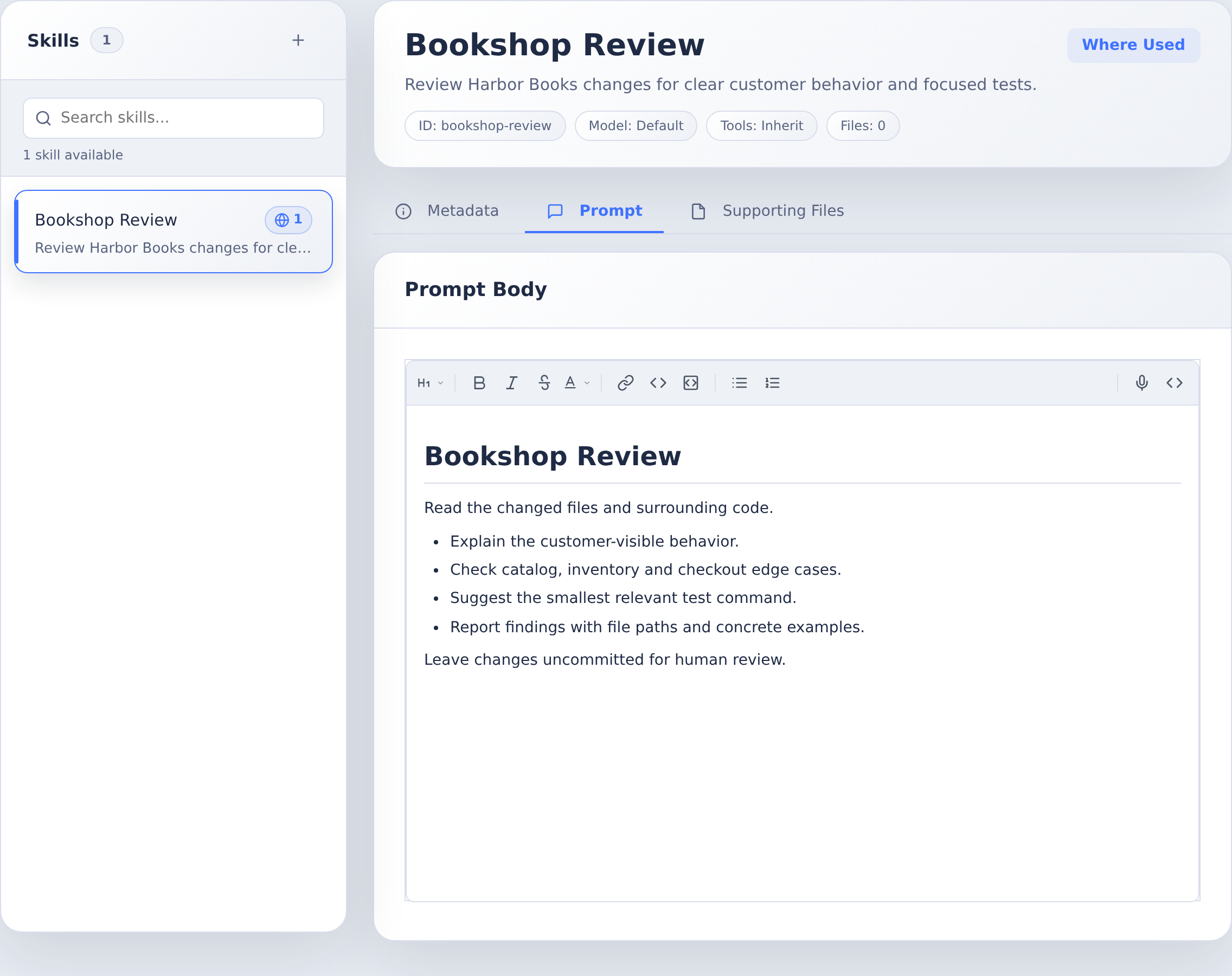
Use New Skill to create a skill ID, display name, and description. Each skill includes:
- Metadata (name, description, model/tools hints)
- Prompt (the instructions in
SKILL.md) - Supporting Files (optional files referenced by the prompt)
Import External Skills
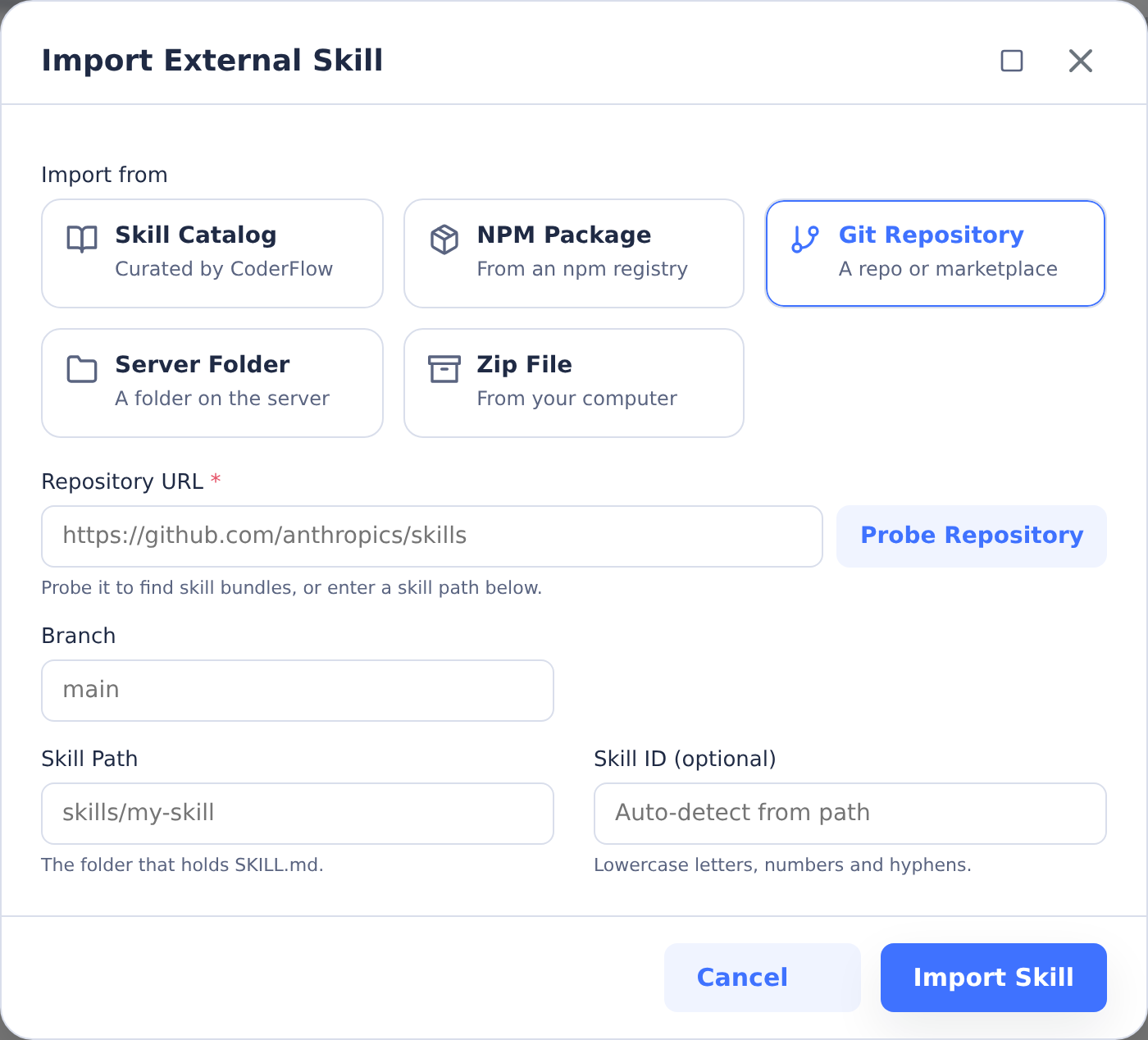
You can also import skills from external sources:
- Skill Catalog — curated skills bundled with CoderFlow
- NPM Package — import a skill published as an NPM package (supports scoped packages, a version or range, and a custom registry)
- Git Repository — import a skill directory from a repo, or probe the repo for a marketplace of skill bundles. Both public and private repositories are supported (see Private repositories below)
- Server Folder — import from an absolute path to a skill directory on the server
- Zip File — upload a skill archive
Imported skills stay synced with their source. Git-based imports can be updated from the Skills page when updates are available.
Private repositories
Skill imports work with private GitHub and Azure DevOps repositories without entering credentials in the import dialog. CoderFlow first attempts the import unauthenticated; if the repository requires authentication, it automatically retries using a configured Git Provider.
For a private import to succeed:
- A Git Provider must be configured in CoderFlow for the repository's host. For Azure DevOps, the provider's organization must match the organization in the repository URL.
- You must be permitted to use that provider (provider team restrictions apply).
- You must have connected your personal Git account for that provider under Profile Settings → Git Connections (see Connecting Your Git Account).
If no matching provider is connected, the import fails with a message asking you to connect the provider; if the stored credentials are no longer valid, you'll be prompted to reconnect. Updates to a privately-imported skill reuse the original importer's connection.
Assign Skills to Environments
Skills become available to agents only after they are assigned to an environment. In Environments -> Overview, click Add Skills and select the skills to include. The selected skills propagate to every new task launched in that environment.
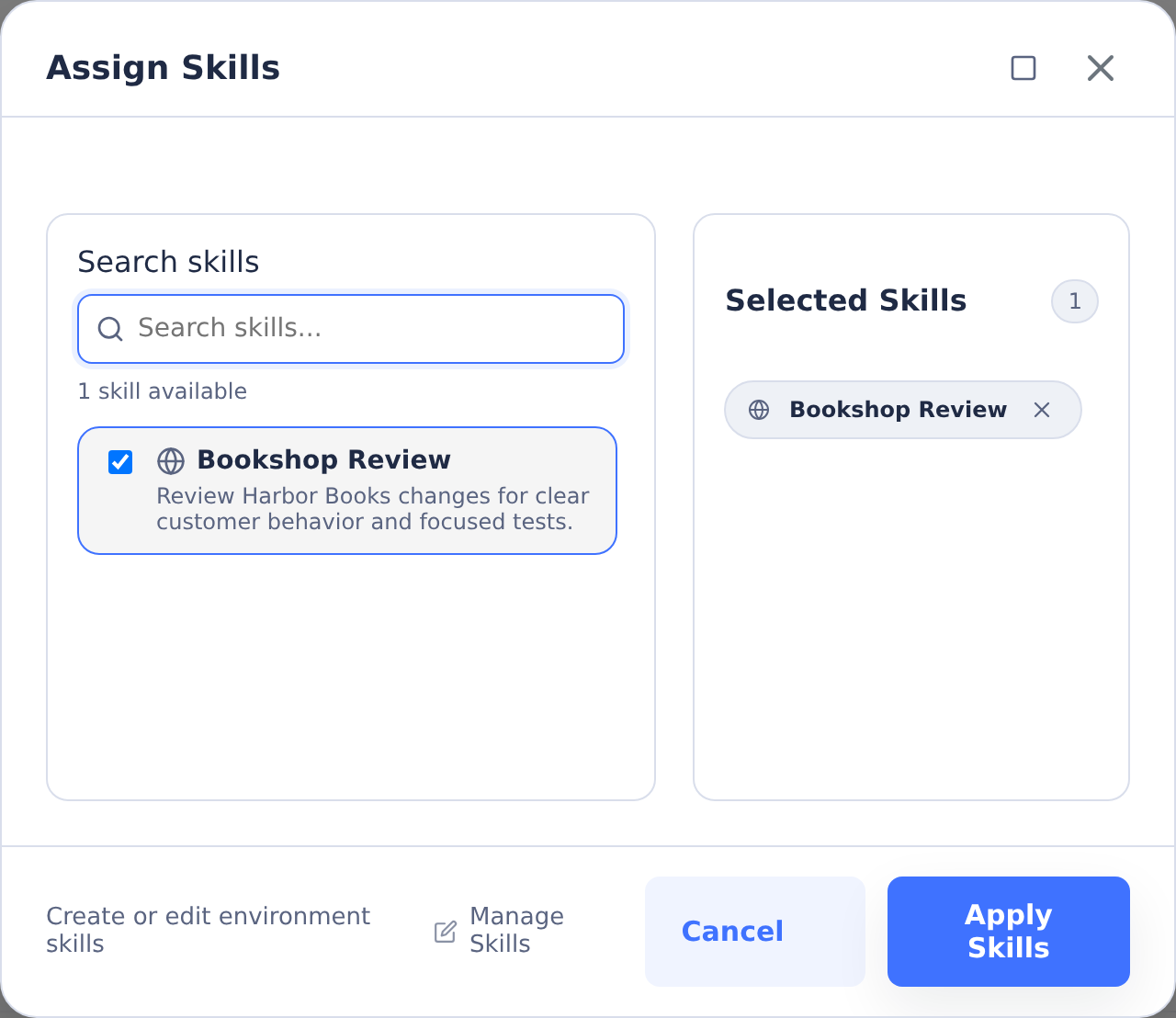
If you update skill assignments, save the environment and launch a new task for the changes to take effect.
Save, commit, and publish permissions
Saving a skill changes its local files. A local commit records those changes in
the setup repository. Publishing requires the server-scoped Setup repository
Git permission (setup:git), in addition to the relevant skill-authoring
permission. Environment Admin alone no longer grants setup publication.
For shared skills, grant skills:manage. For environment-owned skills, grant
environments:view_details and environments:skills on the owning environment.
Add a Server → Setup Repository Publisher binding for trusted publishers.
No full Environment Admin binding is needed. skills:task-edit is an additional
grant for editing assigned skills from tasks, not a substitute for authoring.
The commit dialog explains whether the commit stays local. Push publishes all pending repository commits, including other authors' work. If the commit succeeds and push fails, the commit remains saved; use Push to retry instead of creating a duplicate commit. Provider credentials and GitHub rules still apply independently of CoderFlow permissions.
Shared skill assignment requires environments:manage on the target
environment. Environment-owned authors can enable their own environment's
skills with environments:skills; publication grants no assignment authority.
See Permissions for upgrade steps.