Example: PHP (single-origin)
A browser-only walkthrough that instantiates the environment pattern for a server-rendered PHP app — the single-origin model, where one process serves both the page and the API on one port. No front-end dev server, no proxy, no CORS, and no build step: editing a .php file and refreshing is all it takes to see a change.
This is the counterpart to the two-process Node.js + Angular and .NET + Angular examples. Two-process is the better loop when you're iterating on a single-page-app front end (the browser live-reloads); single-origin is the simpler shape when the backend renders the UI itself, or when you want one process and one port to mirror a single-host deploy. PHP is the natural fit because it has no front-end build to begin with.
What you'll need
- Permission to create environments in the CoderFlow Web UI. For background, see Core Concepts and the Environments reference.
- Network access from CoderFlow to GitHub — the reference repo is public, so no credentials or Git provider setup are required.
The reference app
The code lives in php-html/ of the reference-apps repo. One PHP process serves everything:
-
router.php— the router for PHP's built-in server./api/helloreturns JSON; every other path renders the page:$path = parse_url($_SERVER['REQUEST_URI'], PHP_URL_PATH);if ($path === '/api/hello') {header('Content-Type: application/json');echo json_encode(['message' => 'Hello from the PHP API!']);return true;}require __DIR__ . '/index.php'; // everything else: the page -
index.php— the server-rendered HTML page. Its script fetches/api/hellofrom the same origin it was served from, so there's no proxy and no CORS:fetch("/api/hello").then((r) => r.json()).then((d) => { document.getElementById("message").textContent = d.message; });
One port serves both the page and the API. Everything below happens in the CoderFlow Web UI.
Create the CoderFlow environment
This follows the environment pattern; the steps fill in the PHP values. It's the shortest of the examples — there's no front-end build and nothing to install per repo.
1. Create the environment
Go to Environments → New Environment. On the Overview tab set a Description, a Default Agent, a Docker Image name (e.g. php-html), and a Timezone.
2. Add the repository
On the Repositories tab, click Add Repository → Manual Entry and paste the public URL https://github.com/ProfoundLogic/coderflow-reference-apps. Set Branch main and a Path (the steps below assume /workspace/coderflow-reference-apps); no credentials are needed for a public repo.
Leave the Post-clone Action empty — this app has no dependencies to install. (A real PHP app using Composer would run composer install here.)
3. Install PHP (pre-clone script)
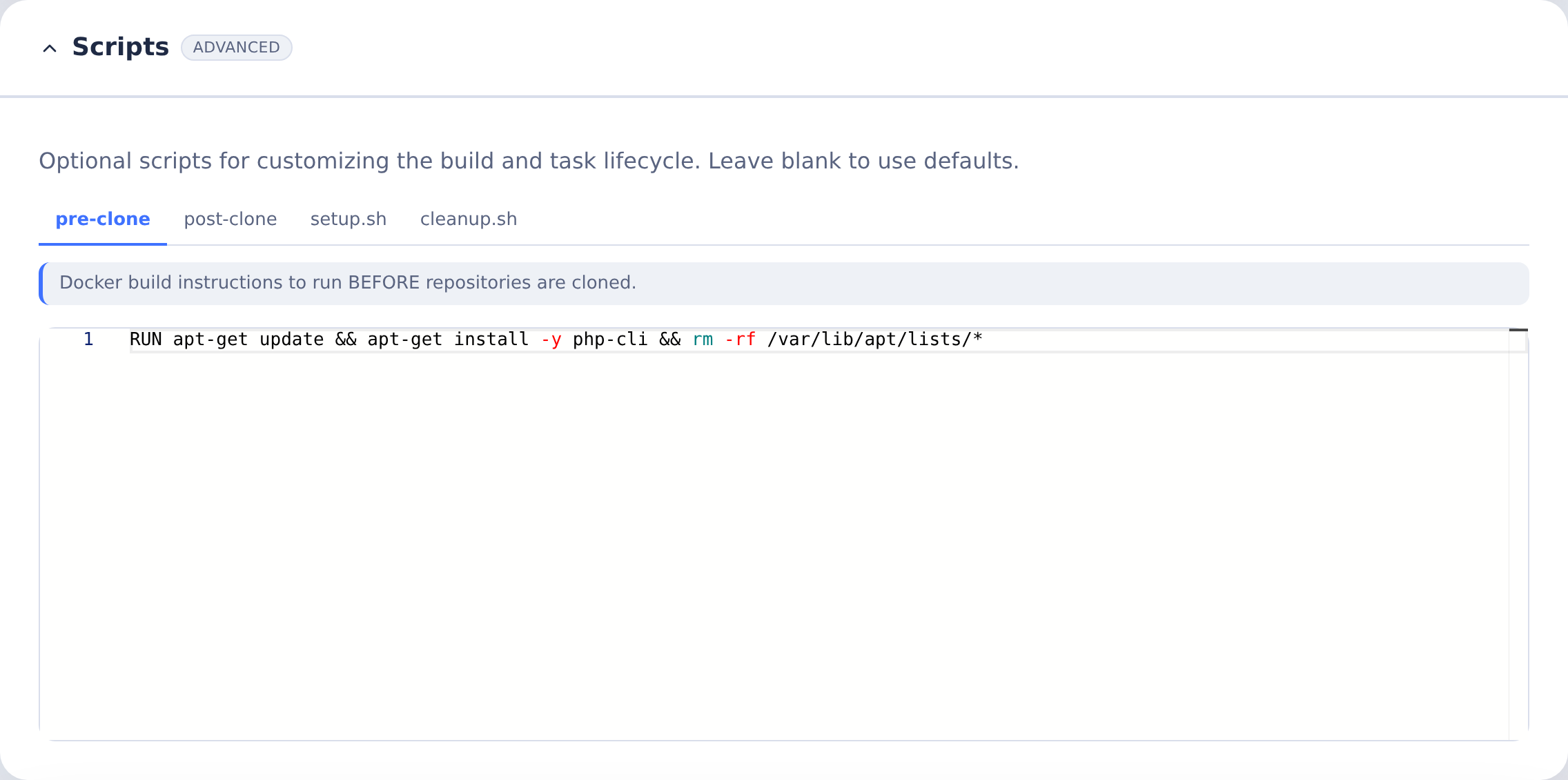
The base image includes Node.js, Git, curl, and Python, but not PHP. You don't edit a Dockerfile — CoderFlow generates it. Open the Build tab, expand the Scripts card, select the pre-clone tab, and add (raw Dockerfile lines, injected before any repo is cloned):
RUN apt-get update && apt-get install -y php-cli && rm -rf /var/lib/apt/lists/*
That's all this app needs. For a framework like Laravel, also install Composer and the extensions it requires — see the Stack reference.
4. Configure the application server
On the Application Server tab:
- Start Command — one process, serving the page and the API on one port:
cd /workspace/coderflow-reference-apps/php-html && php -S 0.0.0.0:8000 router.php
- Ports — add
8000(name likeweb). - Launch URLs — add one with Path
/on port 8000, and mark it primary.
There's a single port, no proxy, and no second process. Bind to 0.0.0.0 so CoderFlow's task proxy can reach the server.
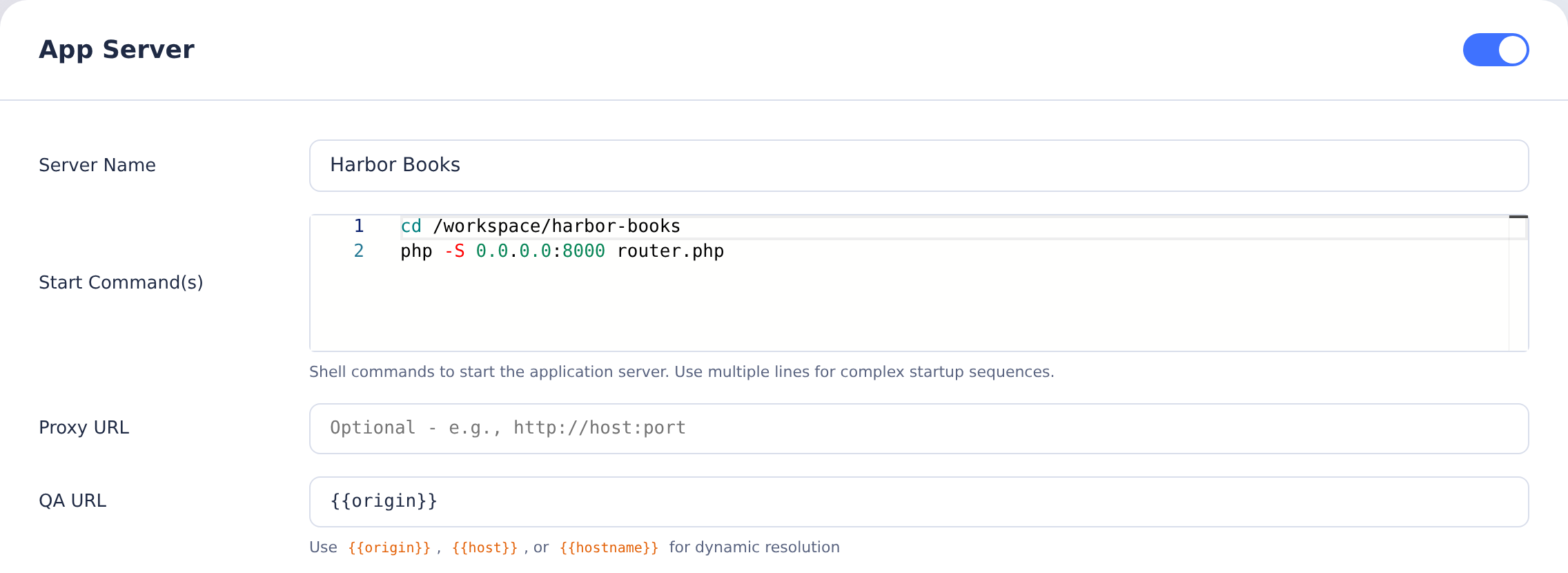
This example shows the PHP app copied into /workspace/harbor-books. When running the reference repository directly, use the php-html path in the command above. Both use port 8000 and router.php.
5. (Optional) Agent testing and tests
On the Agent Instructions tab, under Standard Instructions, enable Screenshot Guidelines so the agent can screenshot the running app. On the Tests tab, you can add a syntax check like php -l router.php (from php-html). See Test Definitions.
6. Build the environment
On the Build tab, click Build Now. When it succeeds, click Save, then Commit & Push.
Run and test it
- Create a task in this environment. CoderFlow starts a container from the built image (PHP is installed); there's nothing to build, so no
setup.shis needed. - Open the task → Testing menu → Start Server (or Start Server & Launch). See The Testing Menu.
- Click the Launch URL. The page opens through CoderFlow's task proxy and shows "Hello from the PHP API!", fetched same-origin from the one process that served the page.
- Use the in-app feedback widget to screenshot and annotate, and run any Tests you defined.
Notes
- No rebuild friction. This is single-origin's payoff with a server-rendered backend: there's no compiled front end to rebuild, so an edit to
index.phpshows on the next refresh. (When single-origin serves a compiled SPA instead — e.g. ASP.NET Core serving Angular fromwwwroot— front-end edits do need a rebuild; that trade-off is why two-process is preferred for active SPA work.) - One process, one port. No proxy and no CORS to configure, and the shape matches deploying to a single host. The cost is no live reload — you refresh to see changes.
- Calling internal APIs over HTTPS. If your real app calls internal services with certificates from a private CA, load your corporate root CA so the container trusts them — see CA Certificates — and keep base URLs and credentials on the Secrets tab rather than in source (Secrets).
Related
- Web Application Environments — the pattern this example follows
- Stack reference — values for other backends and front ends
- Reference apps repo — every backend/front-end combination
- Environments — full reference for every environment tab