Winner Selection
When multiple agents work on the same task, you need to choose which variant to approve and deploy. Winner selection is how you mark your preferred solution.
Winners and Losers
Each variant in a task group can be marked as:
- Winner: The best variant—approved changes will come from this one
- Loser: This variant had issues and should be excluded
- Neutral: Neither winner nor loser (default state)
Only one variant can be the winner at a time. Marking a new winner automatically clears the previous one.
Why Mark Variants?
- Clarity: When multiple agents succeeded, marking a winner makes your choice explicit
- Approval flow: The winner is what gets committed when you approve
- Exclusion: Marking losers removes them from consideration
- Audit trail: Track which variants were considered and why
Selecting a Winner
- Open the task group (click the group in your task list)
- Review each variant's changes, summary, and test results
- Click Mark as Winner icon on your preferred variant
- The group updates to show your selection

You can change your mind at any time by marking a different variant as winner.
Reviewing Variants
Before selecting a winner, open Compare variants from the task's More menu. Use Compare code to inspect the same file across variants.
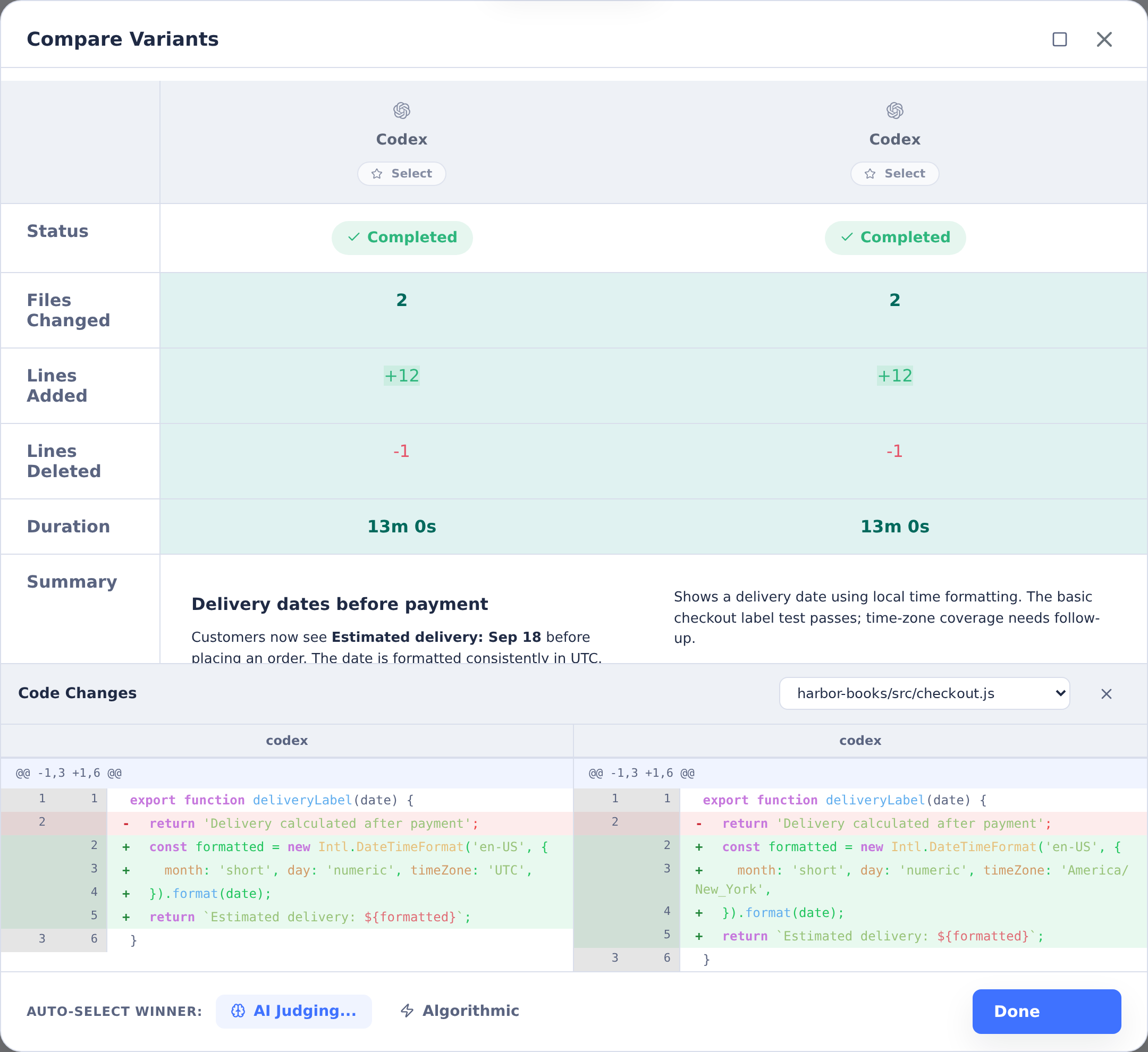
Review what each agent produced:
Code Changes
View the diff for each variant to see exactly what changed. Look for:
- Correct implementation of requirements
- Clean, readable code
- Appropriate error handling
- No unintended side effects
Summary
Each agent produces a summary explaining what it did. Compare summaries to understand different approaches and any issues encountered.
Test Results
Check whether tests passed for each variant. A variant with failing tests may need follow-up work before it's ready to approve.
Exit Status
Variants that completed successfully show exit code 0. Non-zero exit codes indicate the agent encountered an error—review the logs to understand what happened.
Marking Losers
If a variant is clearly unsuitable, mark it as a loser:
- Click Mark as Loser icon on the variant
- The variant is visually de-emphasized
- It's excluded from comparisons and judge evaluations
You can unmark a loser if you change your mind.
After Selection
Once you've selected a winner:
- Review in detail: Open the winner to examine changes closely
- Run the application: Test the modified code in the container
- Provide feedback: If adjustments are needed, send follow-up instructions
- Approve: When satisfied, approve to commit the changes
See Approval & Deployment for the next steps after selecting a winner.