
Keep Every System Current, Configured and Tuned.
Agents take on the routine administration across your servers, databases and applications: patch planning, account reviews, settings, storage, performance and cleanup. They look with read-only access and prepare every change for a person to approve.
The Admin Work That Never Ends.
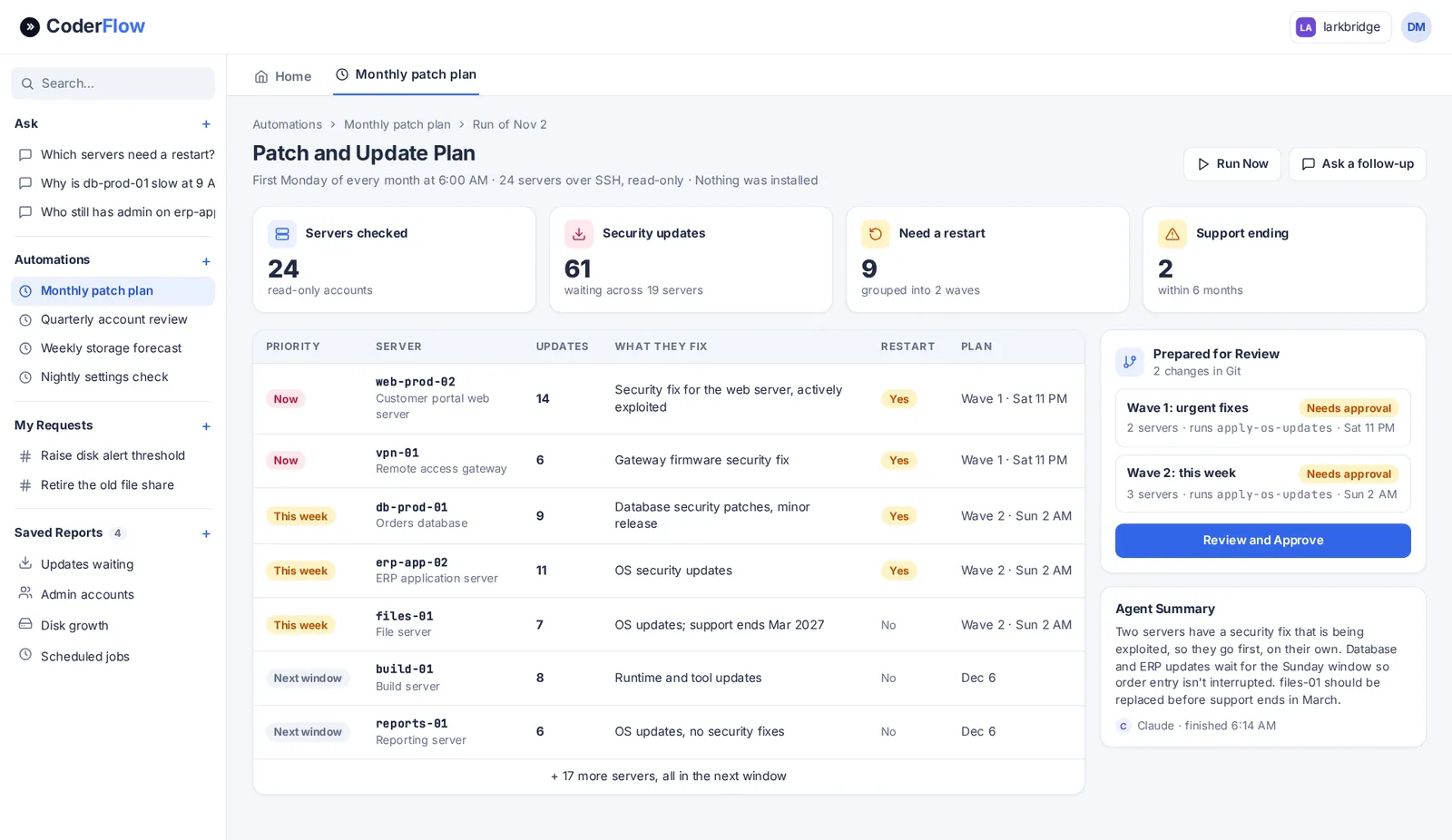
Patches and OS Updates
What is waiting to install on each server, what it fixes, and an update plan in priority order.
User Account Reviews
Accounts that are inactive, shared or have more access than their role needs, listed for someone to act on.
System Settings
Settings compared with the baseline you keep in Git, with a change to bring them back in line.
Scheduled Jobs and Queues
What runs when, what overlaps, and what has quietly stopped running.
Storage and Growth
What is filling each disk and database, how fast it's growing, and what can safely go.
Performance Reviews
Slow queries, busy hours and the services that use the most memory, explained in plain language.
Cleanup Scripts
Old logs, temporary files and stale backups, removed by a script a person approves.
Admin Runbooks
How each system is set up and how to change it safely, written from what is really there.
Reports Your Team Can Act On.
Each run ends in a report a person can read in a minute, with the fix already prepared for approval.
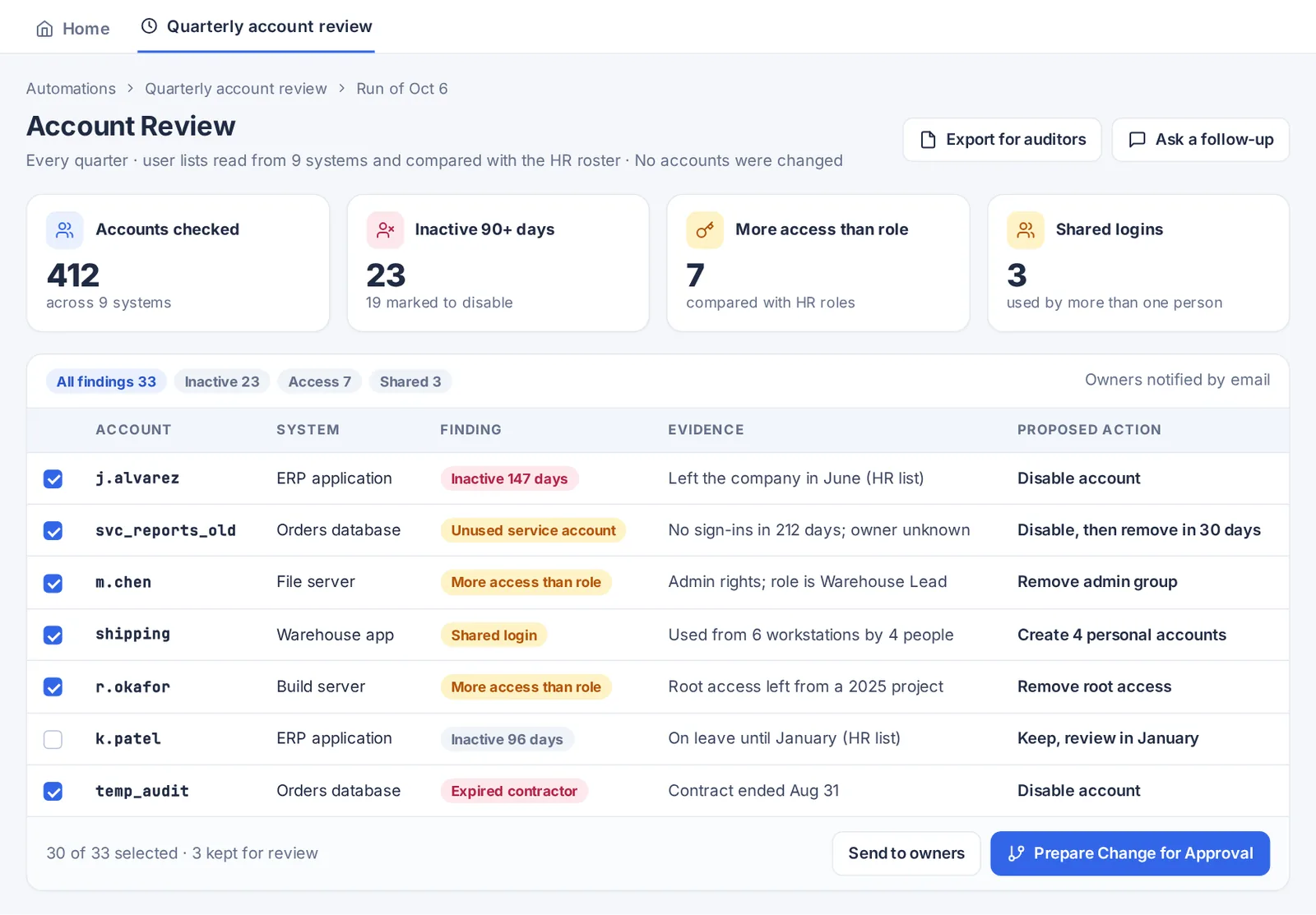
Every Account, Checked Against Who Should Have It
Each quarter, an agent reads the user lists from the systems you connect and compares them with your staff list. Inactive accounts, shared logins and access beyond a person's role come back with the evidence, and the fix is prepared for approval.
- Evidence for every finding
- Owners confirm before anything changes
- A record you can give your auditors
See the Full Disk Before It Fills Up
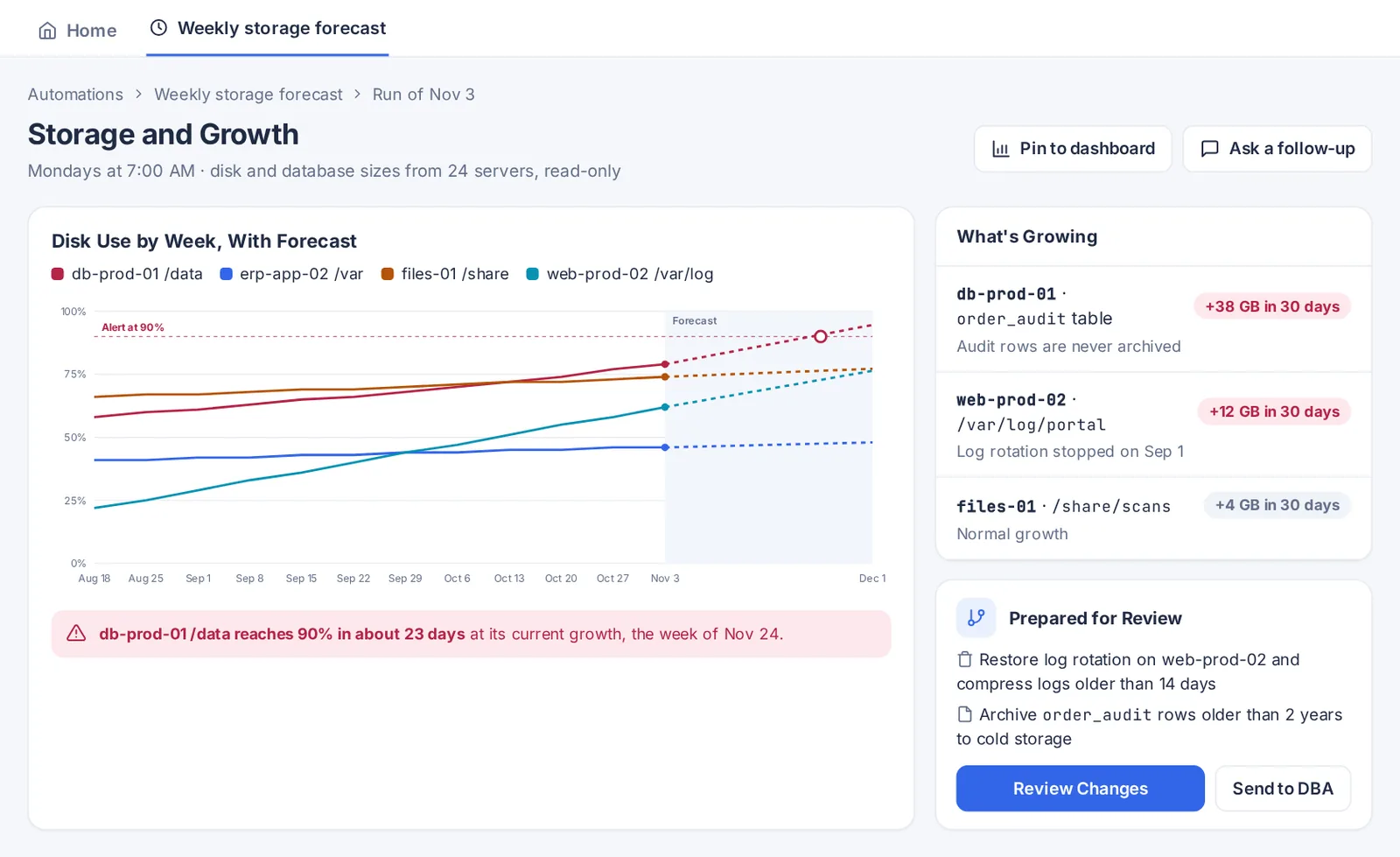
Every week, an agent measures your disks and databases, shows what is growing and forecasts when each one reaches its limit. The cleanup it suggests comes as a script for review, not a command it runs on its own.
- A forecast date for every disk near its limit
- The tables and folders behind the growth
- Cleanup prepared as a script in Git
The Routine Work Runs Itself
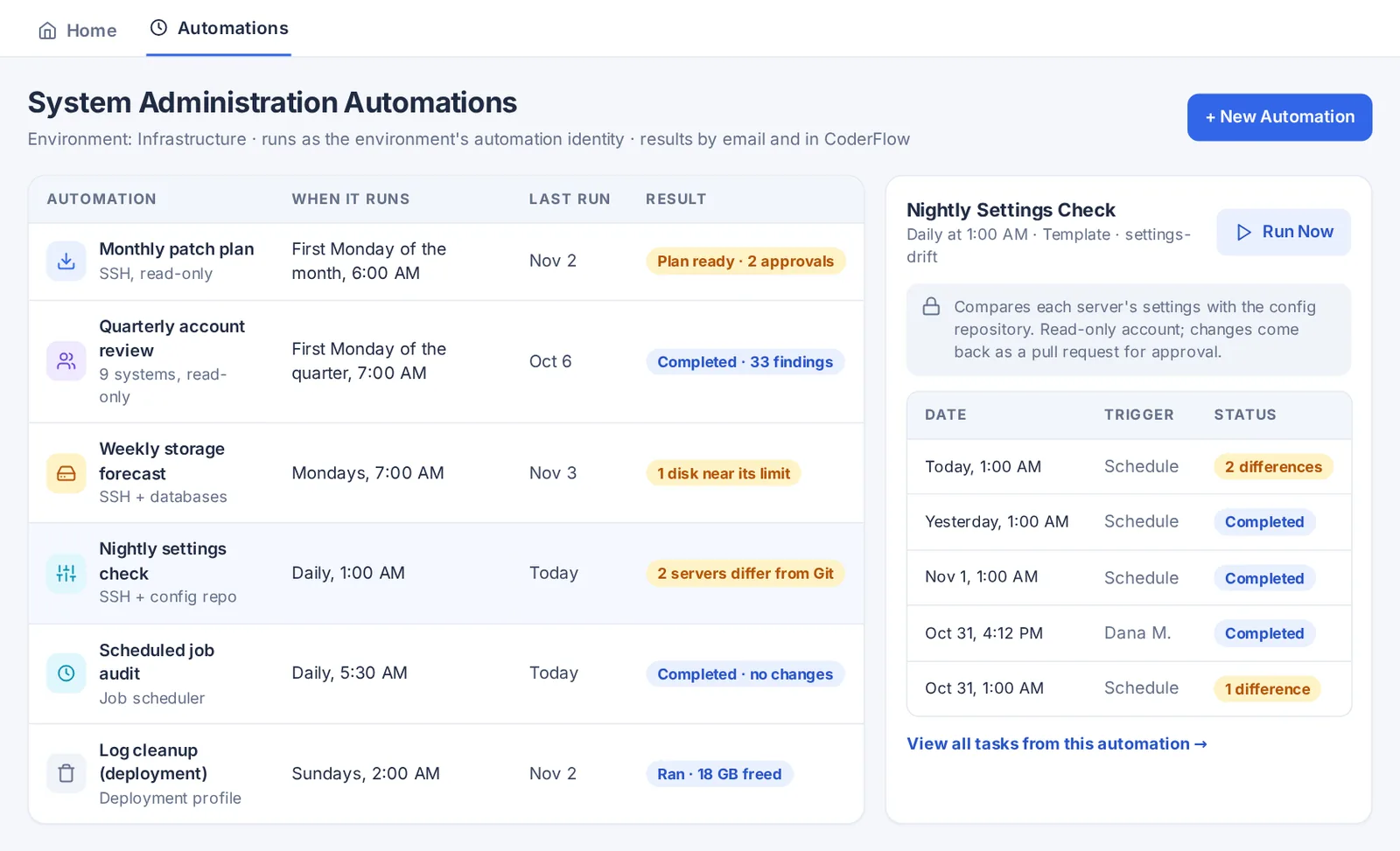
Patch plans, account reviews, storage forecasts and settings checks run on the schedule you set, with read-only accounts. Every run is kept, so anyone on the team can open what it checked and what it found.
Look First. Change Only Through Approval.
Admin work touches live systems, so CoderFlow keeps looking and changing apart.
Look With Read-Only Access
Give agents SSH and database connections with accounts that can read and not change. IT decides which environments get which connections.
Prepare Changes in Git
Updates, settings and cleanup become scripts and configuration in Git. A person reviews the diff and approves it.
Apply Through Deployment Steps
Restarts, updates and releases run as deployment profiles IT writes. Running one takes permission, and every run is recorded.
Run It on a Schedule
Monthly patch plans, weekly account reviews, nightly settings checks. Automations start the task and the report is waiting for your team.
Works Alongside Your Admin Tools.
CoderFlow plans and prepares the work. Your tools and deployment steps apply it.
- CoderFlow isn't a remote management or patch deployment tool.
- Agents can reach only the systems IT connects, with the access those accounts have.
- Commands in a task run directly, so use read-only accounts for checks and deployment profiles for changes.
System Administration Questions
Can an Agent Apply Patches or Updates?
Yes, the controlled way. The agent prepares the update plan and any script changes for review. The update itself runs as a deployment profile, a script IT writes. People with permission run it, or an automation runs it on a schedule, and every run is recorded.
How Do Agents Get Access to Our Servers?
Through the connections IT sets up. An SSH connection gives task containers a configured key and host entry, and database connections give agents a ready-made database login.
How Is This Different From IT Operations?
Both use the same connections, automations and approvals. IT operations watches systems and recovers when something breaks. System administration keeps them current, configured and tuned.
Pick One Admin Chore to Hand to an Agent.
Tell us what your team checks and updates by hand. We'll show it as a scheduled agent task, with read-only access and a person approving every change.