
Your Agents Write It. CoderFlow Gets It Verified, Approved and Shipped.
Your agents already write good code. CoderFlow tests it in an environment like yours, compares the attempts, and IT approves and releases every change.
Demonstration data · Fictional company
Transcript: AI agents do the work. IT decides what ships.
[IT's Requests page: REQ-000139, "Turn our returns spreadsheet into an app".]
At Larkbridge, a business request reaches IT's queue.
[The request as it was written, close on one line: "get overwritten, and nobody can see which credits are overdue.", with Returns log.xlsx attached below.]
It arrives explained, with the spreadsheet attached.
[The task IT launched from it, Task Details: Created By Maya Chen, and its container's state, Running.]
From there, Maya, in IT, hands the build to an agent.
[The same Task Details: Container State, Running. The task runs in its own container.]
Each task runs in its own container.
[The agent's report, Verification, close on "npm test: 12 tests passed".]
Two and a half hours later, the app is built and tested.
[The report scrolls down to the screenshot the agent took of the running Returns app.]
Then IT sees the evidence,
[The agent's screenshot of the Returns app in its report: Open returns 23, then close on Waiting on credit 9, "Approved, not yet credited".]
tests, screens and the code.
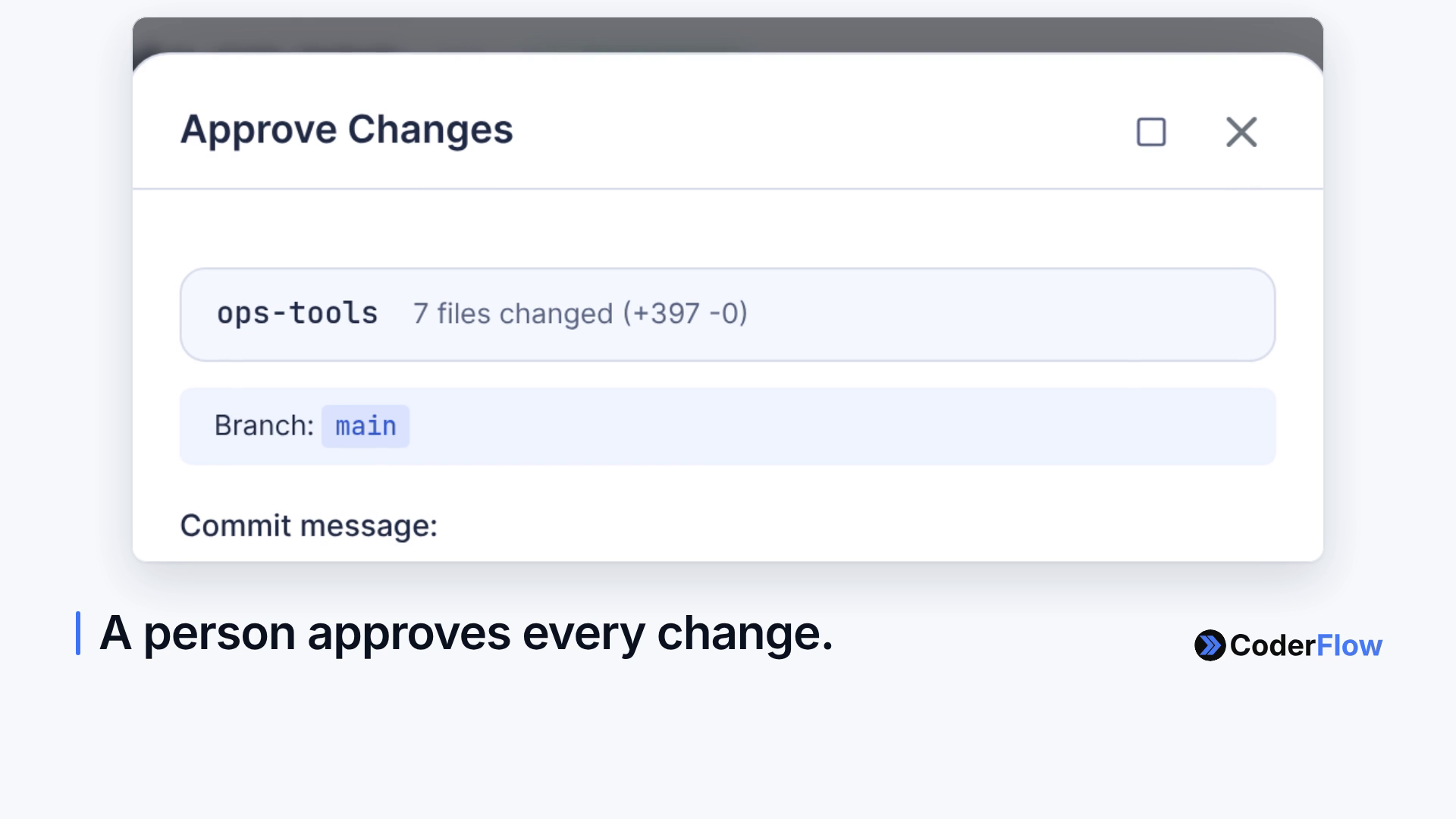
[Approve Changes: ops-tools, 7 files changed (+397 -0), branch main.]
And every code change needs a person's approval.
[The same dialog, lower: Pull from remote after commit, Push to remote after commit, and the Commit Changes button, which Maya presses.]
Only then is the change committed.
[The task afterwards, Task Details: Duration 2h 30m 4s, and Approved by Maya Chen · now.]
Every run and every approval is recorded.
[Roles, close on the custom Contractor role: "Create tasks and send follow-ups. No approving, deploying or terminals".]
Behind it all, IT sets the roles,
[Lena Fischer, a contractor, has the Deploy dialog open with deploy-customer-portal chosen: "Deploy customer portal to production".]
so when a contractor tries to deploy,
[Lena presses Deploy.]
[The dialog has closed and a red toast says Forbidden. No deployment starts.]
the server refuses.
[End card: CoderFlow logo, "Your Agents Do the Work. IT Decides What Ships." and the disclosure.]
Agents build it. IT decides what ships.
CoderFlow Puts Agents to Work on Every Job in IT.
From the code to the systems it runs on: one platform for your developers, administrators, operators and security team.
Agentic Coding
Build, futurize and test your applications, in any language.
- Older and newer languages
- Screen and interface futurization
- APIs and integrations
- Testing in a real browser
- Documentation
- Change management
- Getting code into Git
- Several agents, judged
System Administration
Keep the system current, configured and tuned.
- Patches and OS updates
- User account reviews
- System settings
- Scheduled jobs and queues
- Storage and performance
- Cleanup scripts
IT Operations
Watch, diagnose and recover, around the clock.
- Morning health checks
- Failed jobs and overnight runs
- Certificates and expiry dates
- Backup verification
- Log review and summaries
- Runbooks and server documentation
Security
Find weak spots, fix them safely and keep the record.
- Scheduled security sweeps
- Checks on every change
- Urgent security updates
- Secrets in code
- Access reviews
- Alert triage
Every Leading AI Agent. One Governed Platform
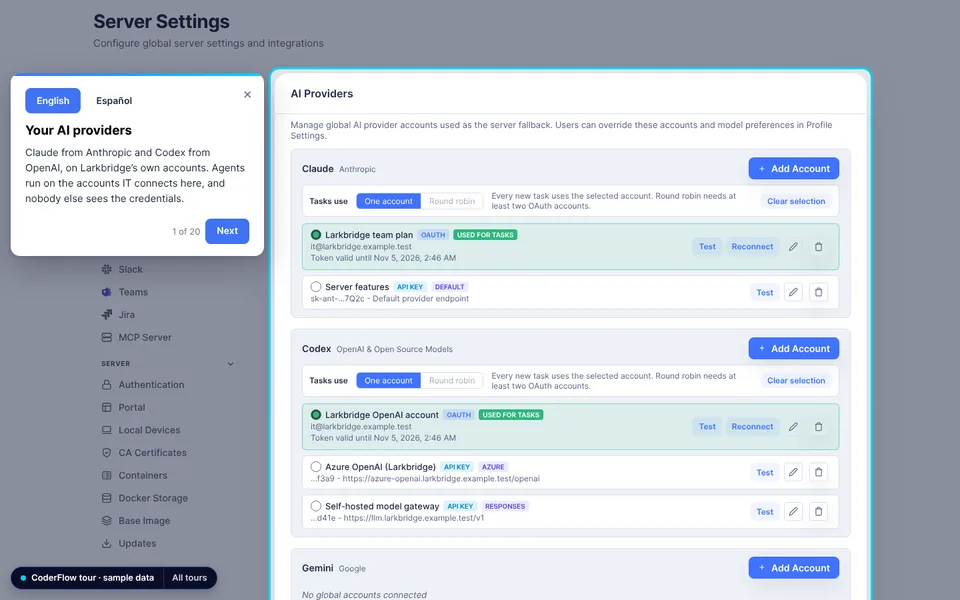
Claude Code, OpenAI Codex, Google Gemini, IBM Bob, xAI Grok and Moonshot Kimi, with subscriptions or API keys, plus Amazon Bedrock, Azure OpenAI, compatible gateways, including models you host yourself behind one. Automatic model selection sends each task to the right tier, and usage tracking keeps spend predictable.
System knowledge your whole team and every agent shares, kept current.
Small team, simple setup. Run it on one Linux server with Docker, or hosted on CoderFlow Cloud. No Kubernetes and no platform team.
Give Business Teams AI. Keep Control.
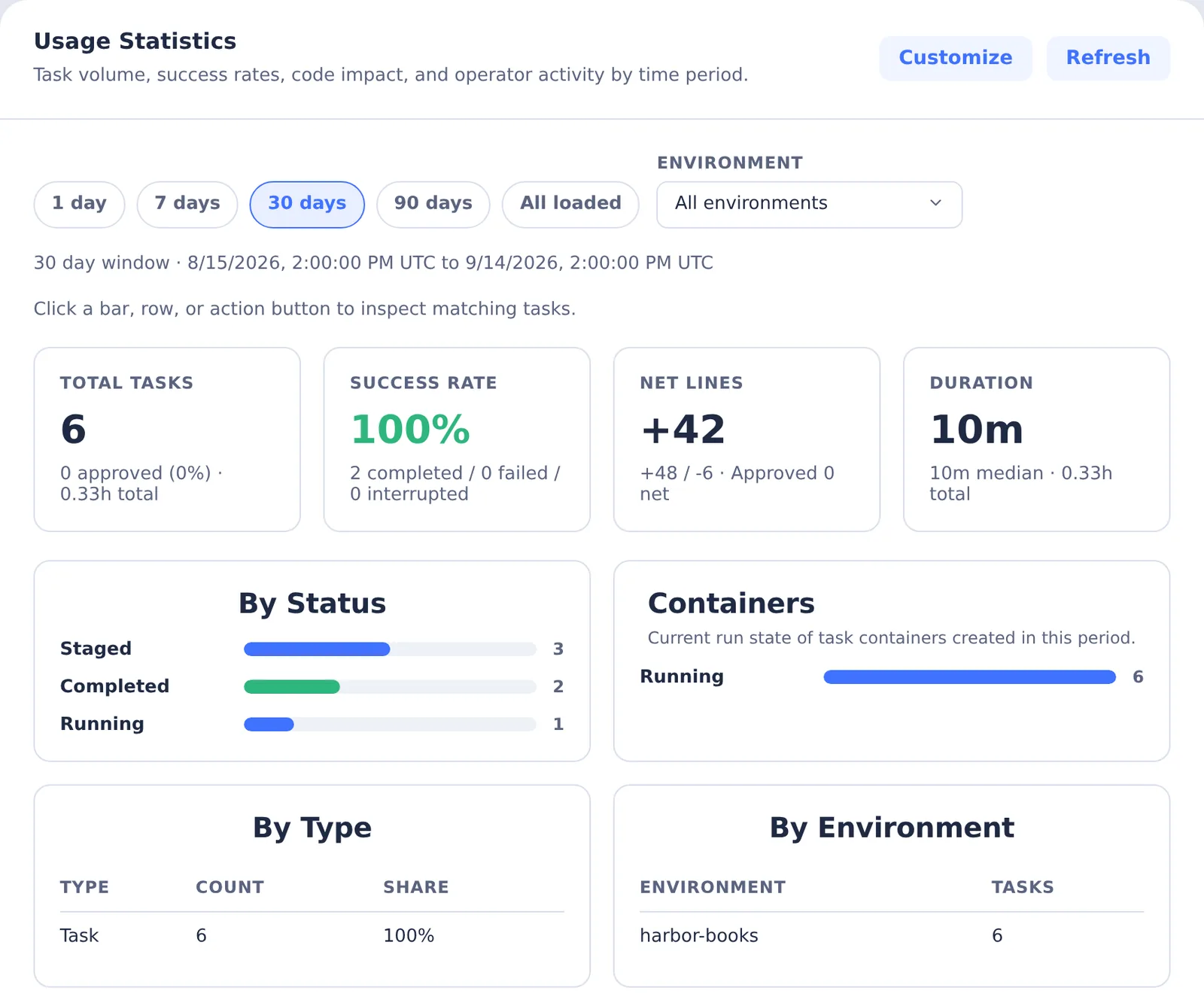
Business teams build automations and reports inside the rules you set: which AI models, data and applications they use, and what needs your approval.
Everything Around the Code, Not Just the Code.
Your agents write the code well. These are the steps that get it verified, approved and shipped.
AI Judges
Several agents' attempts compared without knowing who wrote which, with a winner recommended and explained.
IT Requests
Business requests arrive with the screen and context attached, ready to hand to agents.
Release Steps IT Defines
Deployment steps per environment. Running them takes permission, and every run is recorded.
Review Until It Passes
Feedback loops back automatically until the work passes.
Parallel, Isolated Agents
Claude, Codex, Gemini, IBM Bob, Grok and Kimi, each in its own container with your repositories and short-lived credentials.
Full Audit Trail
Who asked, which agent did the work, and who approved it and when.
Your System, Documented
Self-maintaining documentation, and answers about your code that show their sources.
Hundreds of Tasks
Run one template across hundreds of programs, with review that keeps up.
Agentic Coding →Testing →Change Management →IT Requests →Documentation →
Read the Diff. Keep the Final Say
Inspect every proposed change, its tests and its captured screens before anything ships.
Change Management for AI →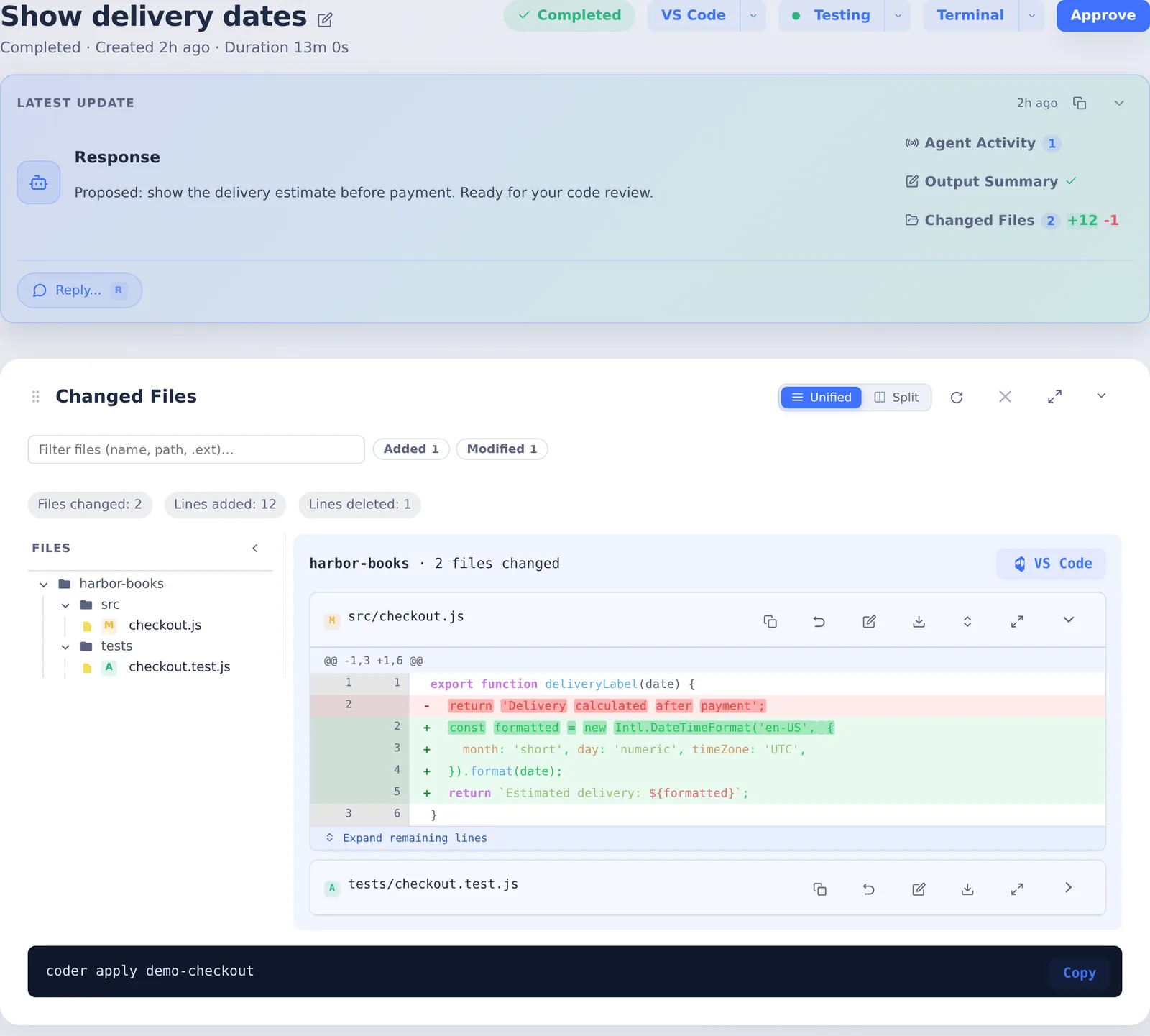
Web, CLI, VS Code, Slack, Teams or Your Phone
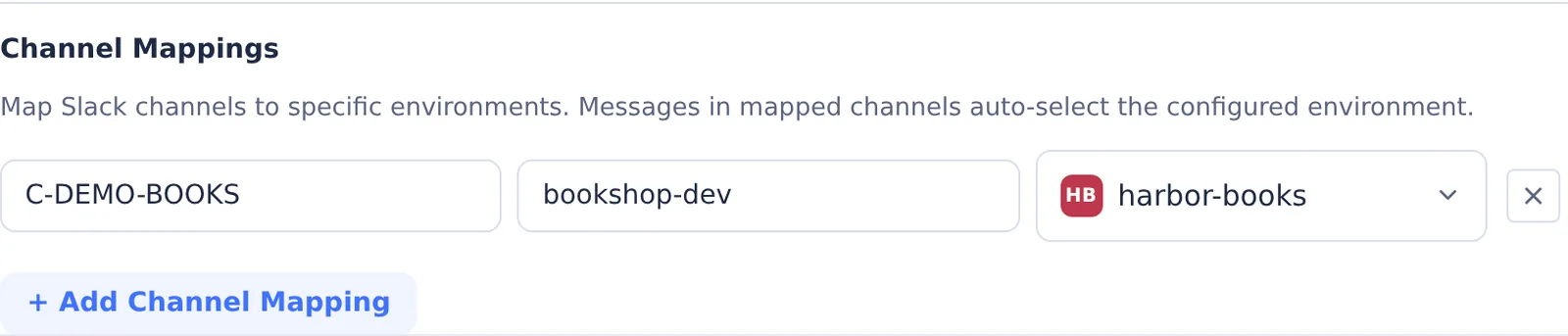
Start tasks from chat, a webhook or your phone. Other AI assistants delegate work to CoderFlow through the CoderFlow MCP Server.
Built for the System You Run
Depth varies by platform. For example, where your COBOL compiles on Linux or a Unix server, agents compile and test their own changes. See what CoderFlow does for yours.
Try It Yourself.
Get hands-on with the real CoderFlow app and sample data, in about 4 minutes. Nothing touches real code.
Everything to Explore →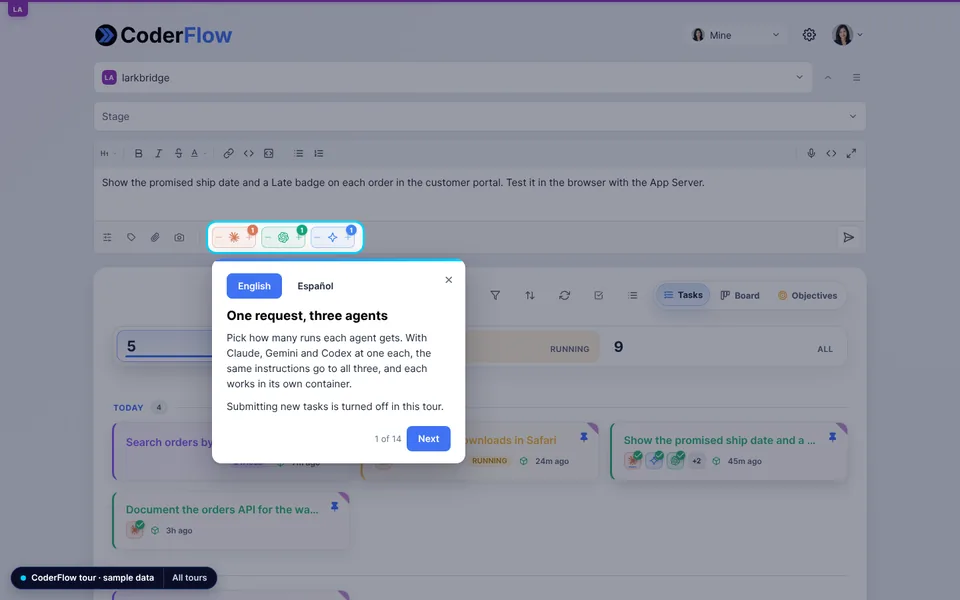
Questions for IT Teams
How Do Parallel Agents and AI Judges Work?
You can send one task to several agents at once, up to five containers per agent. When they finish, AI judges compare the results with the variants anonymized, recommend a winner and explain why. Judges are read-only, and a person still decides what ships.
What Does "Keep Reviewing Until It Passes" Do?
It sends review feedback back to the agent automatically and re-reviews the new version, round after round, until the judges return Pass or a round limit is reached (three by default, up to ten). Only meaningful feedback is forwarded, so the loop stays focused.
Can We Install Our Own Build Tools?
Yes. Each environment adds your own build steps to the CoderFlow base image, which is Debian-based Linux with Node and Python included. Teams install toolchains such as .NET, Java, PHP or GnuCOBOL there. Tools that only run on Windows can't run in the containers, and remote build servers can be reached over SSH connections.
How Does CoderFlow Learn Our System?
Through skills and memory. Skills are reusable instruction packages that teach agents your conventions, tools and procedures, imported from a catalog, npm, Git or a zip file. Memory is a per-environment set of notes agents read at the start of each task and update as they learn.
Which Tools Does CoderFlow Integrate With?
GitHub and Azure DevOps (including pull requests), other Git hosts by token, Slack, Microsoft Teams, Jira Cloud, inbound webhooks, scheduled Git polling and external MCP servers. Other AI assistants can hand work to CoderFlow through the CoderFlow MCP Server.
How Do We Keep AI Spend Under Control?
Automatic model selection routes each task to a low, medium or high tier model, so you pay for top-tier models only when needed. Admins set concurrency limits, the review loop has a round limit, and the usage dashboard shows tasks, outcomes and token usage.
Put Agents on Your Backlog. Keep IT in Control.
Start with one defined workflow on the systems you already run, then expand as it proves itself. Talk to sales about your systems, or start with a Reimagine engagement.