
Claris FileMaker With CoderFlow
Custom FileMaker solutions with layouts, scripts and relationships that run the business day to day.
Built from your FileMaker app: its data, its layouts, its rules. Not from a blank page.
# Flag Overdue Invoices - runs when the file opens
Go to Layout [ "Invoices" (Invoices) ; Animation: None ]
Enter Find Mode [ Pause: Off ]
Set Field [ Invoices::Status ; "Open" ]
Set Field [ Invoices::DueDate ;
  "<" & ( Get ( CurrentDate ) - 7 ) ]
Perform Find [ ]
If [ Get ( FoundCount ) > 0 ]
  Loop
    Set Field [ Invoices::Status ; "Overdue" ]
    Set Field [ Invoices::LateFee ;
      Round ( Invoices::Total * .015 ; 2 ) ]
    Go to Record/Request/Page [ Next ; Exit after last ]
  End Loop
  Commit Records/Requests [ With dialog: Off ]
End IfOpen invoices more than 7 days past due are marked Overdue and charged a 1.5% late fee, once. The script runs only when someone opens the file, so the fee date depends on who opens it first, not on a schedule.
Illustrative example with synthetic code.
Running on FileMaker Today
One person built and tuned the solution over many years, and the rules live in scripts and calculations.
Costs and hosting grow as more people, phones and partners need access.
Customers and partners want a web portal, and the solution was built for staff only.
What CoderFlow Does for FileMaker
Documentation and Q&A
Plain-language documentation of your FileMaker solutions, and answers with sources for anyone on your team.
Built for You, Approved by You
Describe what you need. CoderFlow builds and tests the app, and you try it before anyone relies on it.
Scripts and Calculations, Explained
CoderFlow explains scripts, calculations, relationships and layouts in plain language, so the knowledge no longer lives with one person.
A Web App, or a Better FileMaker
CoderFlow rebuilds the solution as a web app with the same rules and a server database, including portals for customers or partners, or prepares script changes for your team to apply in FileMaker.
Answers About Your App, in Plain Language
Ask how a script, layout or calculation works and get an answer that shows where it came from.
Explore CoderFlow for Business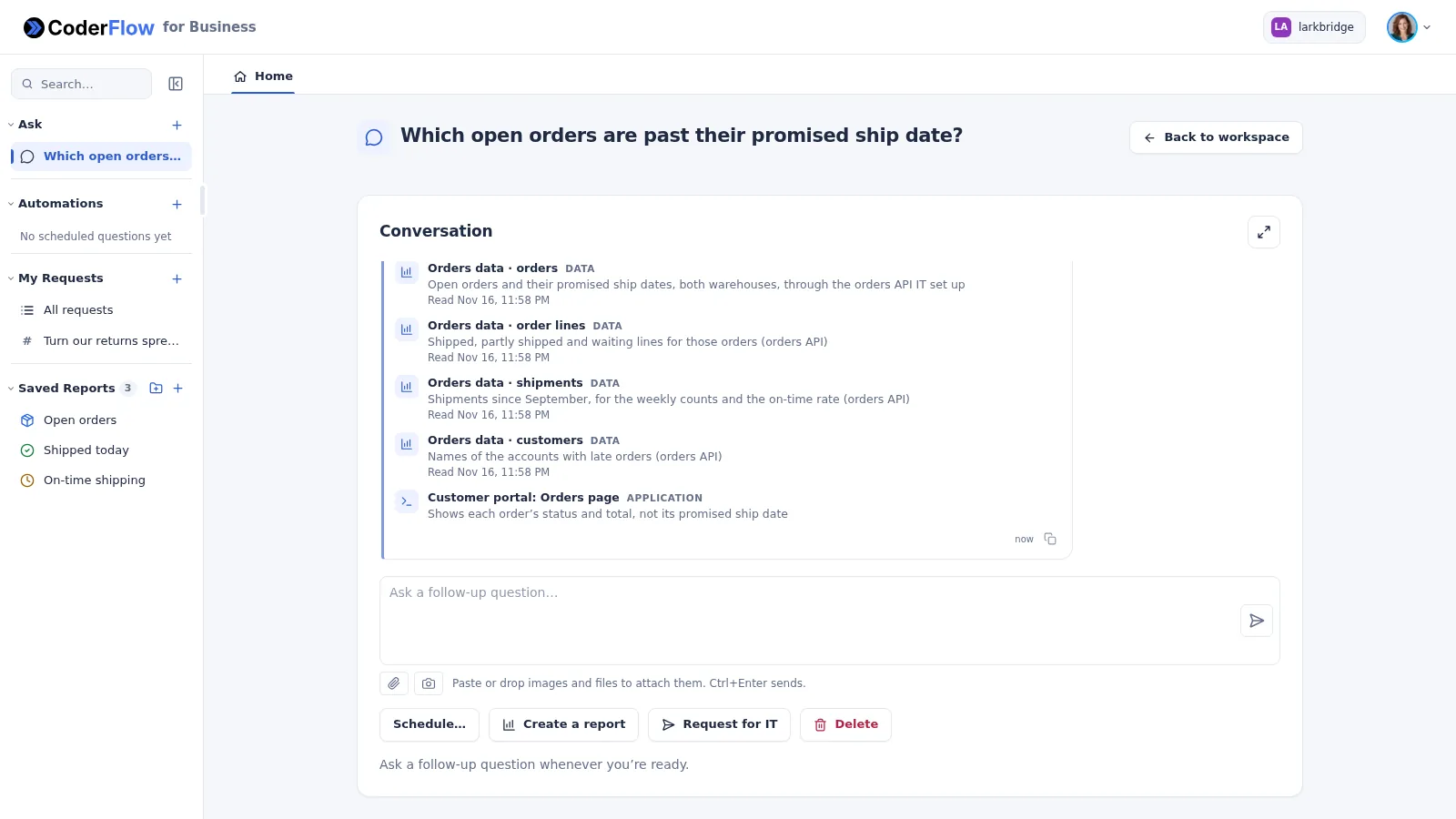
How It Connects
CoderFlow reads the exported design and sample data in its own workspace, and your team applies any changes to the solution in FileMaker Pro. Replacement web apps are built and tested inside CoderFlow, and can read FileMaker data through the FileMaker Data API during a gradual switch.
Keep It, or Move Forward
Keep the FileMaker solution while the new app proves itself. Some teams move one process at a time, such as a customer portal first, and keep the rest in FileMaker.
Late Fees on a Schedule, and a Customer Portal
A property maintenance company bills from a FileMaker solution and answers balance questions by phone. CoderFlow explains the billing scripts, then builds a web app with the same rules, scheduled late fees and a customer portal. The owner approves it after a trial, and Profound Logic hosts it on CoderFlow Cloud.
Walkthroughs for your system are coming. Meanwhile, explore CoderFlow on a web app, or see how it works in the 2-minute quick look.
FileMaker Questions
Can CoderFlow Turn a FileMaker Solution Into a Web App?
CoderFlow reads the tables, relationships, layouts, scripts and calculations, then builds a web app with the same rules over a server database, with portals for customers or partners if you want them. You try it with your data and approve it before anyone switches.
Can CoderFlow Explain the Scripts and Calculations in Our FileMaker Solution?
Save a copy of the solution as XML or a Database Design Report, and CoderFlow explains what each script does, when it runs, which fields it changes and how calculations such as late fees work. Each answer names the script or field behind it.
Can CoderFlow Change Our FileMaker Solution Directly?
CoderFlow prepares script and calculation changes from the exported design, and your team applies them in FileMaker Pro, tries them and approves. CoderFlow can't open FileMaker Pro or edit the .fmp12 file itself, but it builds and tests replacement web apps, including in a browser.
What Happens to Our FileMaker Data When CoderFlow Builds the New App?
CoderFlow builds the move to a server database from FileMaker exports or the FileMaker Data API and tests it with your real records, so totals and statuses match. For a gradual switch, the new app can read FileMaker data through the Data API.
Do We Need a FileMaker Developer to Use CoderFlow?
CoderFlow works from a plain-language description by the owner or anyone who knows the process, then builds the app for you to try and approve. Profound Logic can host it on CoderFlow Cloud, and a FileMaker developer you work with can review every change.
How Do We Get Started With CoderFlow for a FileMaker Solution?
Pick one FileMaker process, such as orders, scheduling or inventory, and describe it or share the layouts, scripts and a data export. Talk to sales and we'll show you how CoderFlow would build it, hosted by Profound Logic on CoderFlow Cloud.
Industries where we often see FileMaker
Take the Manual Work off Your Plate.
Tell us what you need and we'll show you how CoderFlow would build it, or start with a Reimagine engagement.