
Gupta / Centura SQLWindows With CoderFlow
Client-server applications built in SQLWindows and Team Developer.
Start with one defined workflow on the systems you already run, then expand as it proves itself.
! frmInvoice: pbPost Click
On SAM_Click
    Call SqlPrepareAndExecute( hSql,
        'SELECT CREDITHOLD FROM CUSTOMER
         WHERE CUSTNO = :dfCustNo INTO :nHold' )
    Call SqlFetchNext( hSql, nFetch )
    If nHold = 1 AND NOT bSupervisor
        Call SalMessageBox( 'Credit hold', 'Post', MB_Ok )
        Return FALSE
Call PostInvoice( dfInvNo )Only users flagged as supervisors. The check lives in the Post button on the invoice form, so batch posting doesn't apply it.
Illustrative example with synthetic code.
Running on Gupta SQLWindows Today
A small developer community and few modern tools.
Business logic spread across form events and embedded SQL.
A runtime that's hard to keep current.
What CoderFlow Does for Gupta SQLWindows
Documentation and Q&A
Self-maintaining documentation of your SQLWindows and Team Developer applications, and plain-language answers with sources for business users and developers.
Impact Before Change
See which programs, files and screens a change will touch before anyone starts.
Changes Prepared by Agents
Agents prepare changes in isolated containers. Your team builds and tests them with its existing toolchain, then approves.
Into Git, Reviewed Forever
Save applications in text format and keep them in Git.
Form Events, Documented
CoderFlow documents forms, events and embedded SQL, and explains what each screen does.
Move Screens When Ready
Agents can rebuild screens as web pages over the same database, one at a time.
Answers About Your Gupta SQLWindows System, Without a Ticket
With CoderFlow for Business, people in operations, finance and customer service ask how the system works and get answers drawn from its source code and documentation, with sources. Reports can pull data through web APIs your IT team makes available, and requests reach IT with the context attached.
Explore CoderFlow for Business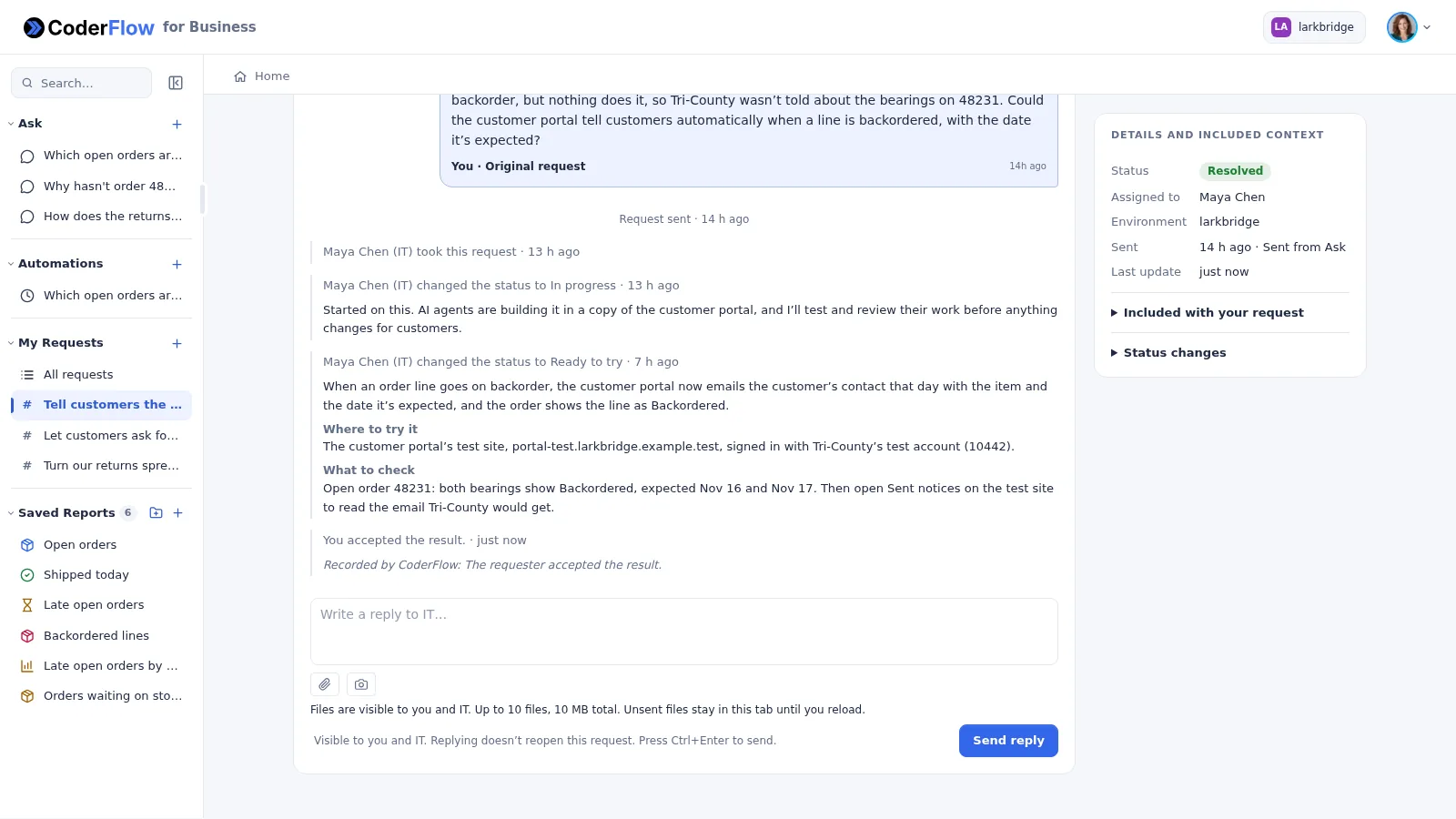
How It Connects
Agents work on text source in Linux containers. Building and running use Team Developer on Windows.
Keep It, or Move Forward
Keep the application while you understand it, and decide module by module.
A Rule That Only Half Applies
Finance asks why some customers on hold still get posted invoices. Ask shows the check lives only on the Post button. IT has an agent move the rule into a shared function used by both paths.
Walkthroughs for your system are coming. Meanwhile, explore CoderFlow on a web app, or see how it works in the 2-minute quick look.
Gupta SQLWindows Questions
Can CoderFlow Document a Gupta SQLWindows or Team Developer Application?
CoderFlow documents applications saved in text format (.apt), including forms, message actions such as SAM_Click, functions and embedded SQL. It points out rules that apply in one place but not another, such as a check on a button that batch processing skips.
How Does CoderFlow Work With Team Developer If It Only Runs on Windows?
Text-format source goes into Git, and agents change it in Linux containers; Team Developer and its runtime are Windows-only, so agents can't build or run the application. Your team builds and tests the prepared changes on Windows and approves them in CoderFlow.
Can CoderFlow Report on Our Gupta Database?
CoderFlow reports on SQLBase or another database behind your application through web APIs your IT team exposes; there's no direct SQLBase connection today. Ask in CoderFlow for Business also answers how the application works from its source code and documentation.
Is Gupta SQLWindows a Legacy System, and Can CoderFlow Modernize It Without a Rewrite?
CoderFlow works on what you already have: it documents the application from exported source, and agents prepare changes your team builds and tests in Team Developer on Windows. When a module is ready to move, agents rebuild its screens as web pages over the same database.
How Do We Get Started With CoderFlow for Gupta SQLWindows?
Save your SQLWindows outlines in text format, commit them to Git and ask CoderFlow to document one module. Then talk to sales about the full platform, or a Reimagine engagement to choose the first modules to rebuild as web screens.
Where Does Our Gupta Source Code Go When CoderFlow Works on It?
It stays on the server you choose: your own Linux server, on premises or in your cloud, or CoderFlow hosted by Profound Logic. Each task runs in its own isolated container, AI requests go only to the providers IT configures, and a person approves every change.
Industries where we often see Gupta SQLWindows
Bring AI to Your SQLWindows and Team Developer Applications.
Talk to sales about your setup, or start with a Reimagine engagement.