
PowerBuilder With CoderFlow
Client-server applications built on DataWindows, with logic spread across windows and user objects.
Start with one defined workflow on the systems you already run, then expand as it proves itself.
// w_order_entry.cb_release.clicked
decimal ld_total, ld_limit
string ls_type

ld_total = dw_order.GetItemDecimal(1, "order_total")
SELECT credit_limit, cust_type INTO :ld_limit, :ls_type
  FROM customer WHERE cust_id = :il_cust_id;

IF ls_type <> "DIST" AND ld_total > ld_limit THEN
   dw_order.SetItem(1, "status", "H")
   MessageBox("Order held", "Credit limit exceeded")
   RETURN
END IF
wf_release_order(il_order_id)Nothing stops it. The release button skips the credit check for customer type DIST, so distributor orders release at any amount. The nightly batch in n_cst_order_batch applies the same rule differently and does hold them.
Illustrative example with synthetic code.
Running on PowerBuilder Today
The application lives in PBL files that only open in the PowerBuilder IDE.
DataWindows hold years of business logic and SQL that nobody has mapped.
PowerBuilder developers are retiring faster than you can replace them.
What CoderFlow Does for PowerBuilder
Documentation and Q&A
Self-maintaining documentation of your PowerBuilder applications, and plain-language answers with sources for business users and developers.
Impact Before Change
See which programs, files and screens a change will touch before anyone starts.
Changes Prepared by Agents
Agents prepare changes in isolated containers. Your team builds and tests them with its existing toolchain, then approves.
Into Git, Reviewed Forever
Export PBL objects to text (.srw, .sru, .srd and so on) and they go into Git. CoderFlow keeps the exported source as the reviewed record of every change.
DataWindows, Mapped
CoderFlow documents each DataWindow, its SQL and the windows that use it, so the logic stops living in one person's head.
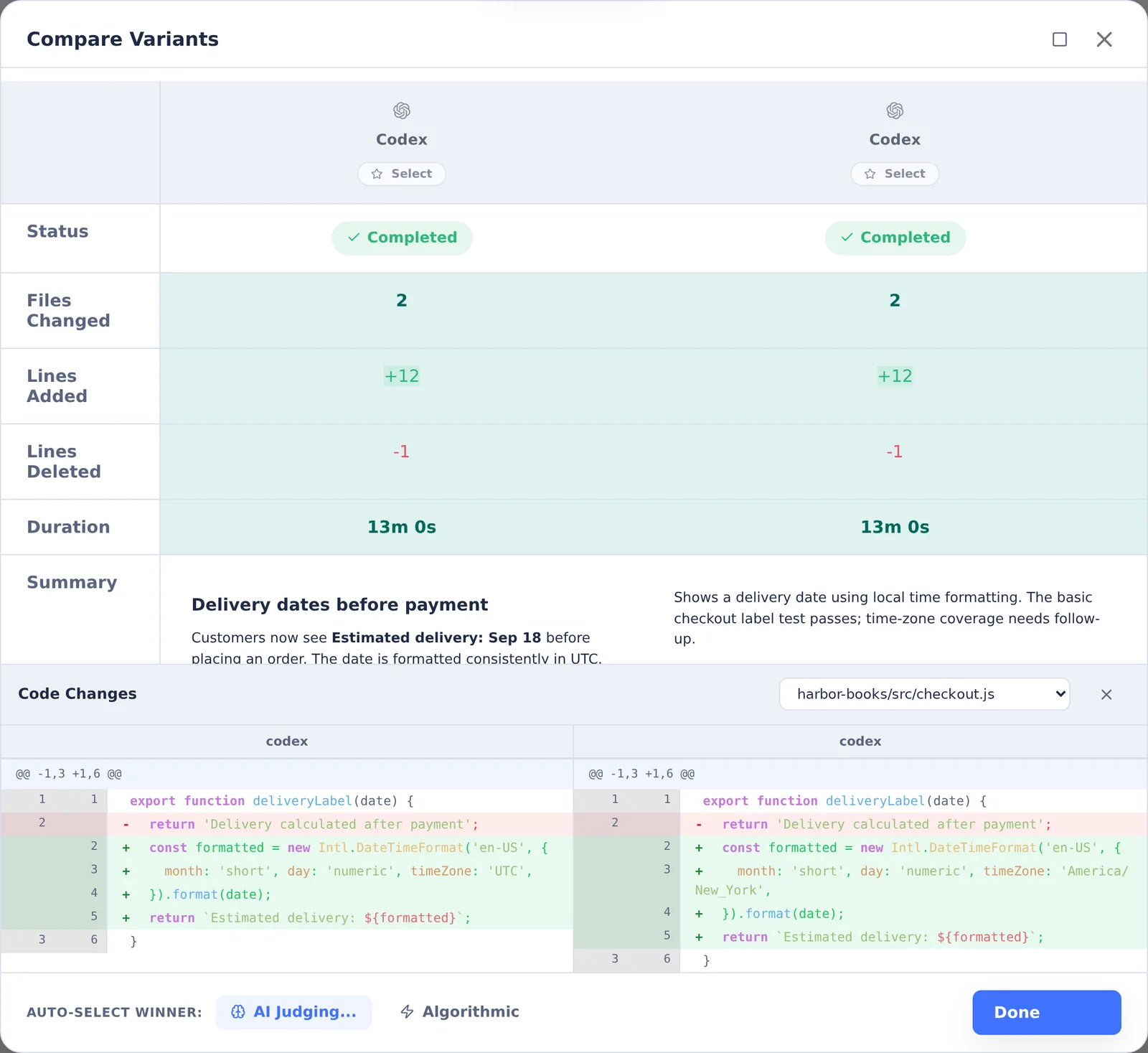
Find Where the Rules Disagree
Agents compare the same rule across windows, user objects and batch code, and point out where they've drifted apart.
Answers About Your PowerBuilder System, Without a Ticket
With CoderFlow for Business, people in operations, finance and customer service ask how the system works and get answers drawn from its source code and documentation, with sources. Reports can pull data through web APIs your IT team makes available, and requests reach IT with the context attached.
Explore CoderFlow for Business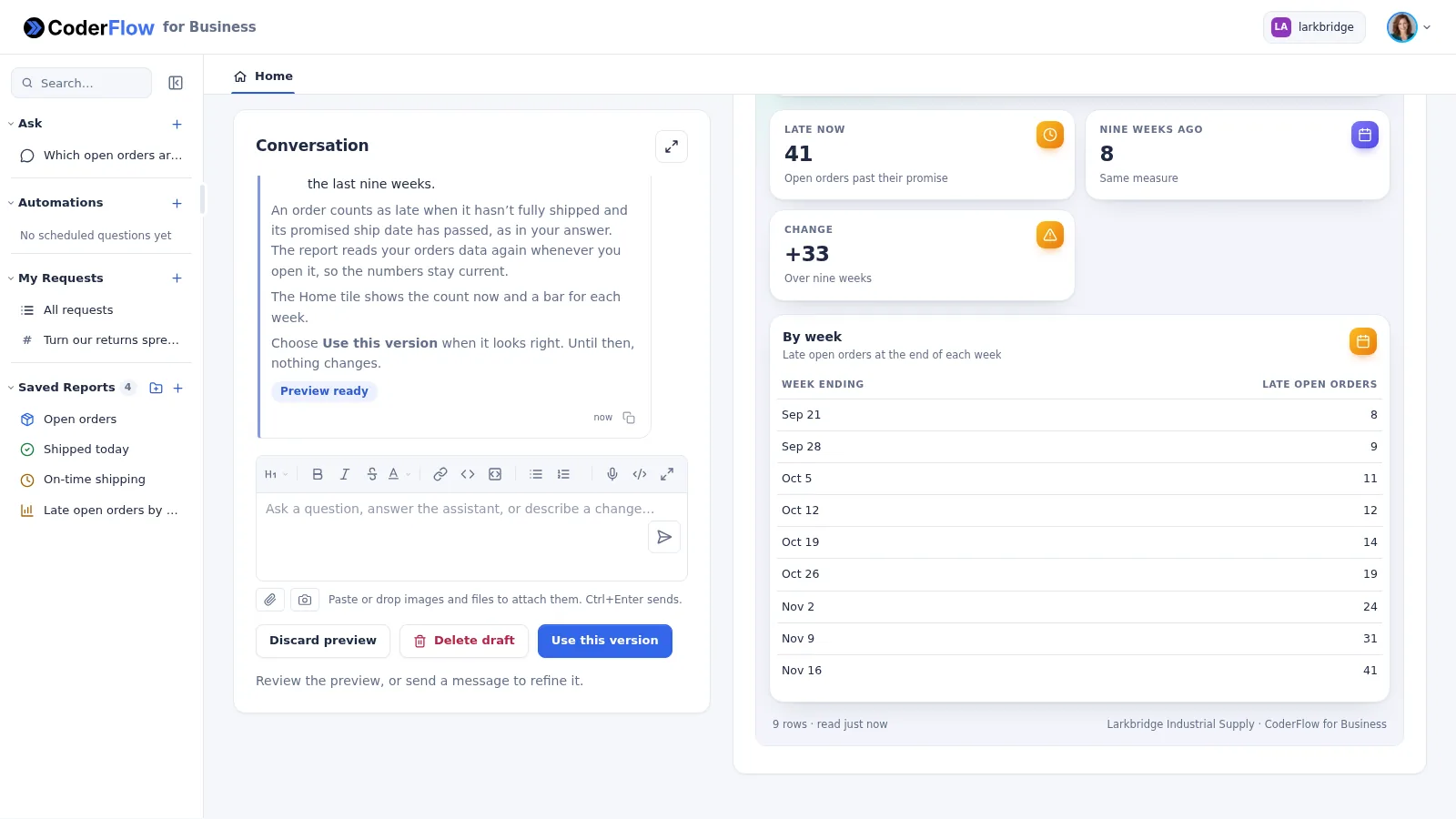
How It Connects
Agents work on exported source in Linux containers. Importing changes back into PBLs and building uses a Windows machine with PowerBuilder.
Keep It, or Move Forward
Keep the application and extend it with confidence. When it makes sense, agents can rebuild windows and DataWindows as web screens over the same database.
One Rule, Two Behaviors
A controller notices distributor orders releasing over their limit. Ask finds that the window skips the check while the batch job enforces it, and an agent aligns both and documents the rule. The team approves after testing.
Walkthroughs for your system are coming. Meanwhile, explore CoderFlow on a web app, or see how it works in the 2-minute quick look.
PowerBuilder Questions
Can CoderFlow Read and Document a PowerBuilder Application?
CoderFlow reads exported windows (.srw), user objects (.sru), DataWindows (.srd) and functions, documents each DataWindow's SQL and the windows that use it, and explains business rules in plain language. It also points out where a rule behaves differently in a window and in batch code.
How Do We Get PowerBuilder Source Into CoderFlow, and Who Builds It?
Export PBL objects to text files and commit them to Git, and agents change that source in Linux containers. PowerBuilder builds are Windows-only, so your team brings the changes back into the PowerBuilder IDE, builds and tests on Windows, then approves.
Can Business Users Ask CoderFlow About a PowerBuilder Application?
In CoderFlow for Business, Ask answers plain-language questions from the PowerBuilder source, DataWindow SQL and documentation, with sources listed, and can hand an answer off as an IT request. Databases behind PowerBuilder apps can feed reports through web APIs your IT team exposes.
Can CoderFlow Help Us Move off PowerBuilder?
CoderFlow agents can rebuild windows and DataWindows as web screens over the same database, one module at a time, using the generated documentation as the spec, and those web modules are built and tested inside CoderFlow. Many teams keep the PowerBuilder application and extend it instead.
How Do We Get Started With CoderFlow for PowerBuilder?
Export a PowerBuilder library to text, put it in Git and ask CoderFlow to explain a few windows and DataWindows. Then talk to sales about the full platform, self-hosted or hosted by Profound Logic on CoderFlow Cloud.
Is PowerBuilder a Legacy System, and Can CoderFlow Modernize It Without a Rewrite?
CoderFlow works on what you already have, with no migration and no starting over. From exported PBL source, it documents DataWindows, windows and rules, and agents prepare changes your team imports, builds and tests with PowerBuilder on Windows.
Industries where we often see PowerBuilder
Bring AI to Your PowerBuilder Applications.
Talk to sales about your setup, or start with a Reimagine engagement.