
Recurring Work, Handled Across Your Systems.
Business users and IT direct agents to automate recurring work, connected to your applications and data within the access IT sets.
Demonstration data · Fictional company
Business Users Direct Agents Too
Describe the work in plain language, such as a weekly report, and choose when it runs. It uses the data and connections IT allows, lists its sources and records every run.
3 orders are on credit hold. The customer is $4,210 over its $25,000 credit limit. Orders over the limit are held automatically by the order-release rule.
A Record of Every Run
Each run is recorded with its result, so the team can see what was checked, when, and what came back.
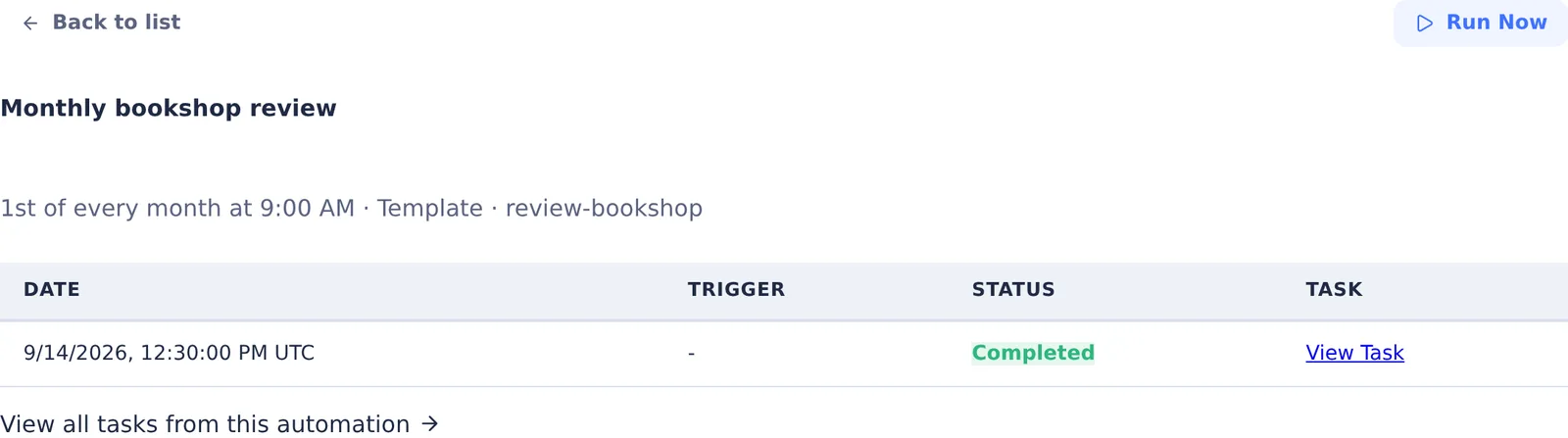
Engineering Automation Too
IT automates agent instructions, templates, deployments, documentation publishing and source imports, on a schedule, from webhooks or when code changes. Every run is recorded.
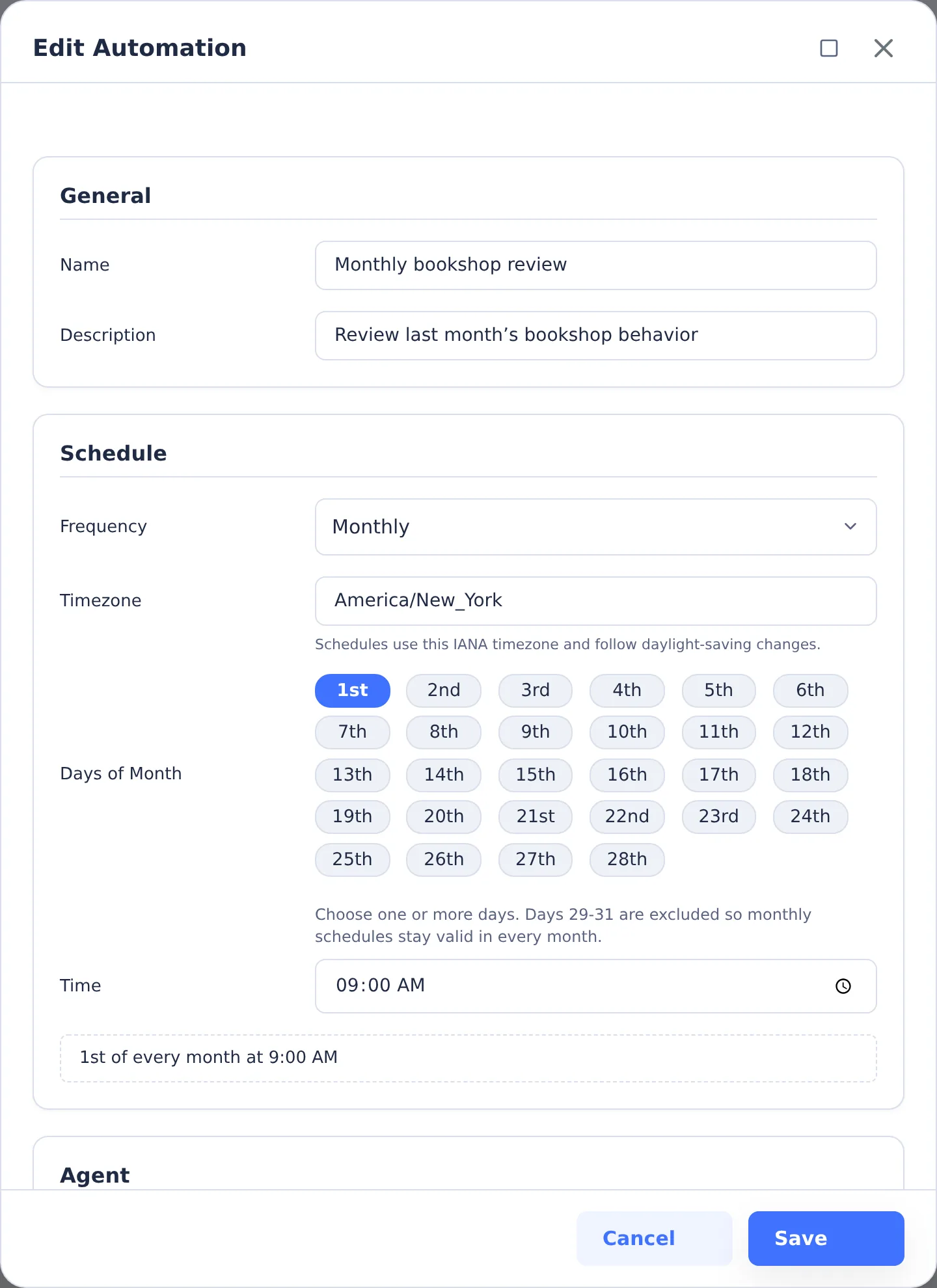
Before and After
Before
- Someone builds the same report every Monday
- Routine engineering work done by hand
- Every automation is an IT project
With CoderFlow
- A recurring check runs on schedule, with its sources
- Engineering work runs on a schedule, with run history
- Business users build their own automations, within IT's rules
Works With the Systems You Run
Try It Yourself.
Get hands-on with the real CoderFlow app and sample data, in about 3 minutes. Nothing touches real code.
Everything to Explore →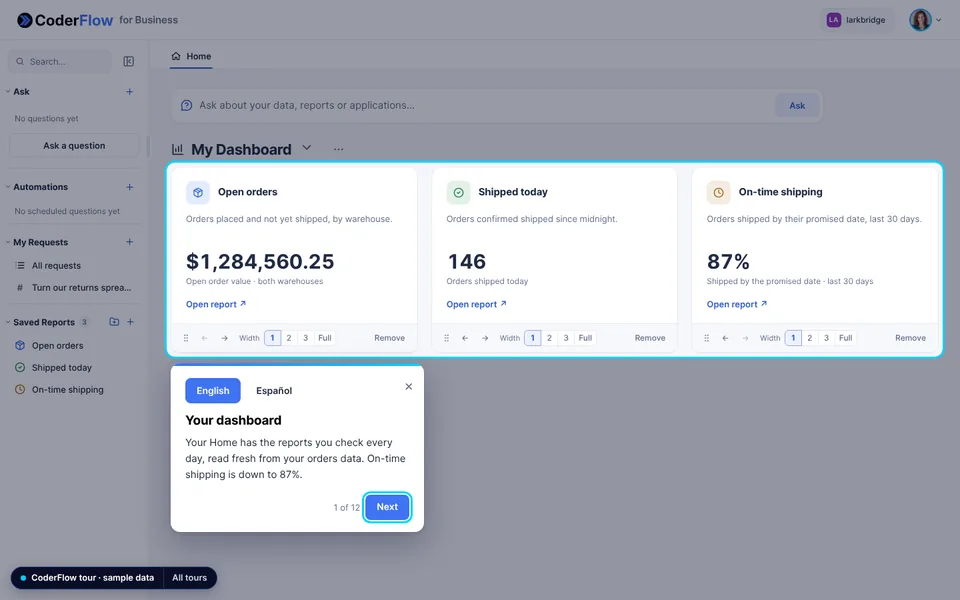
Questions
What Can Business Users Automate in CoderFlow?
Business users describe the work in plain language and choose when it runs, such as a morning check of late orders or a weekly report. The automation uses the data and connections IT makes available and records every run with its sources.
Who Can Create Automations in CoderFlow?
Business users and IT, within the roles IT sets. IT turns automations on per environment and decides who can create them, what they can reach and how often they run.
Does Every Automation in CoderFlow Use AI?
A scheduled question gets a fresh answer from an agent on each run, with its sources. Saved reports are different: once built, they run the same query without AI.
What Engineering Work Can IT Automate in CoderFlow?
IT can schedule agent instructions, task templates, deployments and documentation publishing, or start them from inbound webhooks or new commits on GitHub or Azure DevOps. Security checks are a common example: see application security.
Can CoderFlow Automations Change Data in Our Applications?
Automations act through the connections IT configures, with each connection's permissions, and code changes always need a person's approval. Where an automation should only read, IT gives it a read-only login.
Put Your Recurring Checks On a Schedule.
Talk to sales about your systems, or start with a Reimagine engagement.