
Excel Workbooks and VBA Macros With CoderFlow
Workbooks and macros that grew into the system your business runs on, from quoting and scheduling to inventory and month-end.
Built from your spreadsheet: its data, its formulas, its rules. Not from a blank page.
' modQuote - build a customer quote from the price list
Sub BuildQuote()
    Dim ws As Worksheet, r As Long, disc, qty, vol, price
    Set ws = Worksheets("Quote")
    If ws.[B3] = "Contractor" Then disc = 0.12
    For r = 10 To ws.[A9].End(xlDown).Row
        price = Application.VLookup(ws.Cells(r, 1), _
            Worksheets("Prices").[A:C], 3, False)
        qty = ws.Cells(r, 2): vol = IIf(qty >= 50, .05, 0)
        ws.Cells(r, 4) = price
        ws.Cells(r, 6) = qty * price * (1 - disc - vol)
    Next r
    ' Freight rule (2019): free over 2,500, else 4%
    If ws.[F40] < 2500 Then ws.[F41] = ws.[F40] * 0.04
End Sub
Contractors get 12% off every line, and lines of 50 or more units get another 5%. Prices come from column C of the Prices sheet, so an item missing from that sheet shows an error instead of a price. Freight is 4% on quotes under 2,500 and free above that.
Illustrative example with synthetic code.
Running on Excel and VBA Today
One workbook runs a core process, and only one person really knows how it works.
Copies get emailed around, so nobody is sure which version has the right numbers.
Macros break when someone adds a column, and month-end starts with a fix.
What CoderFlow Does for Excel and VBA
Documentation and Q&A
Plain-language documentation of your Excel workbooks and macros, and answers with sources for anyone on your team.
Built for You, Approved by You
Describe what you need. CoderFlow builds and tests the app, and you try it before anyone relies on it.
From Workbook to Web App
CoderFlow turns the rules in your formulas and macros into a web app with a real database, logins and history, so everyone works from one version of the numbers.
Try It Before You Switch
You try the new app with your own data next to the workbook and approve it when the numbers match. Profound Logic can host it on CoderFlow Cloud.
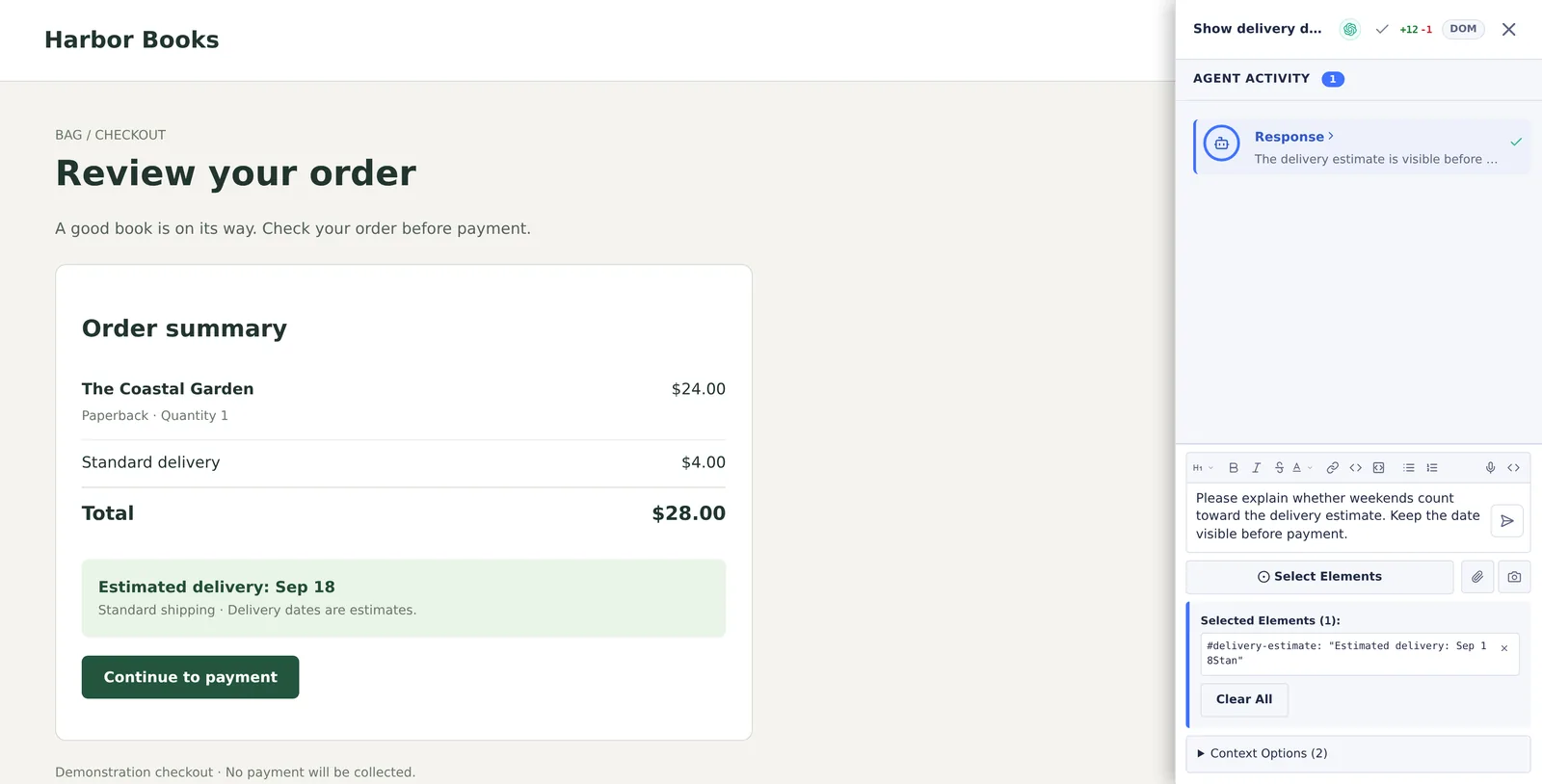
Answers About Your Workbook, in Plain Language
Ask how a formula, macro or automation works and get an answer that shows where it came from.
Explore CoderFlow for Business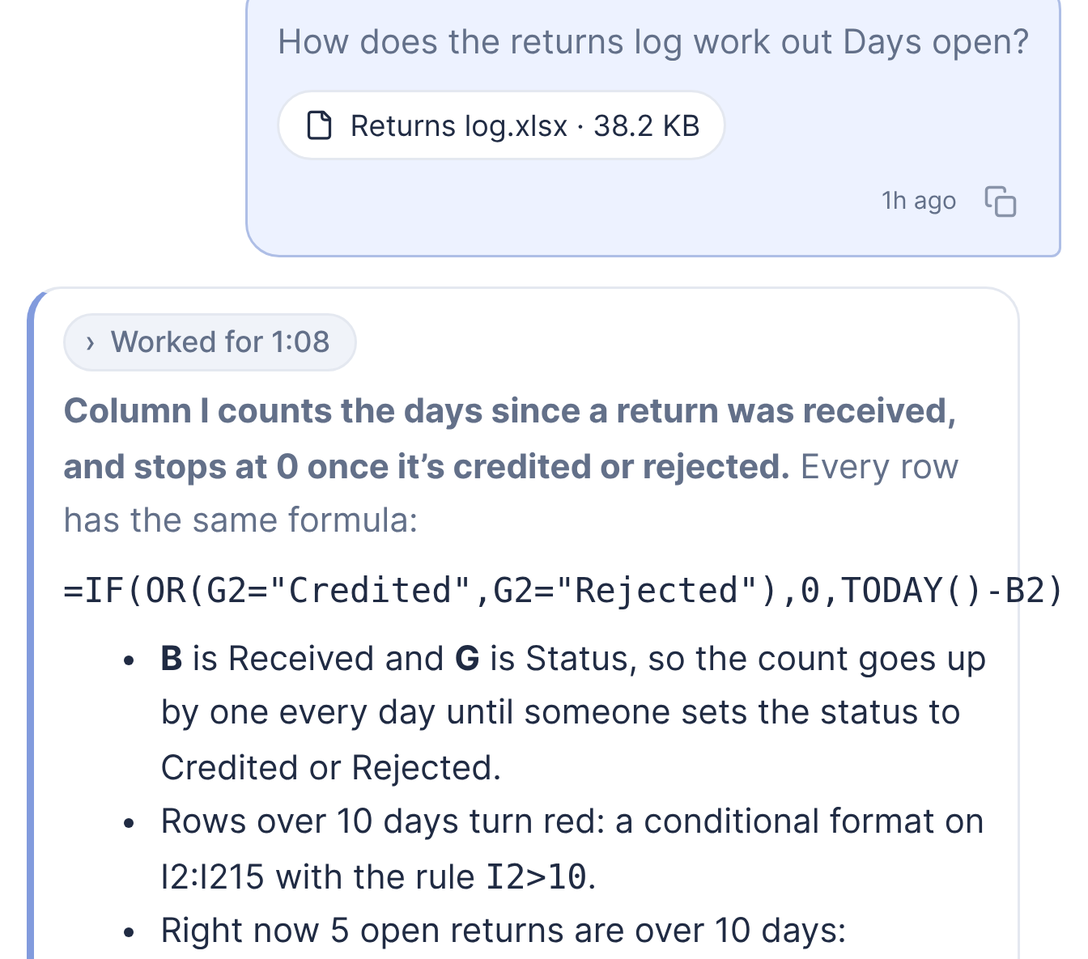
How It Connects
Share the workbook or export its macros, and CoderFlow builds and tests the new app in its own workspace. Excel runs on Windows, so any changes to the macros themselves are prepared for your team to try in Excel.
Keep It, or Move Forward
Keep the workbook while the new app proves itself, then switch over. Many teams keep Excel for analysis and exports, and move the day-to-day process into the app.
The Quote Workbook Becomes an App
A 20-person supplier quotes from a workbook only the office manager can fix. The owner describes the process, CoderFlow builds a quoting app with the same pricing rules, and the team tries it next to the workbook for a week. The owner approves it, and Profound Logic hosts it on CoderFlow Cloud.
Try It Yourself.
Get hands-on with the real CoderFlow app and sample data, in about 2 minutes. Nothing touches real code.
Everything to Explore →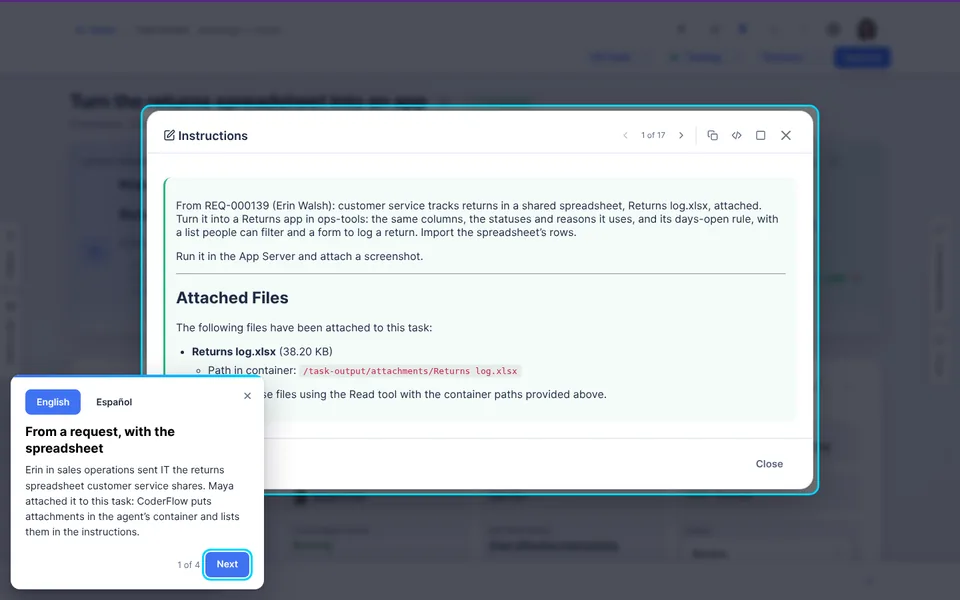
Excel and VBA Questions
Can CoderFlow Turn an Excel Workbook Into an App?
CoderFlow reads the workbook's formulas, macros and sample data and builds a web app with a real database, user logins and a history of changes. You try it with your own data and approve it when it works.
Do We Need an IT Team to Replace a Spreadsheet With CoderFlow?
CoderFlow works from a plain-language description by the owner or anyone on the team, then builds the app for you to try and approve. Profound Logic can host it on CoderFlow Cloud, and if you have IT, they can review every change.
Can CoderFlow Explain What Our Excel Macros Do?
CoderFlow reads the exported VBA modules and formulas and explains in plain language what each macro does, which cells it changes and which rules it applies. That gives you a written record and a clear spec for the app that replaces it.
Can CoderFlow Run or Change the VBA in Our Excel Files?
CoderFlow reads and changes the VBA, and prepares macro changes for your team to try in Excel before you approve them. Excel runs on Windows and CoderFlow works on Linux, so CoderFlow doesn't run Excel itself; apps that replace a workbook run on the web, and CoderFlow tests those in a browser.
What Happens to Our Excel Data When CoderFlow Builds the New App?
CoderFlow builds the import from your workbook and tests it with your real data, so totals and statuses match what you see today. Most teams run both side by side for a short time and keep exporting to Excel for analysis.
How Do We Get Started Replacing an Excel Workbook With CoderFlow?
Pick the workbook that causes the most trouble and describe what it does, or share the file. Talk to sales and we'll show you how CoderFlow would build it, hosted by Profound Logic on CoderFlow Cloud.
Related systems
Industries where we often see Excel and VBA
Take the Manual Work off Your Plate.
Tell us what you need and we'll show you how CoderFlow would build it, or start with a Reimagine engagement.