Platform / Explore CoderFlow / Let an Agent Use Your Own Microsoft 365 Mailbox
Plan and automate

Let an Agent Use Your Own Microsoft 365 Mailbox

4 min · 9 steps · For IT and developers · IBM i

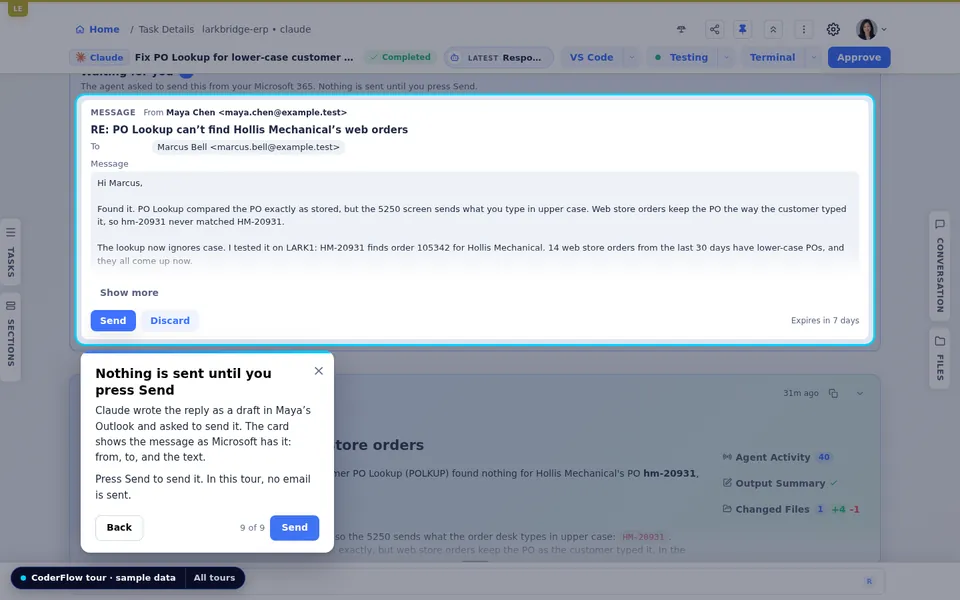
Connect your Microsoft 365 account once, then let a task’s agent find an email, fix the RPG it reports, and draft the reply in your Outlook. Nothing is sent until you press Send.

Get Instant Access

Enter your work email and this walkthrough starts right away. The same email opens all 42, with no account or download.

You only do this once. We’ll remember you in this browser. Privacy policy

Explore it: 4 minutes
What you'll see

9 Steps, About 4 Minutes

  1. Connect your own Microsoft 365, once
  2. Your administrator decides where
  3. On for each new task, unless you say otherwise
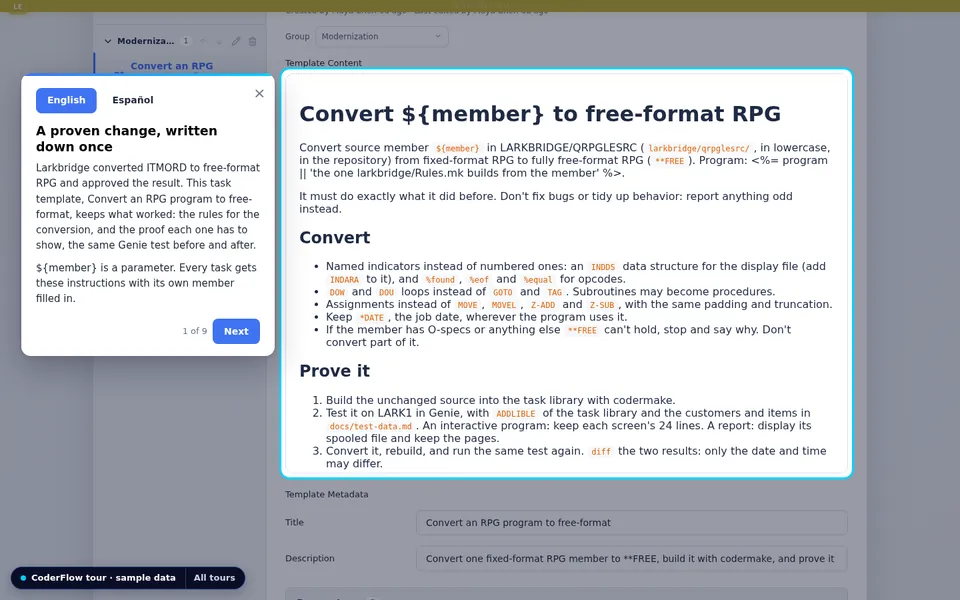
  4. “Find his email, fix it, and reply”
  5. The agent reads the email
  6. Fixed, built and tested on IBM i
  7. Turn it off for this task at any time
  8. Every request, on record
  9. Nothing is sent until you press Send

The real CoderFlow app, with sample data from a fictional distributor whose order management runs on IBM i.

Who It's For

  • IT and developers. IT teams and developers who look after the company’s applications and want AI agents to take on more of the build, test and fix work, with a person approving every change.
More to explore

Keep Exploring.

Everything to Explore →

Questions About Exploring CoderFlow

Is This the Real CoderFlow App?

Yes. This 4-minute walkthrough runs the real CoderFlow web app in your browser, loaded with sample data from a fictional distributor whose order management runs on IBM i. You click through the same screens your team would use. A few actions are turned off so it works the same way for everyone.

Does Exploring CoderFlow Touch Real Code or Data?

No. Everything you see is sample data, and nothing you click reaches a real system, Git repository or AI provider, so you can explore freely without breaking anything. To see CoderFlow work on your own code and data, talk to sales about your systems, or start with a Reimagine engagement.

Do I Need an Account to Explore CoderFlow?

No account, download or install. Enter your work email once to unlock every walkthrough. This one takes about 4 minutes in a desktop browser. When you're ready to see CoderFlow on your own work, talk to sales and we'll walk through your systems.

Plan and Automate Your Own Backlog.

Talk to sales about your systems, or start with a Reimagine engagement.

Talk to sales

Talk to Us About Your Systems.

Tell us what you run and what you'd fix first. We'll set up a conversation and a walkthrough on a system like yours.

Prefer email, or having trouble with the form? Contact our team directly.

Explore CoderFlow

Get Hands-On With the Real CoderFlow App.

Enter your work email and your walkthrough starts right away. The same email opens every walkthrough. No account, nothing to install.

We’ll remember you in this browser. Privacy policy