
You can automate quotes, contracts and other documents by pairing the templates you already use with the data you already keep, and letting a tool fill in every name, price, date and clause the same way each time. CoderFlow builds that tool from your templates and your spreadsheet, and a person checks important documents before they go out.
What Does Document Automation Actually Mean?
Document automation means three things working together: a template with your layout and wording, data that holds the details for each customer or job, and rules that decide what goes where. A quote might add a payment clause only when the total passes a certain amount.
It does not mean having AI write each document from scratch. With CoderFlow, AI builds the generator, and the generator fills in your templates the same way every time, so your wording stays your wording.
Which Documents Are Worth Automating First?
Start with documents that are made often, follow the same structure and cause real trouble when a detail is wrong:
- Quotes and proposals built from a price list and a customer record.
- Contracts and engagement letters with standard clauses and a few options.
- Change orders and work orders for contractors and service businesses.
- Invoices, statements and renewal letters sent to many customers at once.
Firms often begin with engagement letters (see legal and accounting), and contractors with quotes and change orders (see construction and trades).
How Do You Automate Documents From a Spreadsheet?
- Gather three to five real examples, including one unusual case.
- Mark what changes: names, line items, totals, dates, optional clauses.
- Find where each detail lives. If it lives in two places, choose one.
- Write the rules in plain sentences, such as "Add the deposit clause when the total is over $10,000."
- Test with real records. Compare last month's documents with the ones you made by hand.
- Decide who checks what, and what should be flagged, such as a missing price.
How CoderFlow Helps
You describe the documents in plain language and share the templates and the spreadsheet. CoderFlow builds a generator that keeps your layout and wording, applies your rules and produces Word or PDF files, one at a time or in batches.
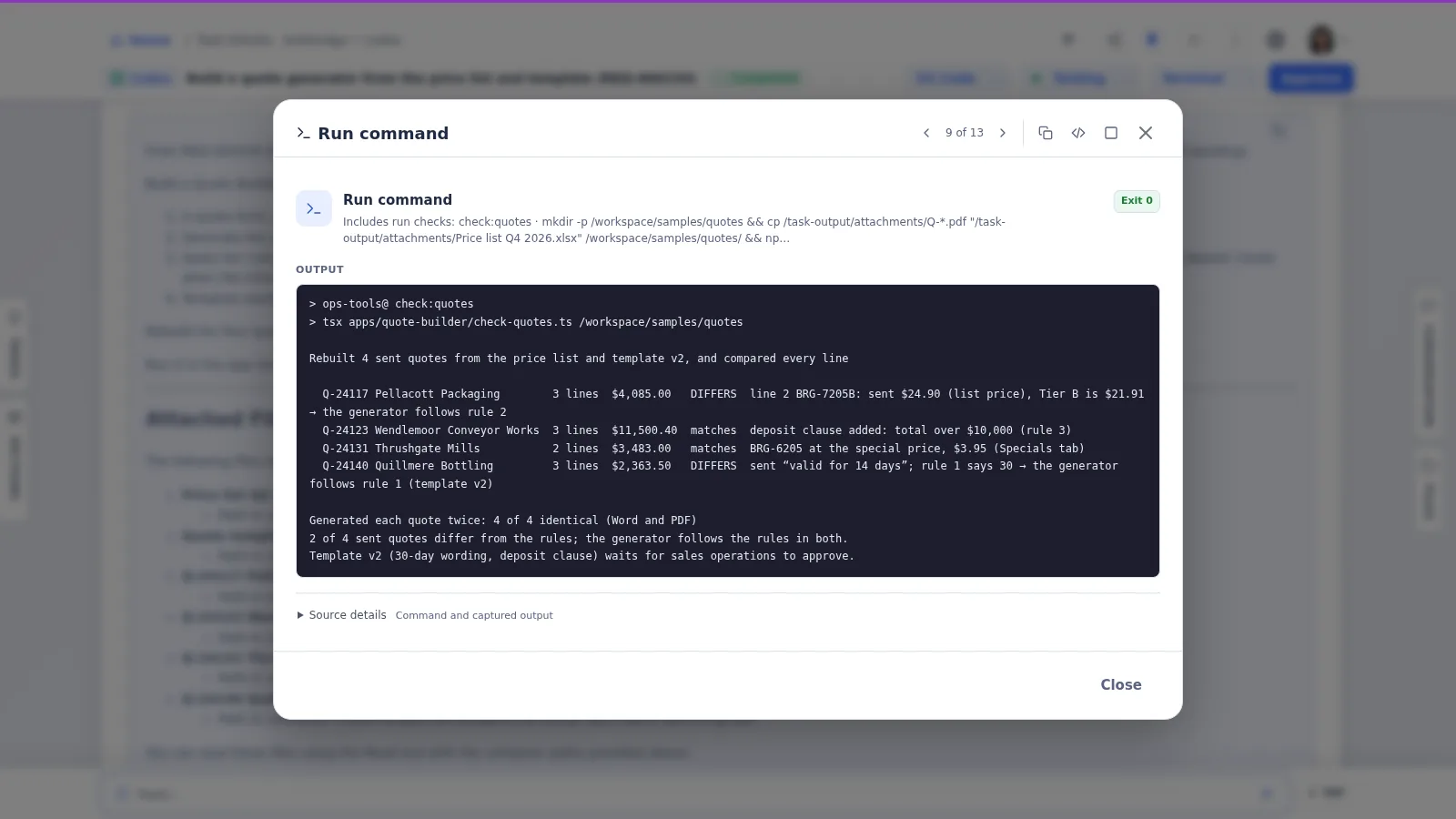
You try it with real records first. If something is off, point at it and explain what it should say, and CoderFlow fixes it; you approve it only when the output is right. See document automation.
No IT team is needed: Profound Logic hosts the finished tool on CoderFlow Cloud. If your data is scattered across files, CoderFlow can first turn the spreadsheet into a simple app; see spreadsheets to apps.
What to Watch out For
- Messy data makes messy documents. The generator repeats whatever the data says.
- Your wording is still your responsibility. Have the right person approve template wording, especially for contracts.
- Keep a person on important documents, at least until you trust the results.
- Start with one document. Get it right, then add the next.
Where to Start
Pick the document your team makes most often and dreads most, and gather a few real examples. Talk to sales to see how CoderFlow would build your generator, or start with Reimagine, a custom engagement with our team. See also CoderFlow for a small business.
Questions
Can CoderFlow Automate Document Generation From a Spreadsheet?
CoderFlow builds a document generator from your templates, your spreadsheet and rules you describe in plain language, producing Word or PDF files one at a time or in batches. You try it with real records and approve it before your team uses it.
Does a CoderFlow Document Generator Use AI to Write Each Document?
CoderFlow uses AI to build the generator, not to write each document. The generator fills in your templates from your data the same way every time, so your wording, prices and terms stay consistent.
Do I Need an IT Team to Automate Quotes and Contracts With CoderFlow?
CoderFlow works directly with the owner or anyone on the team who can describe the documents and share a few examples. Profound Logic hosts the generator on CoderFlow Cloud, so there is nothing to install.