
The work around your ERP is the exports, spreadsheets, reports, integrations and workarounds that fill the gaps between the ERP and how your business actually runs. You automate it by turning each repeated manual routine into a report, a small app or an integration that runs on its own, while the ERP itself stays standard. CoderFlow builds and maintains those tools, and a person approves each one.
Why Does So Much Work Happen Around the ERP?
A packaged ERP is very good at the core, but every business has its own pricing rules, approvals and partner systems. Changing the core to fit them makes upgrades harder, so teams build around it. Over time that grows into pasted exports, macros and old scripts only one person understands.
Which ERP Workarounds Are Worth Automating First?
Start with routines that happen often, follow clear rules and cause real trouble when they go wrong.
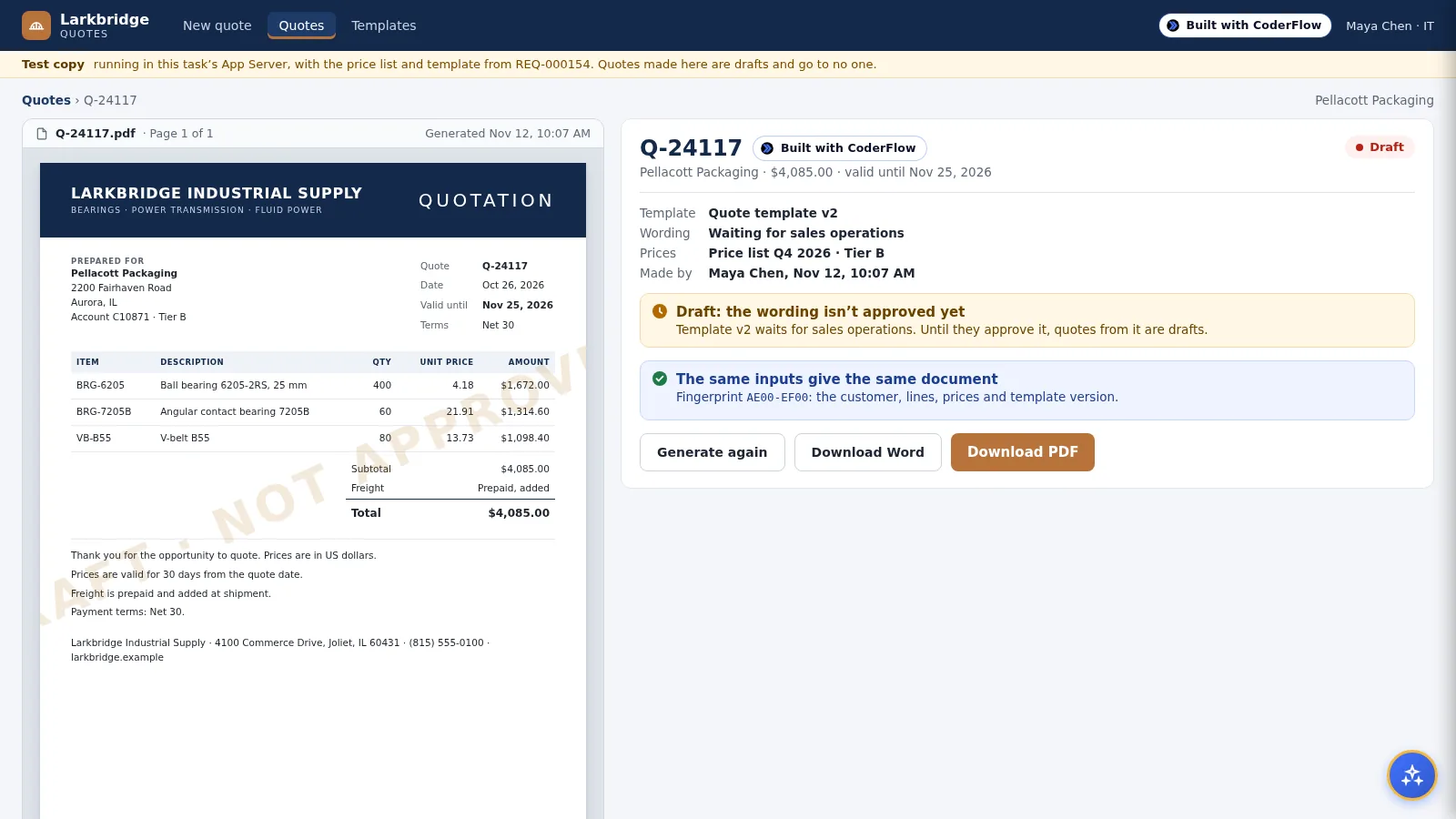
- Export-and-paste reports. Reports rebuilt by hand from ERP exports. See reports without copy and paste.
- Reconciliations. Matching ERP records against the bank, warehouse or carrier.
- Spreadsheet tools with business rules. Quote calculators, pricing sheets and approval trackers.
- Old integrations and re-keying. Fragile nightly scripts, and orders typed in from emails. See connecting your systems.
How to Automate a Spreadsheet or Report That Lives Around Your ERP
- Describe the result in plain language. For example: invoices over 60 days past due, by sales rep, every Monday. Share a sample export and the spreadsheet.
- Let CoderFlow build it. Agents build and test it, working through the ERP's APIs, exports and reports.
- Run it side by side. Compare it with the spreadsheet for a cycle or two until the numbers match.
- Approve it and retire the old routine. The tool goes live only after a person approves it.
How CoderFlow Helps With the Work Around Your ERP
CoderFlow documents the integrations and extensions you already have, answers questions about them, and shows which files a change will touch; see custom work around your ERP.
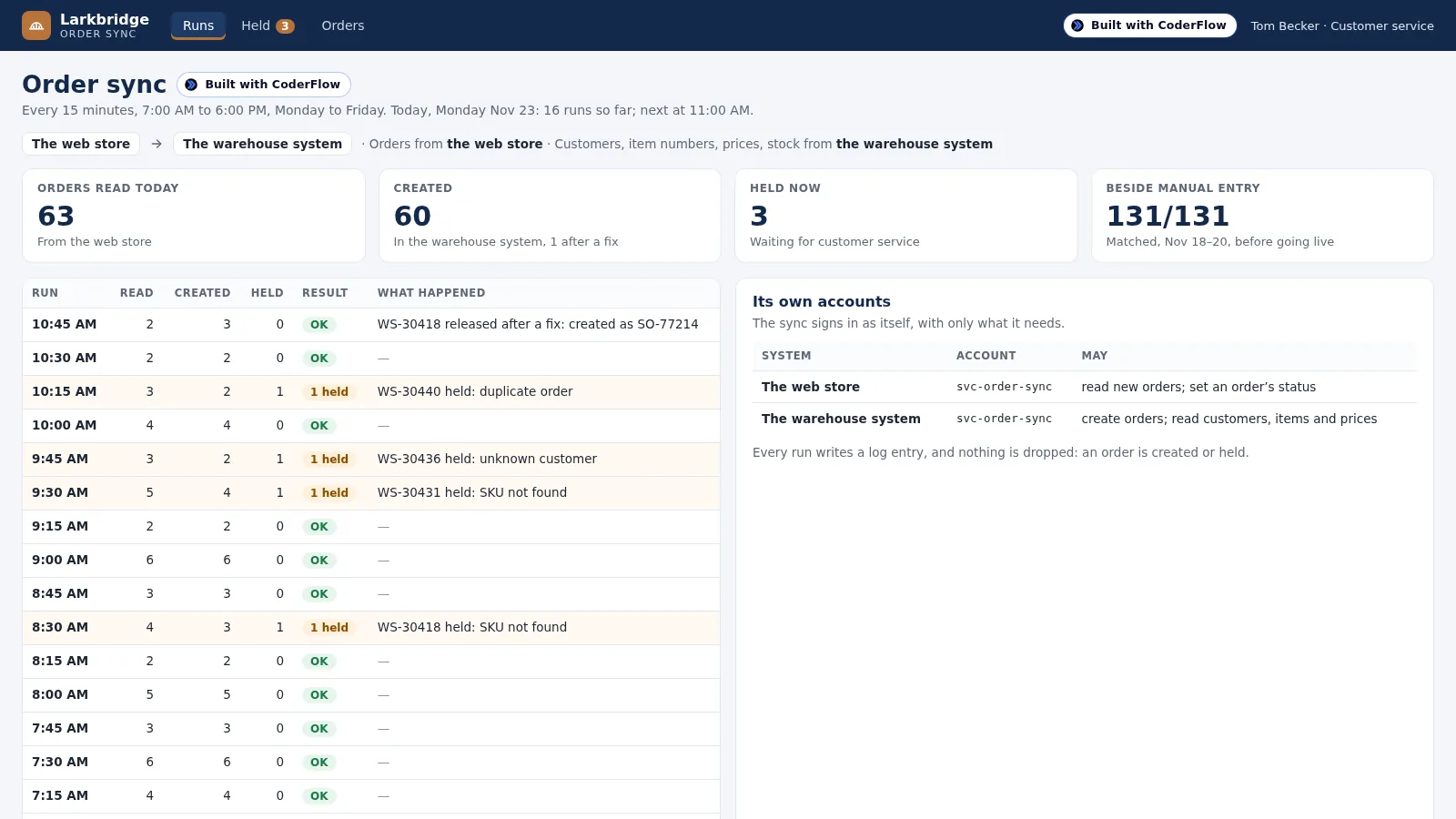
For new work, agents build the report, app or automation that replaces a manual routine (see spreadsheets to apps), while the ERP stays on its vendor's upgrade path.
Illustrative example. A 120-person distributor's month-end aging workbook becomes a report tool that pulls the same data through the ERP's reporting API. The controller compares it for one month, asks for one extra column and approves it.
Should You Customize the ERP or Build Around It?
In most cases, keep the core standard and build around it, treating what you build as a small custom system with its code in Git and every change reviewed. Our guide on custom vs off-the-shelf software covers how to decide.
What to Watch out For
- API access and terms. Some ERPs limit or separately license API access.
- Least access. Give each tool a service account with only what it needs.
- Reach. CoderFlow connects only to systems IT makes reachable.
Pick the routine that eats the most time each month. Talk to sales about it, or start with Reimagine and have it automated.
Questions
How Do You Automate Spreadsheets That Depend on ERP Exports?
CoderFlow builds a tool that reads the same data through the ERP's APIs, exports or reports and applies the spreadsheet's rules. You run it side by side with the spreadsheet, and a person approves it before it replaces the old routine.
Does Automating the Work Around an ERP Affect ERP Upgrades?
CoderFlow builds reports, small apps and integrations outside the ERP core, working through its APIs, exports and reports, so the core stays standard and on its vendor's upgrade path. When an upgrade changes an API, agents can update the affected tools, and a person approves each change.
Can CoderFlow Maintain Old ERP Integrations Nobody Understands?
CoderFlow documents existing integration scripts and extensions, explains how they work with sources and shows which files and reports a change will touch. Agents can then change and test the code against test systems IT makes reachable, and every change waits for a person to approve it.