
You can supervise CoderFlow agents from your phone. CoderFlow's web interface is fully responsive, so your CoderFlow server URL in any mobile browser gives you the complete platform: task lists, agent output, git diffs, approvals and environment controls. There's no app store download, and you can install CoderFlow to your home screen for push notifications.
Agents keep building, testing and fixing code while you're in meetings or away from your desk. When one finishes work that's blocking a release, or a judge flags a decision that needs you, waiting until you're back at your laptop isn't a workable answer.
What a Mobile Workflow Looks Like
Picture a development lead partway through a futurization effort, with batch runs bringing a library of programs up to a current coding standard. The lead boards a plane for a customer meeting, and a developer messages that a few finished tasks are worth a look before approval.
On the phone, the task list loads in a single column with the flagged tasks easy to spot. In one, the build passed, but the judge notes that two data structures were consolidated in a way that departs from patterns elsewhere in the codebase. Not wrong, simply a decision point.
The lead adds a comment, tags a teammate and marks the task for secondary review, then works through the rest the same way, long before the plane lands.
Everyday Ways Teams Use Mobile Access
- The morning commute. See what agents completed overnight and what needs approval.
- On-call response. Review the agent's work, check the git diff and approve the fix without opening a laptop.
- Environment quick actions. Start or restart a development environment with a single tap.
The supervisory work that agentic coding creates fits naturally on a phone. You don't need an IDE to approve a completed task.
Responsive From the Ground Up
CoderFlow's web UI has responsive breakpoints from desktop monitors down to the smallest phones. At 640px the sidebar becomes a collapsible overlay, and at 480px and below the layout shifts to a single column with larger tap targets.

Task management, environment monitoring, the activity feed, git history and admin controls all work on mobile. Dark mode follows your device setting, with a manual toggle.
Install It as an App for Push Notifications
You can install CoderFlow as a Progressive Web App on iPhone, iPad, Android and desktop, with no app store required. It opens in its own window with its own icon; if your browser doesn't prompt you, use Add to Home Screen in Chrome or Safari.
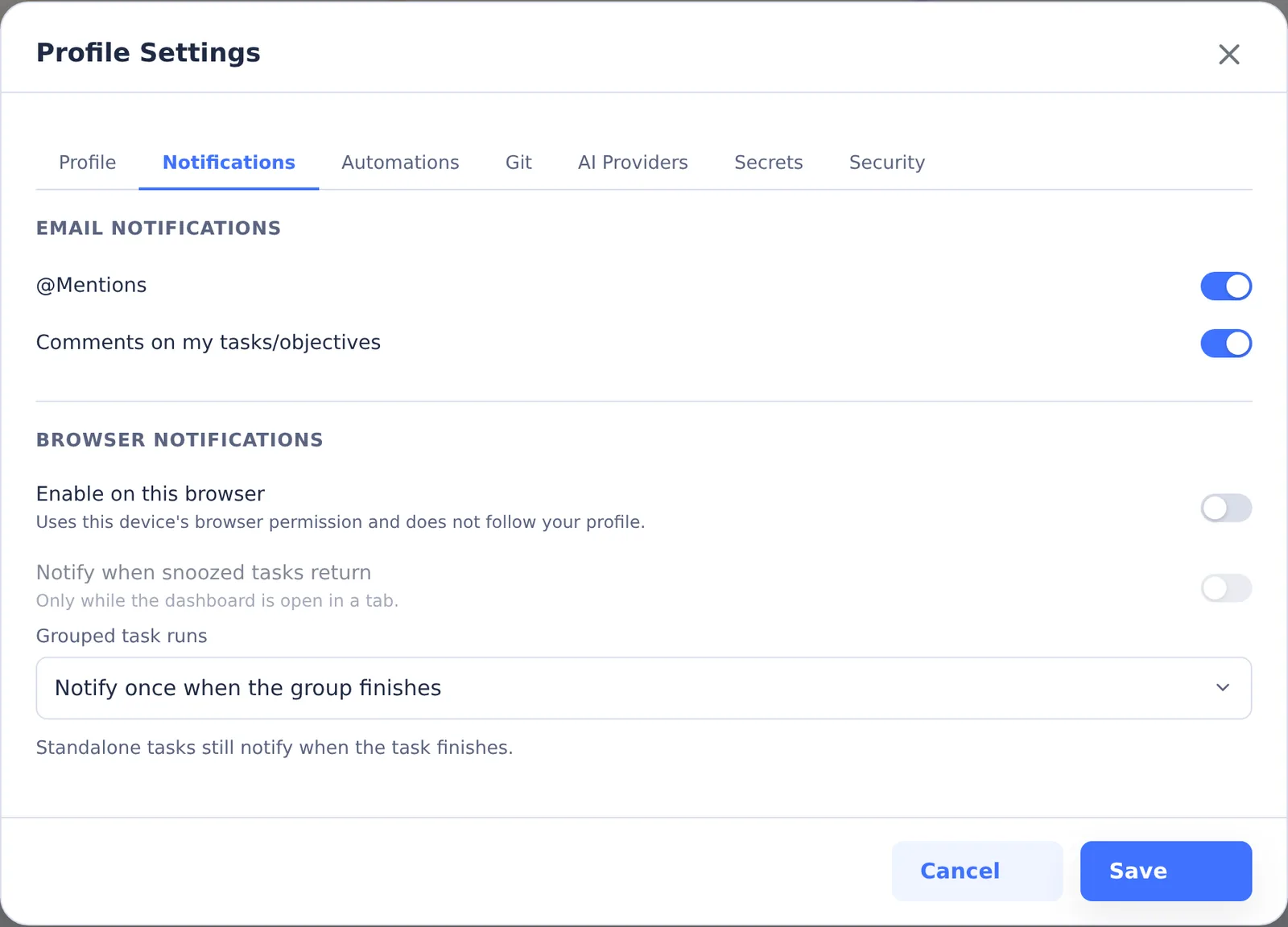
The main reason to install is push notifications. Task completion alerts arrive even when the app is closed, and on phones, installing is what reliably gets you notifications at all.
The Bigger Picture
Developers increasingly direct agents, review verified outcomes and make the calls that need judgment, and that work doesn't have to happen at a desk. Whether your agents work on COBOL, Visual FoxPro, Oracle Forms or .NET code, the CoderFlow platform keeps you in control, and nothing gets approved without you.
Want to see CoderFlow in your environment? Talk to sales or start with a Reimagine engagement.
Questions
Is There a CoderFlow Mobile App?
CoderFlow is an installable web app rather than an app store download, fully responsive in Safari, Chrome or Firefox on a phone. Installed as a Progressive Web App on iPhone, iPad, Android or desktop, it opens in its own window and can deliver push notifications when tasks finish.
Can I Review and Approve CoderFlow Agent Changes From My Phone?
CoderFlow lets you read the agent's summary and any judge evaluation, review the git diff, comment and approve from a mobile browser, and it records who approved and when. Browser-based VS Code and the web terminal are easier on a larger screen.
How Do I Get Notified When a CoderFlow Task Finishes?
CoderFlow sends push notifications for task completion, even when the app is closed, once you install it as an app and allow notifications. Teams that live in chat can also use the Slack or Microsoft Teams integrations.