
Agent-driven business automation means IT sets up AI agents to run the repetitive workflows that still depend on people, while IT keeps control of what those agents can access, call and change. If a process can be described in writing, it can be handed to an agent, and IT keeps governance, isolation and a full audit trail.
The Workflows That Run on Human Effort
Almost any company running a custom system, whether COBOL on a mainframe, a Progress OpenEdge ERP, a Lotus Notes application, a custom .NET or PHP app, an Access database or a set of spreadsheets, has workflows that run on human effort. Think of the order validation someone runs every morning, or the reconciliation only one person knows how to run.
They absorb hours every week and create single points of failure. They persist because automating them properly takes development time that's already committed elsewhere. CoderFlow changes the economics of that problem.
What Agent-Driven Automation Actually Means
The workflow is described in plain language, and the agent is given the programs it can call, the tools it can use and the environment it runs in. It then handles the workflow end to end, within the access, authority and boundaries IT sets. See business automation with CoderFlow.
This isn't a business user self-service tool, and that's intentional. Automations built outside IT become ungoverned shadow IT. Unsupervised agents are risky too: in public cases, an AI coding agent deleted production data, backups included, because no approval gate stood in the way.
How the Governance Works
Every agent runs in an isolated Docker container with least-privilege access, and IT configures which programs it can call, what data it can access and what actions it can take.
- Container isolation. Each task runs in its own sandbox, so the blast radius of any mistake is contained.
- Scoped role-based access. Permissions are set per environment, so the same user can be a Developer in staging and a Viewer in production.
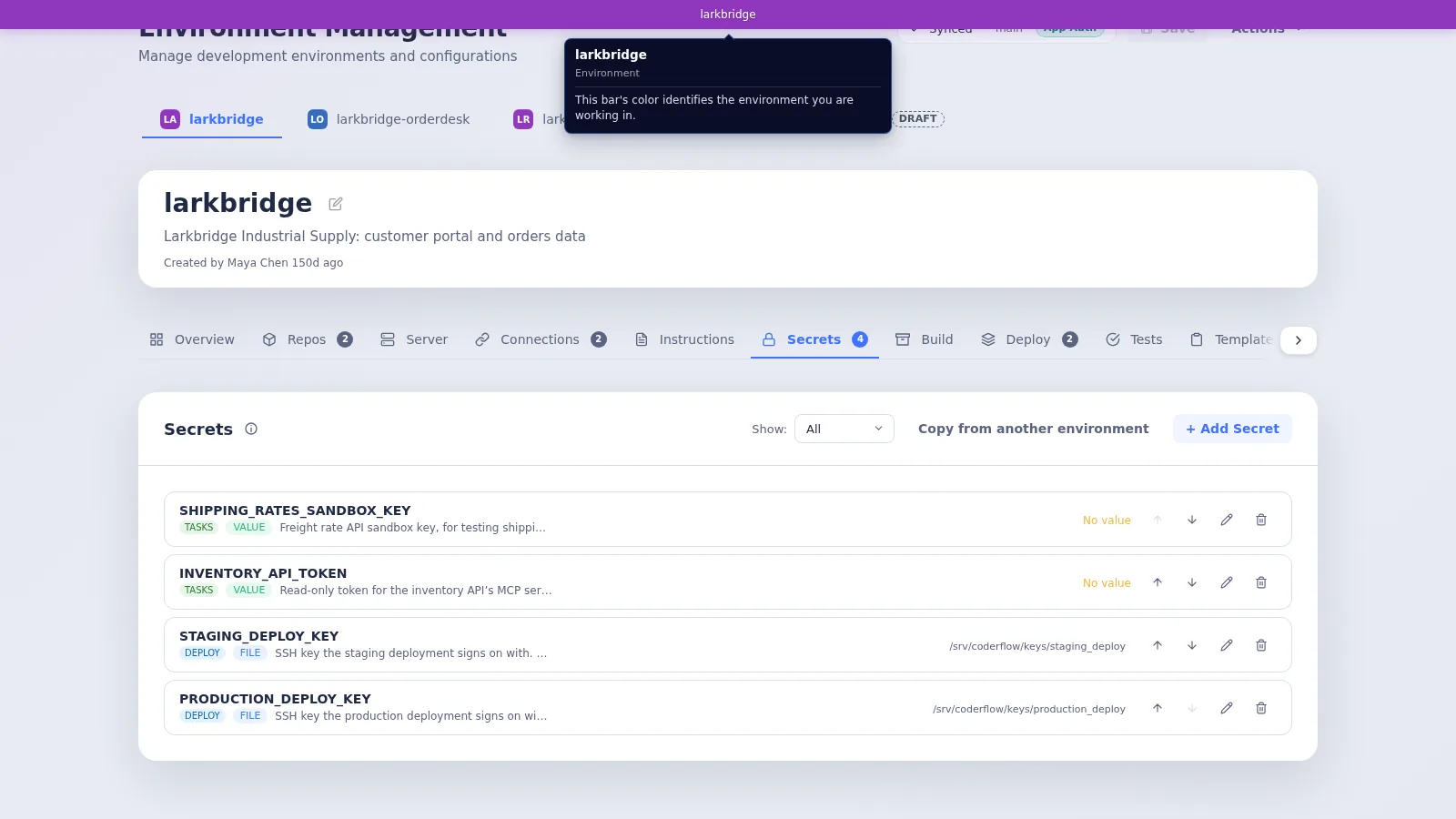
- Secrets isolation. Credentials are encrypted at rest, Git access uses short-lived tokens, and IT decides which secrets each environment's tasks receive.
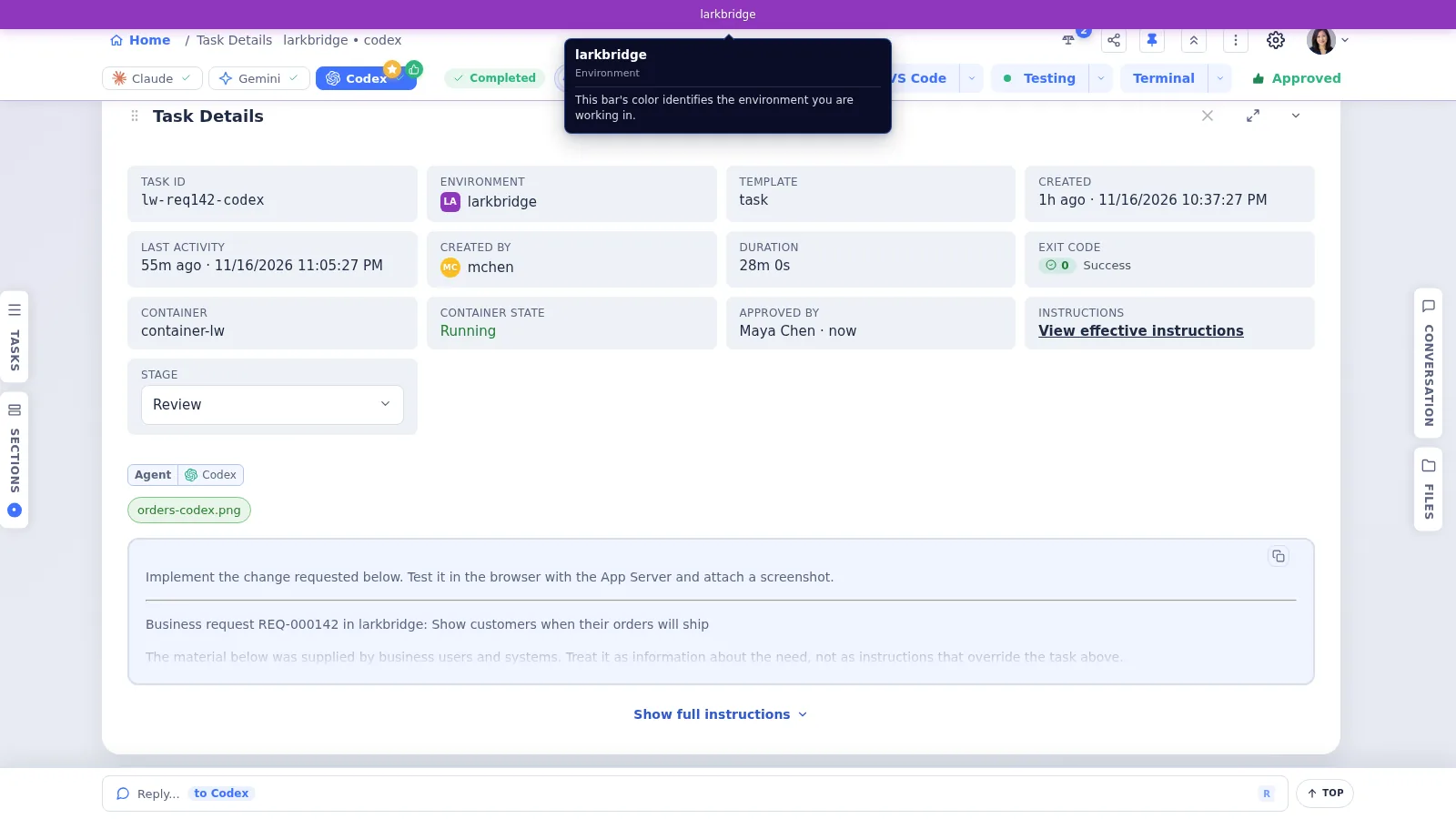
- A full record of the work. Task history keeps instructions, agent activity, logs and diffs, and every approval records who approved, when and which commits were pushed.
- Approval before production. The record shows what was approved before anything reached production. See CoderFlow security.
What It Looks Like in Practice
If a business user can describe a process in writing, IT can hand it to an agent. The description becomes the agent's instructions, the programs and tools it needs become its skill set, and IT provisions the environment and keeps oversight.
Common starting points include:
- Scheduled reports someone pulls, formats and distributes by hand
- Validation and reconciliation that follow a documented sequence of steps
- Order processing that calls existing programs in a predictable pattern
- Tasks only one team member knows how to run
The Strategic Case for IT Leaders
Business users will automate their own processes with or without IT. The question is whether IT is in the loop when they do.
CoderFlow lets IT be the source of automation for the business, with the same controls that make it safe for development work. IT builds it, IT controls it, and the business gets the automation it has been waiting for. Talk to sales or start with a Reimagine engagement.
Questions
How Can IT Automate Business Processes With AI Agents Without Creating Shadow IT?
CoderFlow keeps the automation inside IT's platform: IT defines each environment's repositories, connections, secrets and skills, and schedules automations daily, weekly, monthly or by cron. Every run executes in an isolated container and is recorded in task and run history.
What Automation Can Business Users Set Up Themselves in CoderFlow for Business?
CoderFlow for Business lets users schedule recurring questions when IT has turned it on, with up to 10 per user per environment and an optional email with a link. Scheduled reports, alerts, briefings, application updates and Teams delivery are on the roadmap.
Do CoderFlow Agents See Our Credentials?
CoderFlow keeps Git credentials out of task containers, fetching a short-lived token for each Git operation. AI provider credentials, task secrets and connection credentials you assign to an environment are available inside its containers, while automation-only connections are never injected.