
CoderFlow templates and batch processing let a team define a change once and run it across hundreds of programs in parallel. A template holds the parameters that vary from program to program and the acceptance criteria every result must meet, and batch processing launches one agent task per program. Every result still goes through developer approval before anything is committed.
Why Big Projects Stall in the Middle
Most futurization initiatives start strong. Then someone runs the numbers: there aren't 10 programs to convert, there are 500. Whether the system is COBOL, Visual FoxPro, PowerBuilder, Progress OpenEdge or VB6, the project slows to a crawl, because the tooling was never built for this kind of volume.
What a Template Does
Write the recipe once: the instructions, the parameters that change from program to program and the acceptance criteria. Then run it against every program in your library, with every result held to the same standard.
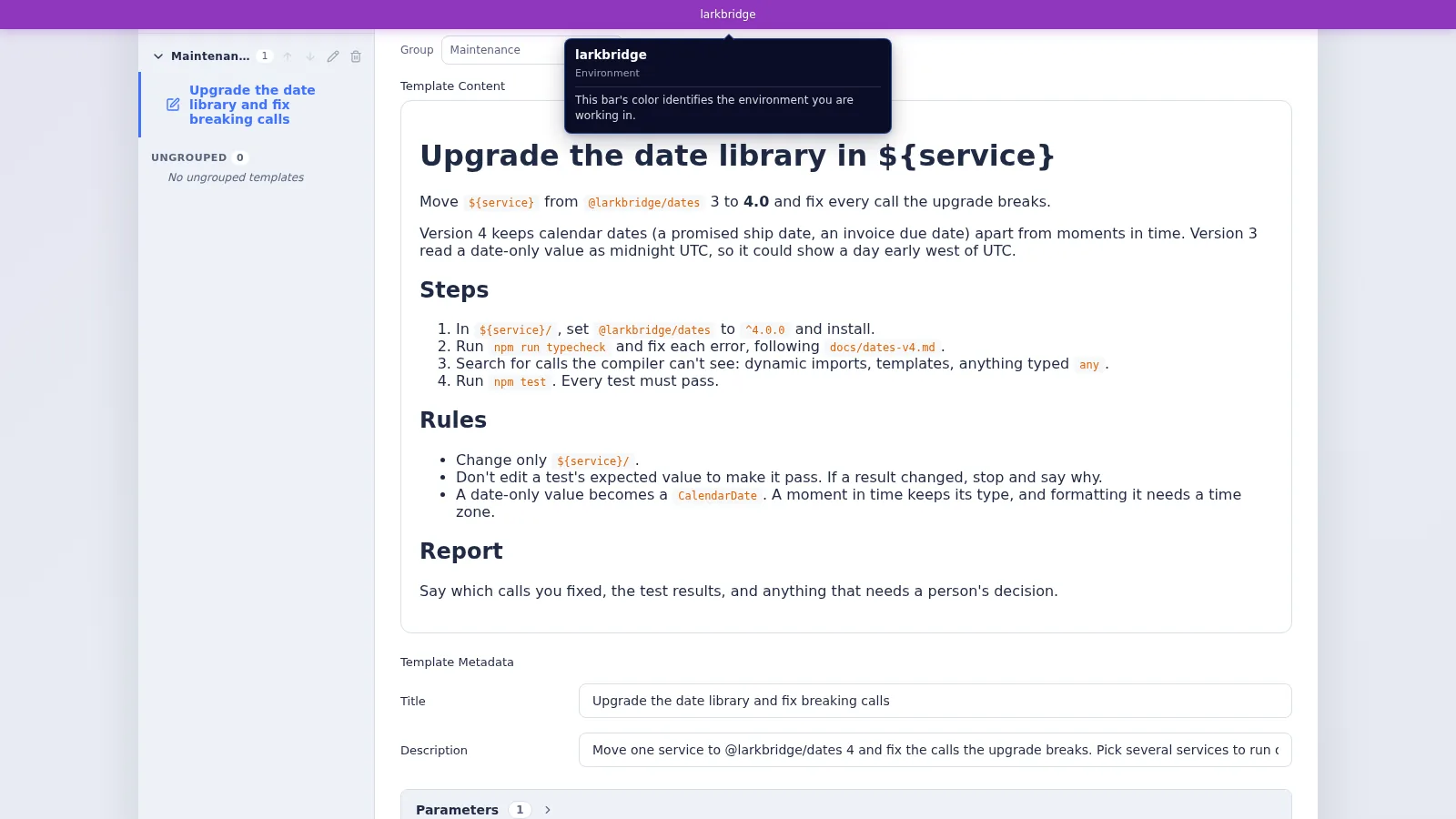
Common templates teams build include:
- Upgrading .NET Framework projects to current .NET.
- Migrating programs to Node.js or Java, with tests to verify functional equivalence.
- Generating technical documentation from COBOL, PowerBuilder, Delphi or other source.
- Creating unit tests for existing programs.
Where your toolchain is available, the agent builds, runs tests and confirms the output meets the standard before it reaches your review queue; where it isn't, the agent prepares changes your team builds and tests. Templates suit documentation and testing work especially well.
What Batch Processing Changes
Select five programs or five hundred, and CoderFlow starts a parallel agent task for each one. Because the work runs in parallel, completion time doesn't grow in step with program count.
Governance Is Built In
Every task, whether submitted alone or as one of 500 in a batch, goes through the same developer review before anything is committed. Nothing reaches the codebase without human sign-off.
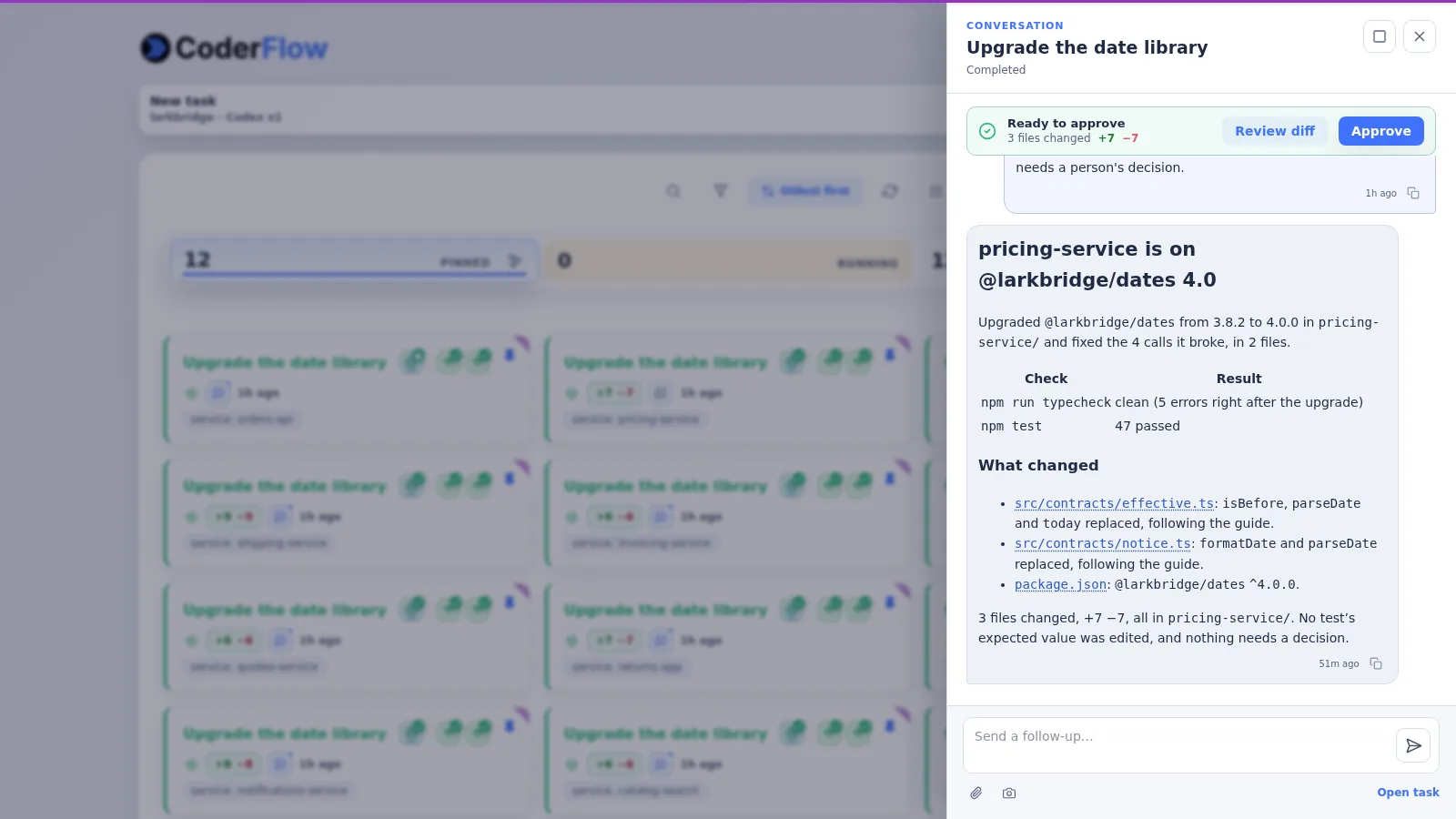
Review is incremental: tasks show up in your queue as they complete, and the ones that need attention are handled without blocking the rest.
The Business Case
The setup cost of a template is paid once and spread across every program it touches. Instead of paying developers to repeat the same change hundreds of times, you pay for review of validated work. Customers report 5 to 10x developer productivity with CoderFlow, and one completed 14 months of work in about 2.
Want to see batch-scale work on your systems? Talk to sales or start with a Reimagine engagement.
Questions
How Do You Convert Hundreds of Programs With CoderFlow?
CoderFlow defines the change once as a template, with instructions, per-program parameters and acceptance criteria, then runs it as a batch of one agent task per selected program, each in its own container. Results appear for review as they finish, and developers approve each one before it is committed.
Do Hundreds of CoderFlow Batch Tasks All Run at the Same Time?
CoderFlow runs batch tasks within your server's capacity: 8 concurrent agents server-wide by default, plus an optional per-developer limit per environment. Further tasks wait in the queue until a slot frees up.
What Kinds of Code Changes Work Well as CoderFlow Templates?
CoderFlow templates suit repeatable changes with clear acceptance criteria, such as upgrading .NET Framework projects, generating documentation from COBOL or PowerBuilder source, refactoring record-level file access to SQL, creating unit tests and applying a coding standard. Where your toolchain is available, agents build and test each result; otherwise they prepare changes your team builds and tests.