
When a runtime or library ships an urgent security fix, find every application that uses an affected version, then update, rebuild, test and release each one, starting with those exposed to the internet. The fix itself is often one line in a dependency file. The work is making it safely, many times over.
Why Is One Security Fix So Much Work?
Many applications share the same runtimes and libraries, such as Node.js, PHP, Java or .NET, so a single advisory can touch all of them. Speed matters: Verizon's 2026 Data Breach Investigations Report found that 31% of breaches now start with vulnerability exploitation, the first time in 19 years it has passed stolen credentials as the biggest point of entry (Verizon, 2026 DBIR).
How to Patch a Dependency Vulnerability Across Applications
Work through each affected application with the same steps:
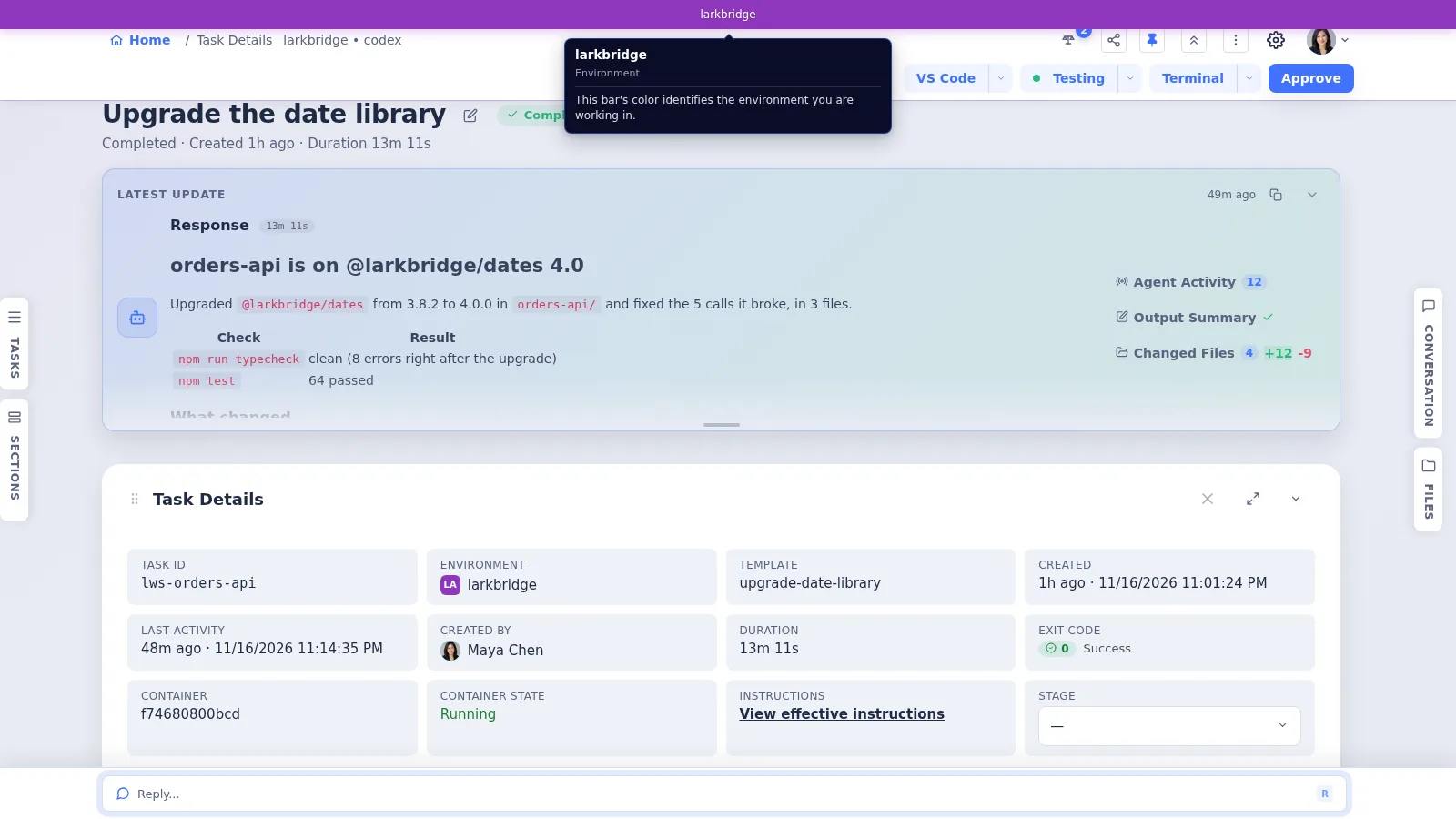
- Read the advisory for affected versions, the fixed version and any conditions.
- Find every affected application, including indirect dependencies.
- Patch internet-facing applications first.
- Update, rebuild, test and fix what the update breaks.
- Review, approve and release, and record any application you couldn't update, with its mitigation.
Illustrative example: a company runs a dozen PHP applications that share a fixed library. The three internet-facing ones go first, and one old application gets a documented mitigation and a follow-up task.
What Should You Set Up Before the Next Advisory?
Keep every application in source control, have tests that run on demand, and run your package managers' dependency auditors weekly. Then write the update steps once, as instructions in a CoderFlow automation with Run now as the trigger, and fill in the library and version on the day. The urgent security updates page has a recipe you can copy.
How CoderFlow Helps
Press Run now on a ready automation, or launch a template with a multi-select parameter that starts one task per selected application, each in its own isolated container.
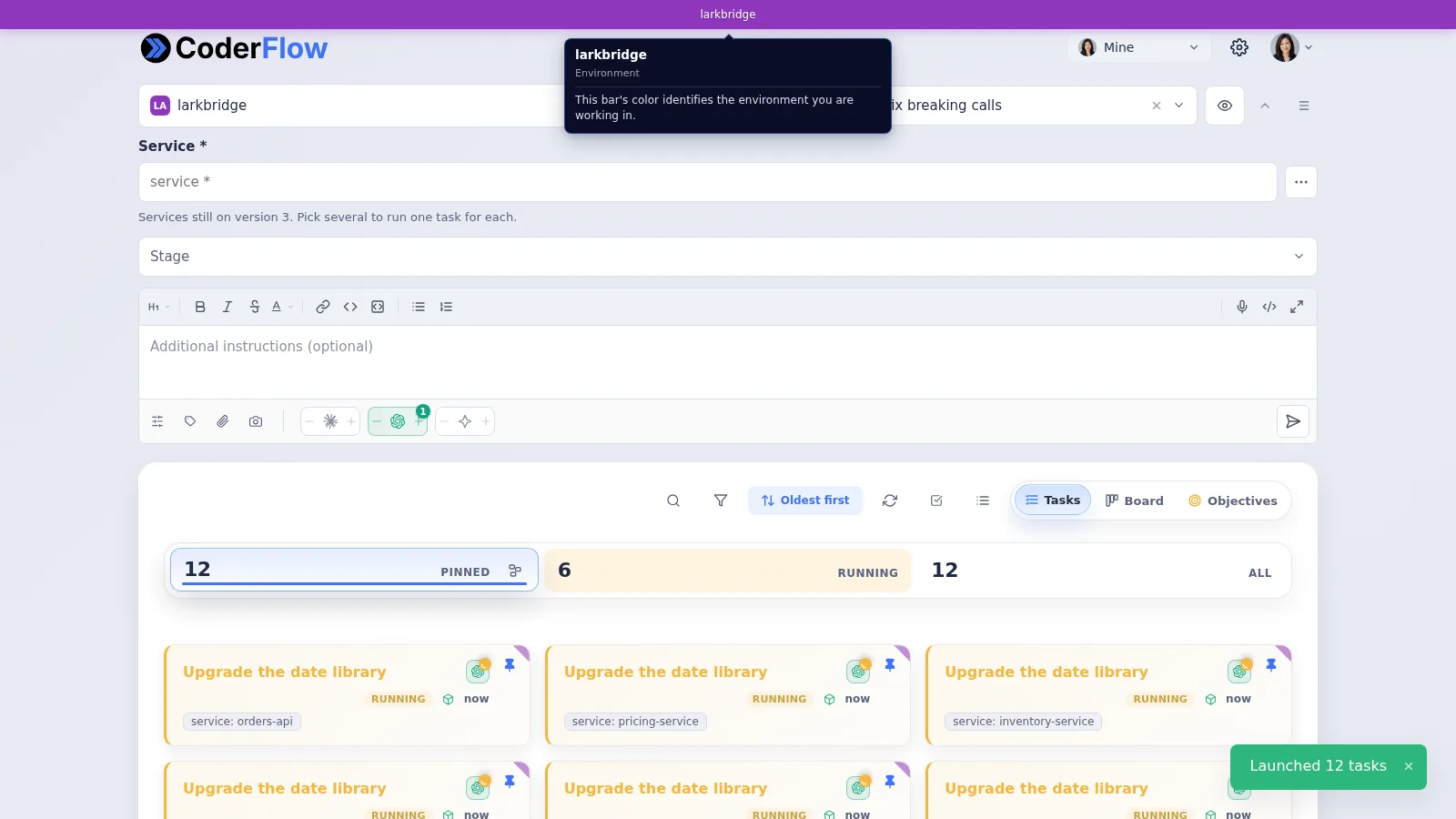
Each agent updates the version, rebuilds, runs your tests and, for web applications, opens key pages in the built-in Chromium browser with Playwright. Every change waits for a person to approve it as a commit, branch or pull request, and an AI judge can review it for security problems. See application security and security checks on every code change.
What Should You Watch out For?
- No built-in advisory feed. CoderFlow has no vulnerability database and doesn't update dependencies on its own.
- Servers and operating systems stay with your existing patching process.
- Windows-only toolchains: agents prepare the change and your team builds it.
- Thin tests and major version jumps need extra care, and people still review every change.
Be Ready Before the Next One
Run a practice update of one runtime this month, while nothing is urgent. Talk to sales about your applications, or start with a Reimagine engagement.
Questions
How Do You Patch the Same Dependency Vulnerability Across Many Applications?
In CoderFlow, a template with a multi-select parameter launches one agent task per selected application, each in its own container, to update, rebuild, test and fix what breaks, with internet-facing applications first. A person reviews and approves every change before it is committed.
Does CoderFlow Detect Security Advisories or Update Dependencies Automatically?
CoderFlow has no advisory database and doesn't update dependencies on its own; teams schedule a weekly automation that runs the dependency auditors in the environment, and press Run now on a ready automation when they learn of an urgent fix. Agents then do the update work, and a person approves every change.
Which Runtimes Can CoderFlow Agents Update After a Security Fix?
CoderFlow agents can update any runtime whose toolchain runs in the environment's Linux container or on a build server reached over SSH, such as Node.js, PHP, Java and modern .NET, plus the libraries those applications use. For Windows-only toolchains, agents prepare the change and your team builds it.