
You stop retyping data between two systems by connecting them, so a record entered once is passed along automatically. That means choosing which system owns each kind of record, using the API, database or file export each system offers, and adding checks for anything that doesn't match. CoderFlow builds and tests that integration from a plain-language description, and you try it, then approve it before it touches real data.
Why Does Double Data Entry Keep Happening?
Orders get typed into accounting, hours into payroll, and the typos show up later as wrong invoices and missed shipments. Systems are bought or built one at a time, and a ready-made connector may not exist or may not match how you work. So people fill the gap, often with a spreadsheet in the middle.
What Are Your Options for Connecting Two Systems?
- A built-in connector. Often the quickest, if it moves the fields you need.
- Scheduled file export and import. Simple and dependable, if someone watches for failed runs.
- A direct API integration. The most flexible, and the one most custom work needs.
- A shared database. When you own both systems, they can sometimes read the same tables.
With a packaged ERP, the retyping usually happens around it; see custom work around your ERP.
How Do You Stop Retyping Data Between Systems?
- List what gets retyped. Start with the record that costs the most time or errors.
- Choose the source for each record. Data flows one way, unless you have a clear rule for conflicts.
- Find each system's way in. An API, database access, an export or a structured email.
- Decide when data moves. On a schedule, on every change or at the click of a button.
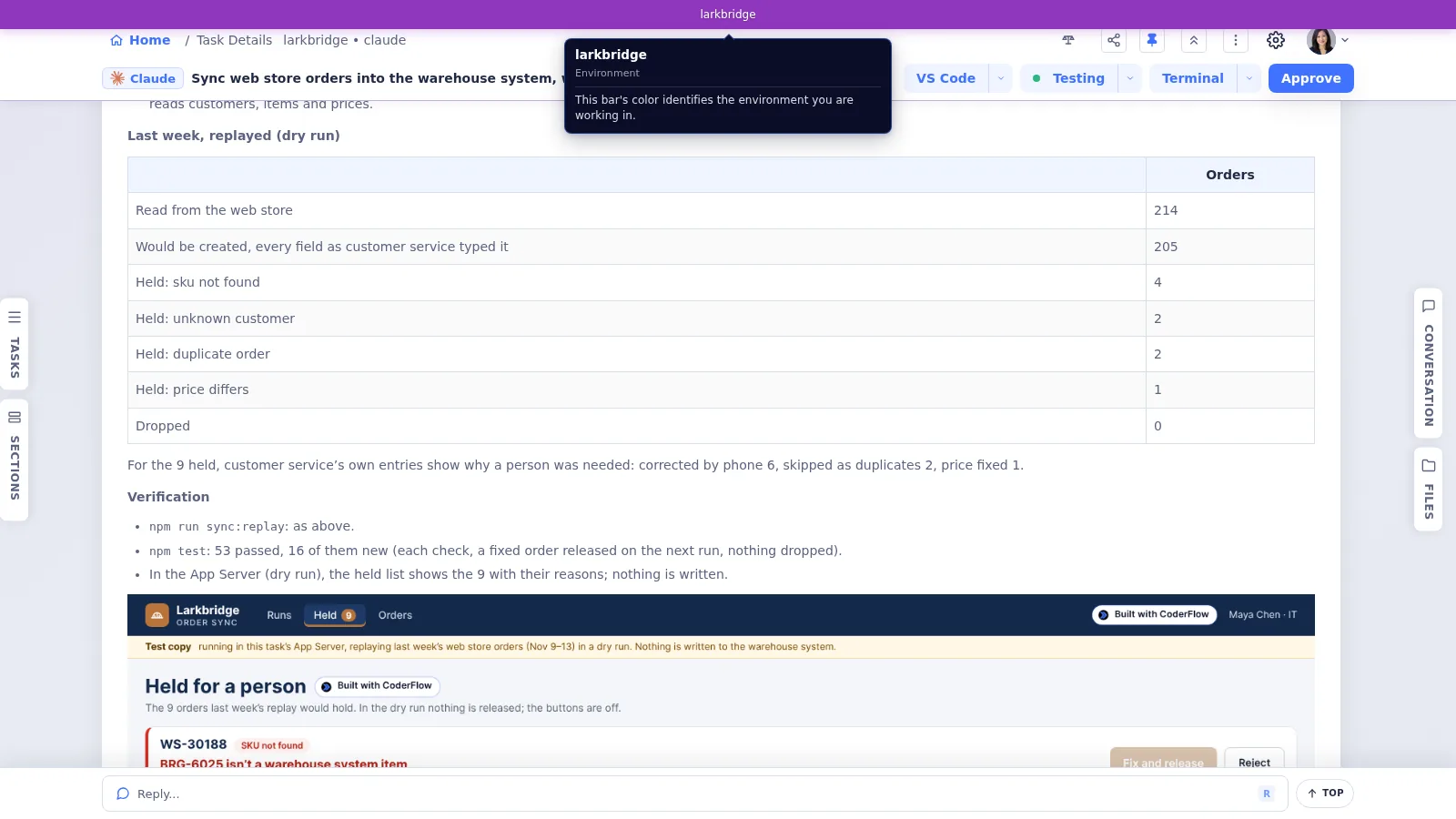
- Hold mismatches. An unknown customer or a duplicate order is held and reported, never silently dropped.
- Run it alongside the manual process. Compare results with the old way for a while.
How CoderFlow Helps
You describe which records should move, what starts the transfer and what happens when something doesn't match. CoderFlow builds the integration on the APIs, databases or file exports your systems already offer, with checks and a record of every run. It tests the integration with sample records, and you approve it before it goes live.
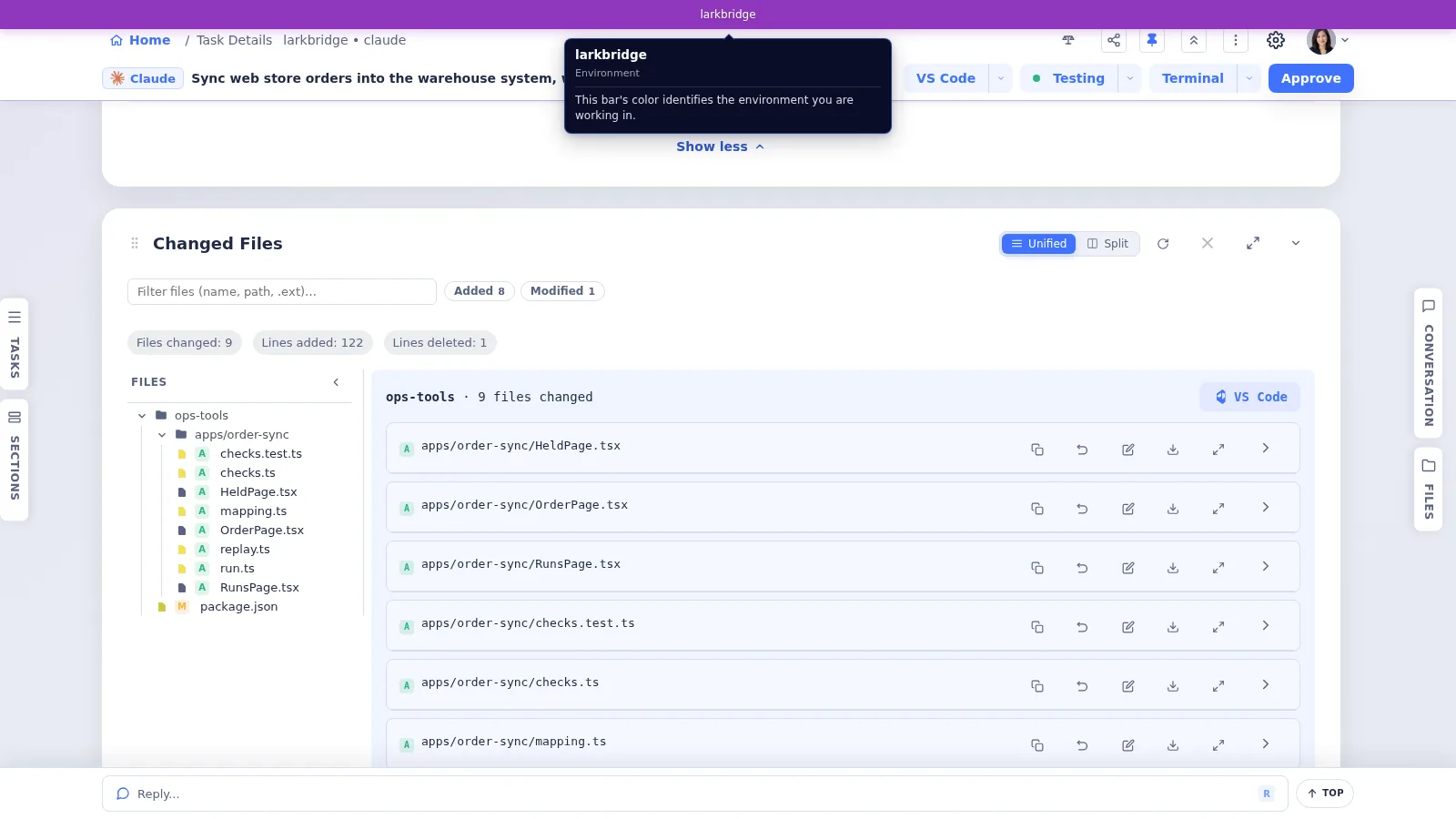
Later changes get the same review. IT teams can review each change as code, while smaller businesses can have Profound Logic host the integration on CoderFlow Cloud. See connect your systems.
For example, a 60-person manufacturer retyped each portal order into its order system. CoderFlow built an integration that moves new orders every 15 minutes and holds any with an unknown part for the office to fix. After a week of matching results, IT approved it.
For data that arrives as PDFs or emails, see data entry automation. Mid-size companies often connect one pair of systems at a time.
What to Watch out For
- Two-way syncs. Decide which system wins, or good data gets overwritten.
- Matching records. Use a shared key such as an account number, not names.
- Access. Give the integration its own account with only the permissions it needs; see security.
Where to Start
Pick the record your team types twice most often, and note how each of its two systems lets data in and out. Talk to sales about the systems you want to connect, or start with Reimagine, a custom engagement with our team.
Questions
Can CoderFlow Stop Double Data Entry Between Our Systems?
CoderFlow builds an integration from your description of what gets retyped, using the APIs, databases or file exports each system offers, with checks and a record of every run. It tests the integration with sample records, and a person approves it before it runs on real data.
Does CoderFlow Work With Packaged Software and ERP Systems?
CoderFlow builds the integrations, reports and tools that take work off your plate around a packaged ERP, using the APIs, exports or database access it provides, without changing the package itself. You review and approve every integration before it goes live.
Who Maintains an Integration That CoderFlow Builds?
CoderFlow updates the integration when you describe a change in plain language, tests it and waits for your approval, so you don't need developers. IT teams can review every change as code, and smaller businesses can have Profound Logic host it on CoderFlow Cloud.