
Your spreadsheet should be an app when it has quietly become a system: several people edit it, mistakes are getting expensive, data gets copied in and out by hand, only one person really understands it, or the business would stall if it broke. Turning one into a simple app no longer takes a development team.
The Five Signs
1. More Than One Person Needs to Edit It at the Same Time
Shared spreadsheets work until two people change the same row or "Schedule FINAL v3" shows up in an email. An app gives everyone the same live information, with each person changing only what they should.
2. Small Mistakes Are Causing Real Problems
In a pricing sheet, a typo becomes a wrong invoice. Apps check entries as they are typed and record who changed what.
3. You Copy and Paste the Same Data Over and Over
Each copy step between email, the sheet and the Friday report costs time and invites errors. An app takes the information in once and produces the reports you keep rebuilding.
4. Only One Person Really Understands It
Many important spreadsheets have a keeper who built the macros. When the logic lives in an app with plain screens, others can use it with confidence, and the keeper can finally take a vacation.
5. The Business Would Stall If the File Broke
If losing the file would stop scheduling, quoting, billing or shipping, it deserves to be a real tool with backups and sensible access.
Two or more signs usually mean the spreadsheet is costing you more time than it saves.
What Changes When It Becomes an App
The columns become fields on a form, the formulas become rules the app applies every time, and the tabs become screens. The numbers stop depending on who touched the file last.
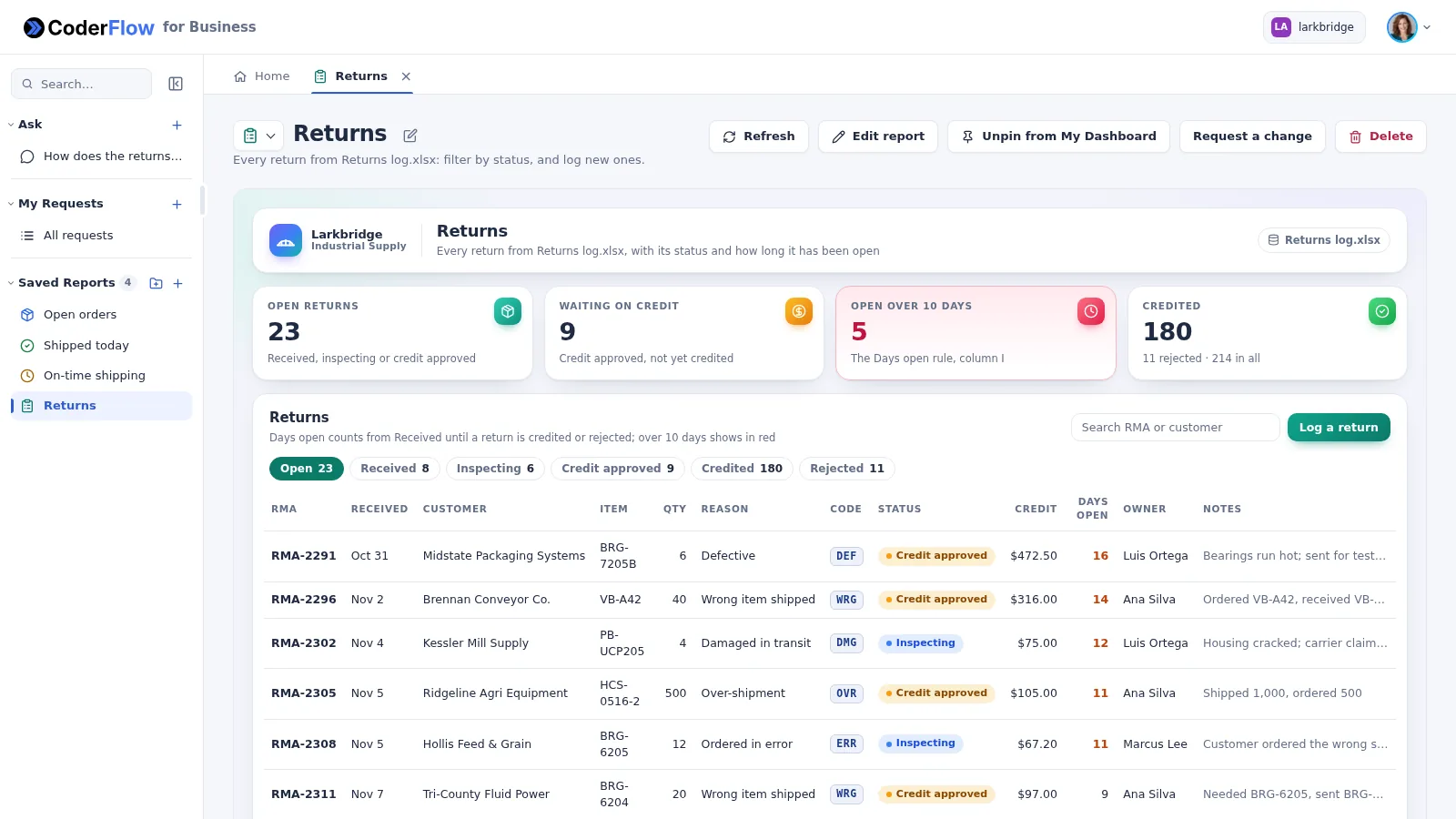
Apps can also flag overdue jobs, take entries from a phone and produce finished quotes or invoices. See spreadsheets to apps.
How to Make the Move Without a Big Project
With CoderFlow, you describe what you need in plain language, and CoderFlow builds the app from that description and the spreadsheet you already have. You try it, ask for changes and approve it when it is right. Profound Logic hosts it on CoderFlow Cloud, so there is no infrastructure to manage.
- Start with one file, the one that causes the most headaches.
- Write down the rules for each column and who can change what.
- Run both side by side for a short time before you retire the file.
For a deeper checklist, read when a spreadsheet should become an app.
When a Spreadsheet Is Still the Right Tool
For one person's quick analysis or a one-time budget, a spreadsheet is fast and flexible. The signs above are about files that have turned into shared, everyday systems.
If yours showed two or more signs, it's a good candidate for your first app. Talk to sales and we'll show you how CoderFlow would build it, or start with a Reimagine engagement.
Questions
When Should a Spreadsheet Become an App?
A spreadsheet should become an app when several people edit it at once, small mistakes cause real problems, data gets copied by hand, only one person understands it, or the business would stall if it broke. CoderFlow can turn that spreadsheet into a simple app you try and approve before anyone relies on it.
Do I Need an IT Team to Turn a Spreadsheet Into an App With CoderFlow?
With CoderFlow, the owner or anyone on the team describes what the spreadsheet does in plain language, and CoderFlow builds the app for them to try, refine and approve. Profound Logic hosts the finished app on CoderFlow Cloud, so there are no servers or infrastructure to manage.
What Happens to My Spreadsheet Data When CoderFlow Builds an App?
CoderFlow uses your spreadsheet's columns, formulas and tabs to understand what you track and the rules you follow, and the app can be built to bring your current records in. Many businesses run both side by side for a short time and retire the file once they trust the app.