
If you have outgrown Airtable, Power Apps or SharePoint lists, you have four realistic options: tune what you have, move to a higher plan or a stronger database behind it, connect it to the rest of your systems, or rebuild the process as its own web app. Which one fits depends on the limit you are hitting: records, rules, access, cost or upkeep. CoderFlow can help with the last two, and you approve every change.
How Do You Know You've Outgrown a No-Code Tool?
- Size. Views get slow, you archive records to stay under a limit, or formulas quietly work on only part of the data.
- Rules. Business rules are spread across formulas, automations, flows and scripts.
- Access. Customers, partners or field staff need to see their own records.
- Connections. Data still gets copied by hand between systems.
- Upkeep. The person who built it has moved on.
Two or three of these usually mean the process deserves a closer look.
What Are the Common Airtable, Power Apps and SharePoint Limits?
Airtable lists records per base by plan, for example 50,000 on Team and 125,000 on Business (see Airtable's plan documentation). In Power Apps, when a canvas app query can't be delegated, it works on the first 500 records by default, up to 10,000, and can return incomplete results without an error (Microsoft's delegation guide).
SharePoint views that show too many items run into the list view threshold, so Microsoft recommends indexed columns and filtered views for large lists.
What Are Your Options?
- Tune what you have. Archive old records, simplify views and rewrite heavy formulas.
- Move up a plan or put a stronger database behind it, though licensing can grow with every person who needs access.
- Keep the tool and connect it to your other systems through its API, so the retyping goes away. See connect your systems.
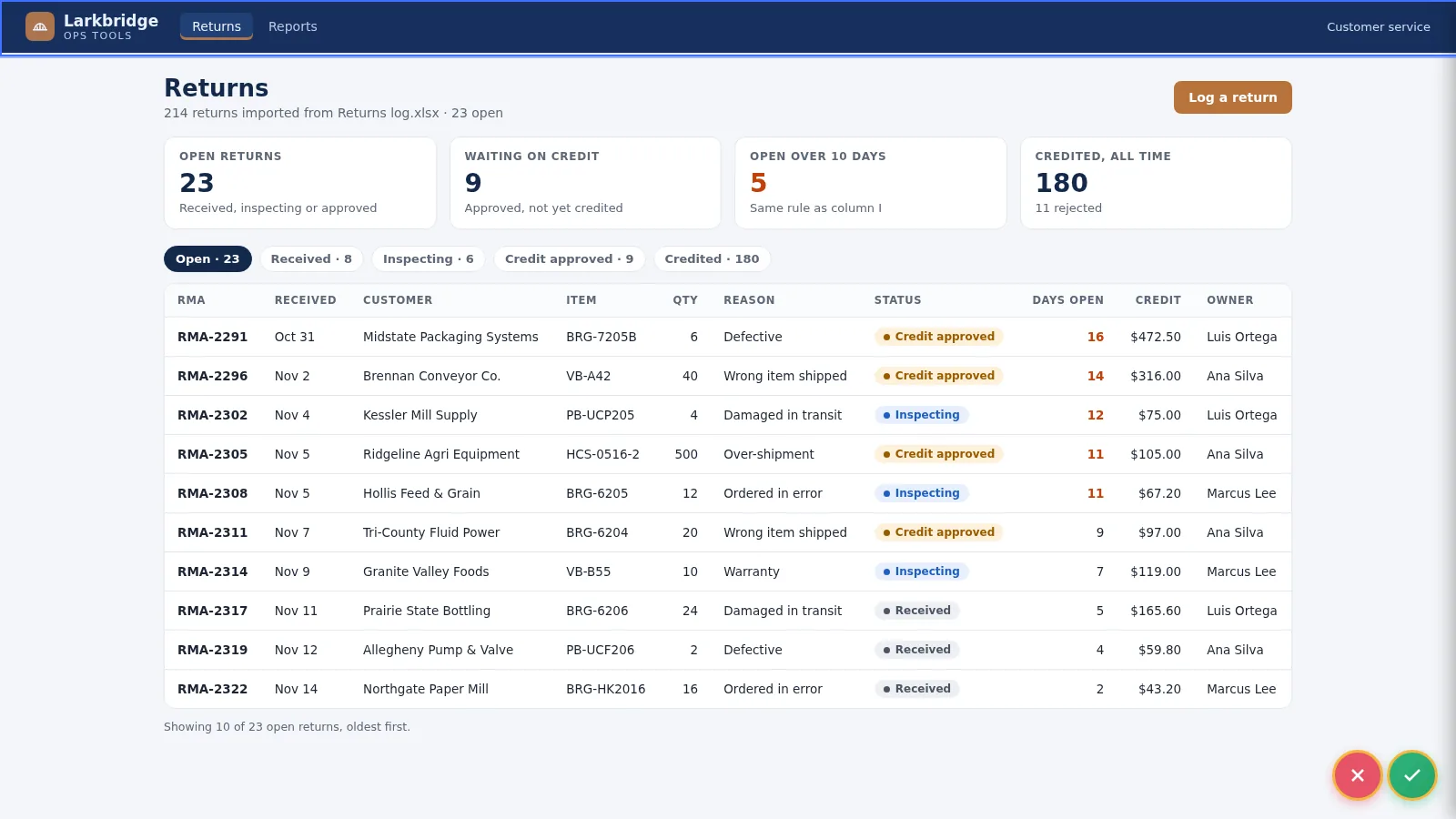
- Rebuild the process as its own web app with its own database, logins and screens, once it has clearly outgrown the tool.
How Do You Choose the Right Option?
- Name the limit you hit, since each points to a different option.
- Count who needs access, including customers, partners and field staff.
- Write down the rules your formulas, automations and flows enforce.
- Compare a year of costs, including licensing, workarounds and mistakes.
- Move one process at a time.
How CoderFlow Helps
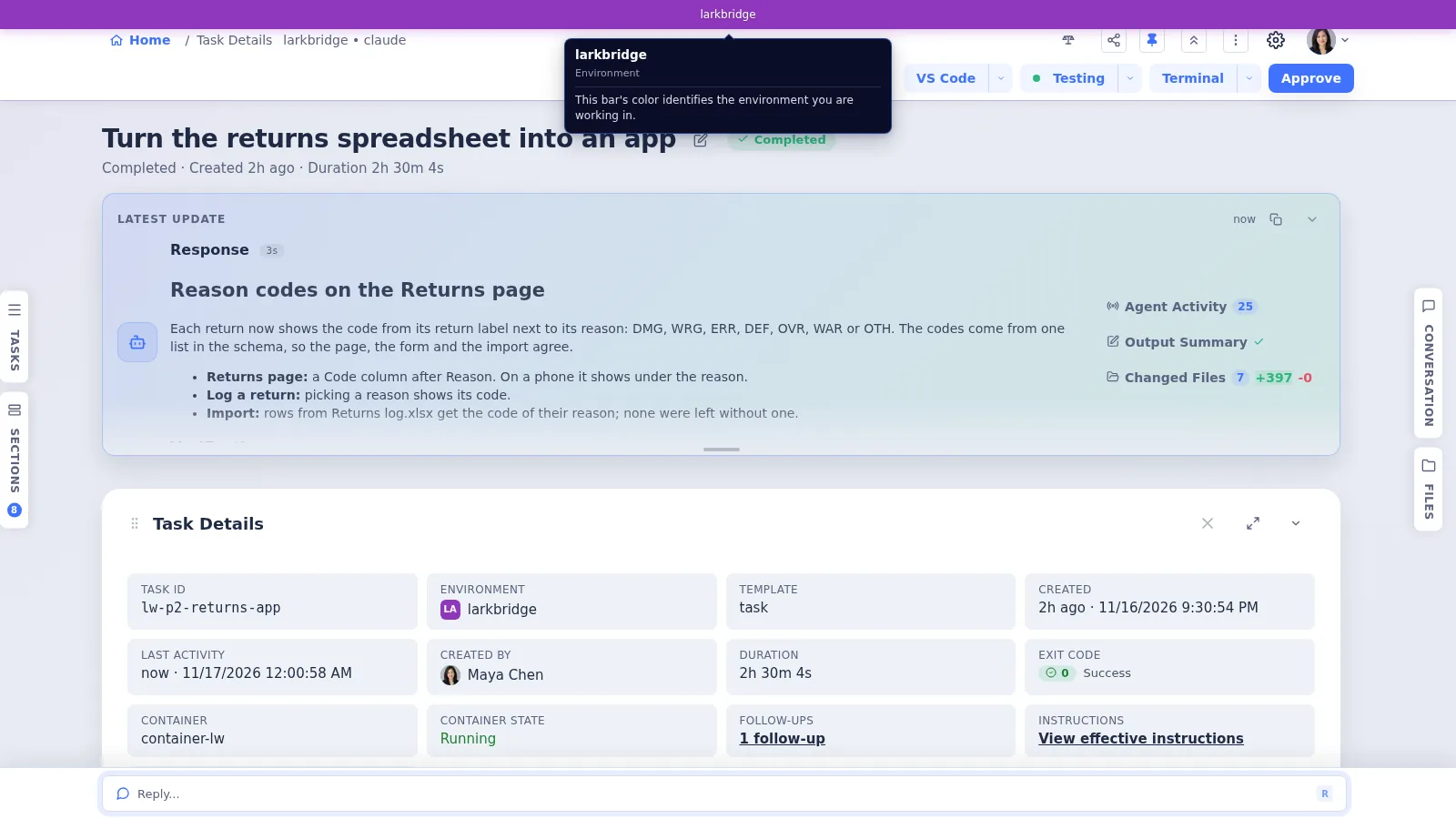
From exported bases, sheets, list schemas, formulas, flows and scripts, CoderFlow explains in plain language what your current tool does. It can then build integrations around the tool or rebuild one process as a web app with your data brought across, which you try side by side with the old one and approve.
See Airtable and Smartsheet, Power Apps and Power Automate, SharePoint lists and forms and Google Sheets. Profound Logic can host the result on CoderFlow Cloud. Compare CoderFlow vs. no-code app builders.
What to Watch out For
- Rebuilding what works. Move only the process that has clearly outgrown its tool.
- Hidden pieces. List attachments, comment history, automations and sharing settings before you move anything.
- The people who use it. Involve them in trying the new app.
Where to Go From Here
Pick the one base, app or list that causes the most workarounds, and note which limit it hits. Talk to sales and we'll show you how CoderFlow would handle it, or start with Reimagine, a custom engagement with our team.
Questions
What Should I Do When I Outgrow Airtable?
CoderFlow can rebuild a process that has clearly outgrown its base as a web app, with your data brought across, which you try side by side and approve. For smaller problems, tuning, a higher plan or an integration may be enough.
What Are the Main Power Apps Limitations Businesses Run Into?
CoderFlow can explain what an existing Power Apps solution does, prepare fixes, or rebuild an app that has outgrown limits such as delegation, where non-delegable queries work on only the first 500 records by default (up to 10,000). Other common limits are rules spread across screens and flows, and licensing for everyone who needs access.
Can CoderFlow Work Alongside Airtable, Power Apps and SharePoint Instead of Replacing Them?
CoderFlow can document what your bases, apps and lists do and build integrations that pass data between them and your other systems through their APIs or exports. You can rebuild a single process later, once it has clearly outgrown its tool.