
Your spreadsheet has become a system when the business depends on it every day, with rules in its formulas and several people working in it. At that point it is doing a system's job without a system's safeguards.
Seven Signs
- It has a name. It is "the schedule" or "the price sheet".
- It holds your rules. Discounts and reorder points live in formulas and macros.
- Different people do different jobs in it. Yet everyone can change everything.
- It has a keeper. When they are on vacation, people wait.
- Other work starts from it. Every copy into accounting or invoices is a chance for a mistake.
- Its history matters. The spreadsheet can't really tell you who changed a price, or when.
- It breaks in familiar ways. You have a routine for fixing a bad sort or a dragged formula.
If three or more sound familiar, your spreadsheet is a system in everything but name.
Why It Matters
Of 50 important spreadsheets that Dartmouth researchers audited, only 7 were free of errors that produced wrong results (Powell, Baker and Lawson, Errors in Operational Spreadsheets, 2009). A grid can't check most entries, limit who changes what or record every change.
What to Do About It
- Write down what it does. CoderFlow can read the file and explain its rules in plain language.
- Decide who should do what. Note who enters, approves and only views information.
- Turn it into an app built from what you have. CoderFlow builds it from your spreadsheet's data, formulas and rules.
- Run both side by side. Check the app's numbers against the spreadsheet, then switch over.
You describe what you need, try the app, then approve it, and Profound Logic hosts it on CoderFlow Cloud. Read more about turning a spreadsheet into an app, or see five signs your spreadsheet should be an app.
What This Can Look Like
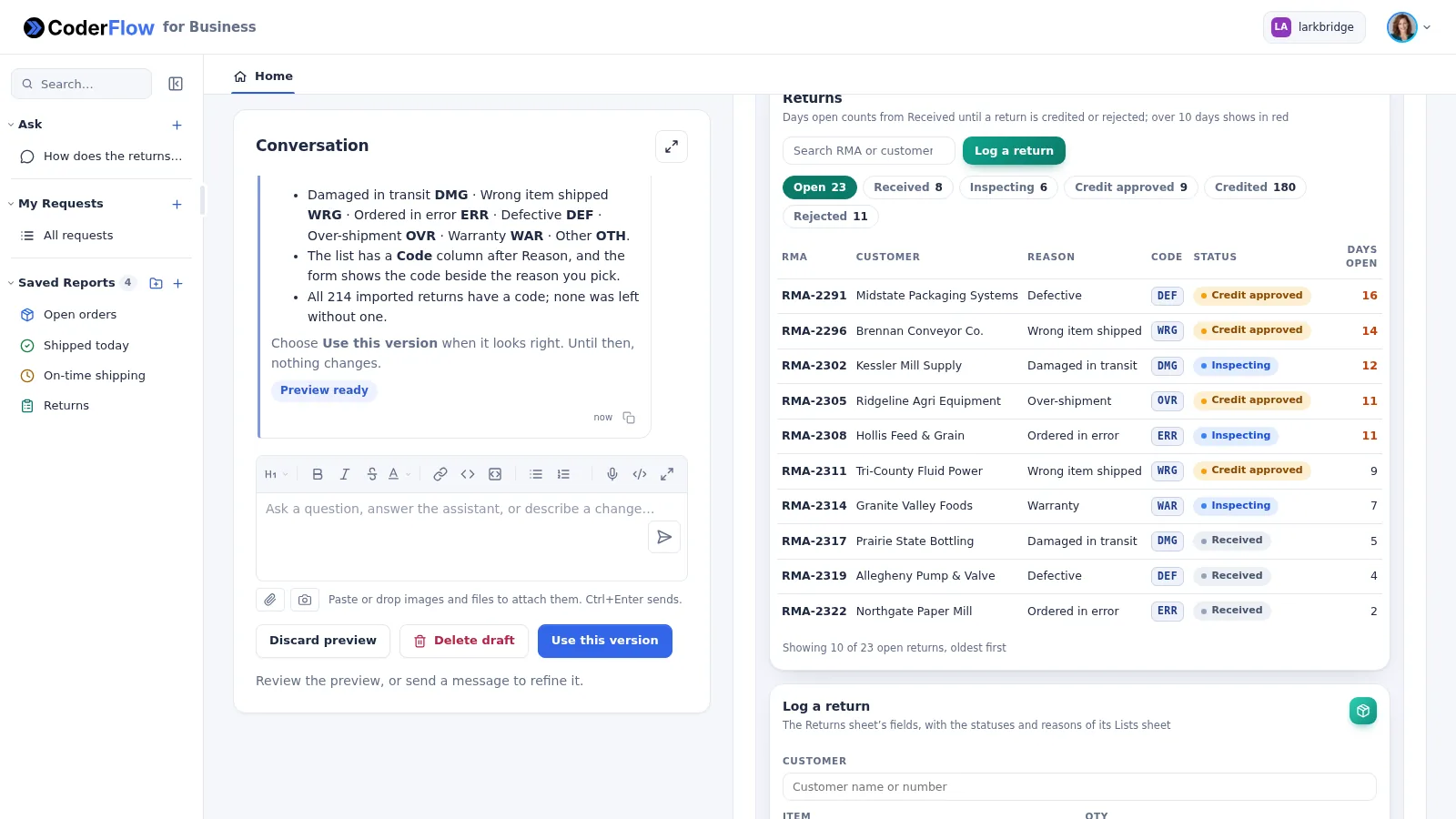
Illustrative example. A 12-person heating and air company ran its jobs from an Excel workbook only the office manager understood. CoderFlow built a web app from it, keeping the customer list, price rules and job history.
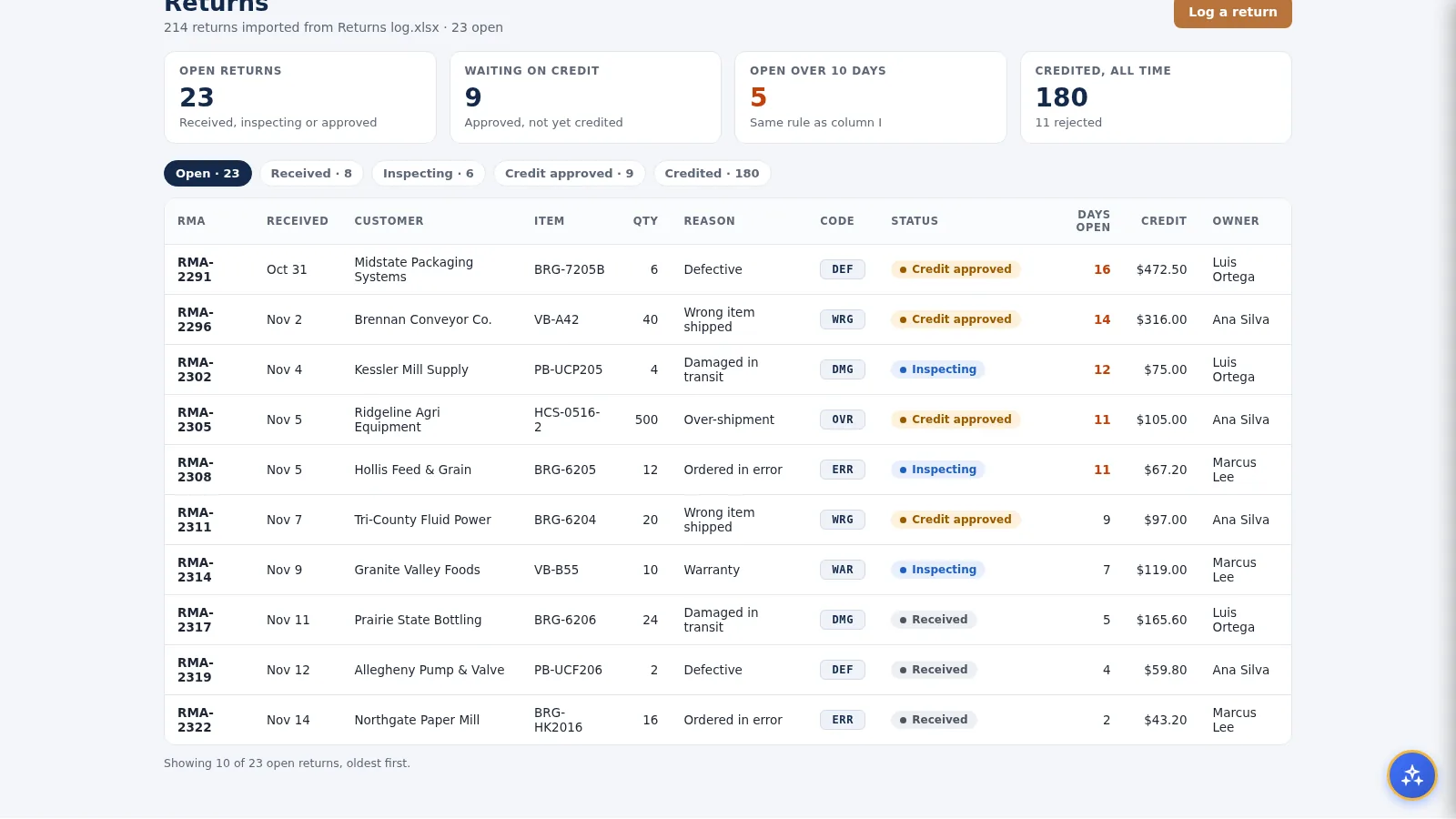
The office manager tried it on a phone, asked for two changes and approved it.
When a Spreadsheet Should Stay a Spreadsheet
Analysis, one-off budgets and anything one person uses alone should stay spreadsheets. For a fuller checklist, read when a spreadsheet should become an app.
Talk to sales about your own file, or start with a Reimagine engagement if you have many spreadsheets to move.
Questions
How Do I Know If My Spreadsheet Has Become a System?
Look for seven signs: a name everyone uses, business rules in formulas or macros, different people doing different jobs in it, one person who fixes it, other work that starts from it, a change history that matters and familiar ways it breaks. If three or more apply, CoderFlow can turn it into an app you try, then approve.
Is It Risky to Run Part of the Business on a Spreadsheet?
Spreadsheets have no built-in way to check most entries, limit who changes what or record every change, and a 2009 Dartmouth audit of 50 spreadsheets found only 7 without errors that produced wrong results. An app built with CoderFlow adds checks, permissions and history while keeping your rules.
Can CoderFlow Build an App From Our Existing Spreadsheet?
CoderFlow reads your spreadsheet's columns, formulas and macros and builds a web app from your data and your rules, not a blank page. You try it with real records, ask for changes in plain language and approve it, and Profound Logic hosts it on CoderFlow Cloud.