
Modern Screens for the Systems You Already Run.
Describe the screen you want. Agents build a modern web interface over your existing logic and data, and you review it before anything leaves the task.
Demonstration data · Fictional company · Old screen: PHP, 2011
Transcript: Interface reimagining in CoderFlow
[Larkbridge's Order Desk 3.2 order lookup from 2011: a dense gray window; the camera pushes in on the status code P - PARTIAL, then on the Sts and Late columns.]
Larkbridge still looks up orders on a screen from 2011
[The same 2011 page opened at phone width, in an editorial phone outline: only the window's top-left corner fits; the rest is cut off.]
and on a phone, it doesn't even fit.
[The task's instructions, close up: Keep the business rules exactly as they are.]
So IT asks an AI agent for a new screen
[The rule tests before the change: OK (14 tests, 14 assertions).]
[After the new screen is built, the suite passes again: OK (18 tests, 20 assertions).]
and every rule test still passes.
[The 2011 window, as the new screen wipes in over it.]
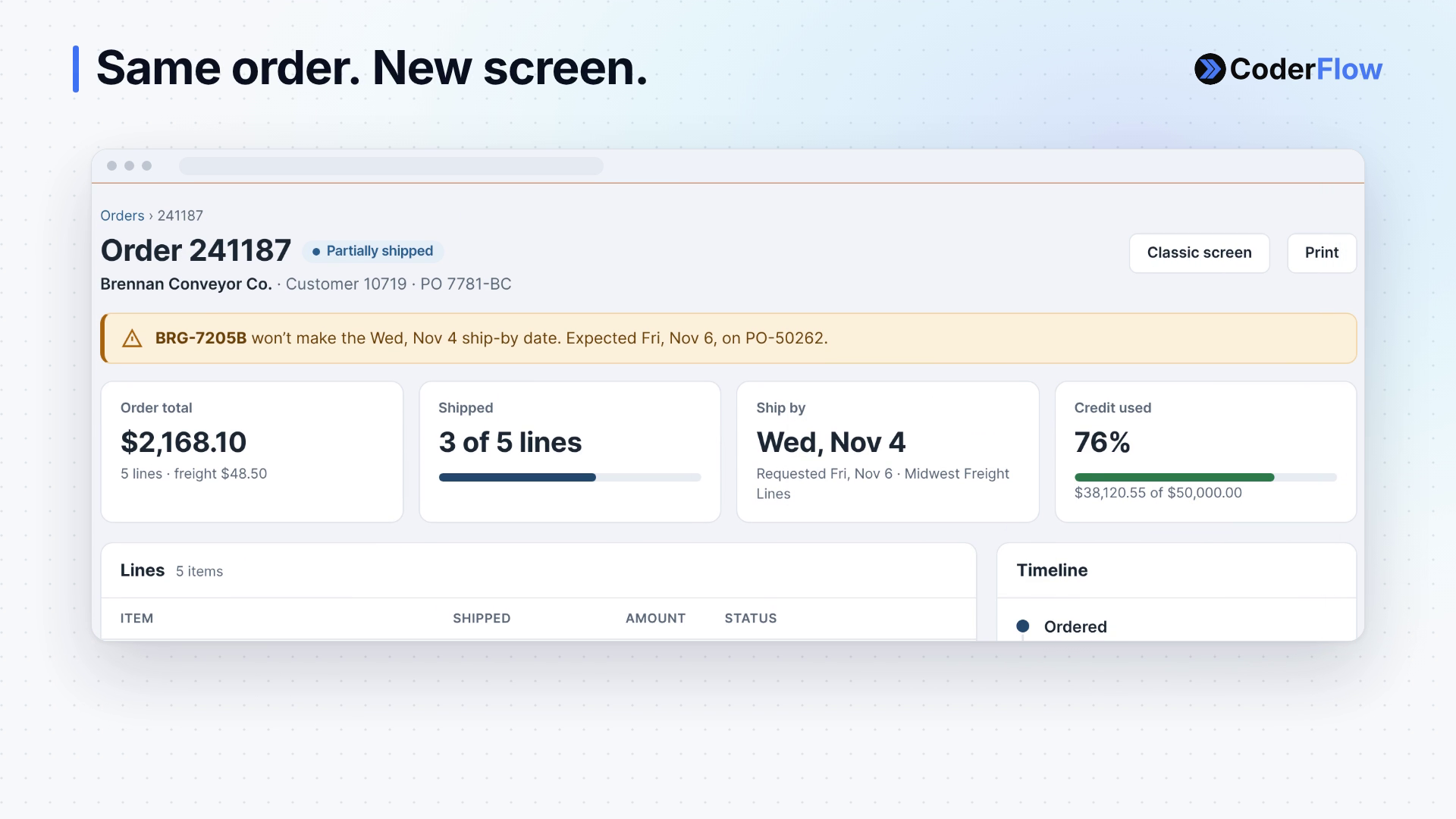
[The same order on the new screen, wiped in over the old one, then close up: the alert that BRG-7205B won't make the Wed, Nov 4 ship-by date, and the figure tiles $2,168.10 · 3 of 5 lines · Wed, Nov 4 · Credit used 76%.]
And here's the same order on the new screen: what's shipped, what's late, and what's owed, all at a glance.
[The agent's report compares both screens, the whole table in frame: Status P - PARTIAL becomes Partially shipped, 3 of 5 lines shipped; Credit used 76.2% becomes 76%; Order total 2,168.10 becomes $2,168.10.]
Every status, credit and total comes from the same rules, so both screens agree.
[The new screen at phone width, close up in an editorial phone outline: the figures stacked two by two ($2,168.10 · 3 of 5 lines · Wed, Nov 4 · 76%).]
And on a phone, the same figures stack two by two
[Further down on the phone, each order line is a card: BRG-7205B, Backordered, expected Fri, Nov 6.]
and every order line becomes its own card.
[In the running app, IT picks the Ship by tile with the Feedback Widget and asks: Turn this tile amber when a line won't make the ship-by date, and say which.]
Then IT points at a tile and asks for a warning
[A few minutes later the page reloads with the change: the Ship by tile is amber and says 1 line won't make it · BRG-7205B.]
and a few minutes later, the tile turns amber and names the late line.
[In the Approve Changes dialog, IT presses Commit Changes (push to remote after commit is checked).]
So IT approves it
[Close up: the task reads Approved by Maya Chen · now; then the real toast, Changes pulled, committed, and pushed.]
and only then is the change committed and pushed.
[End card: CoderFlow logo, "Modern screens for the systems you already run.", "Talk to sales" and "Start with Reimagine", and the disclosure.]
That's modern screens, for the systems you already run.
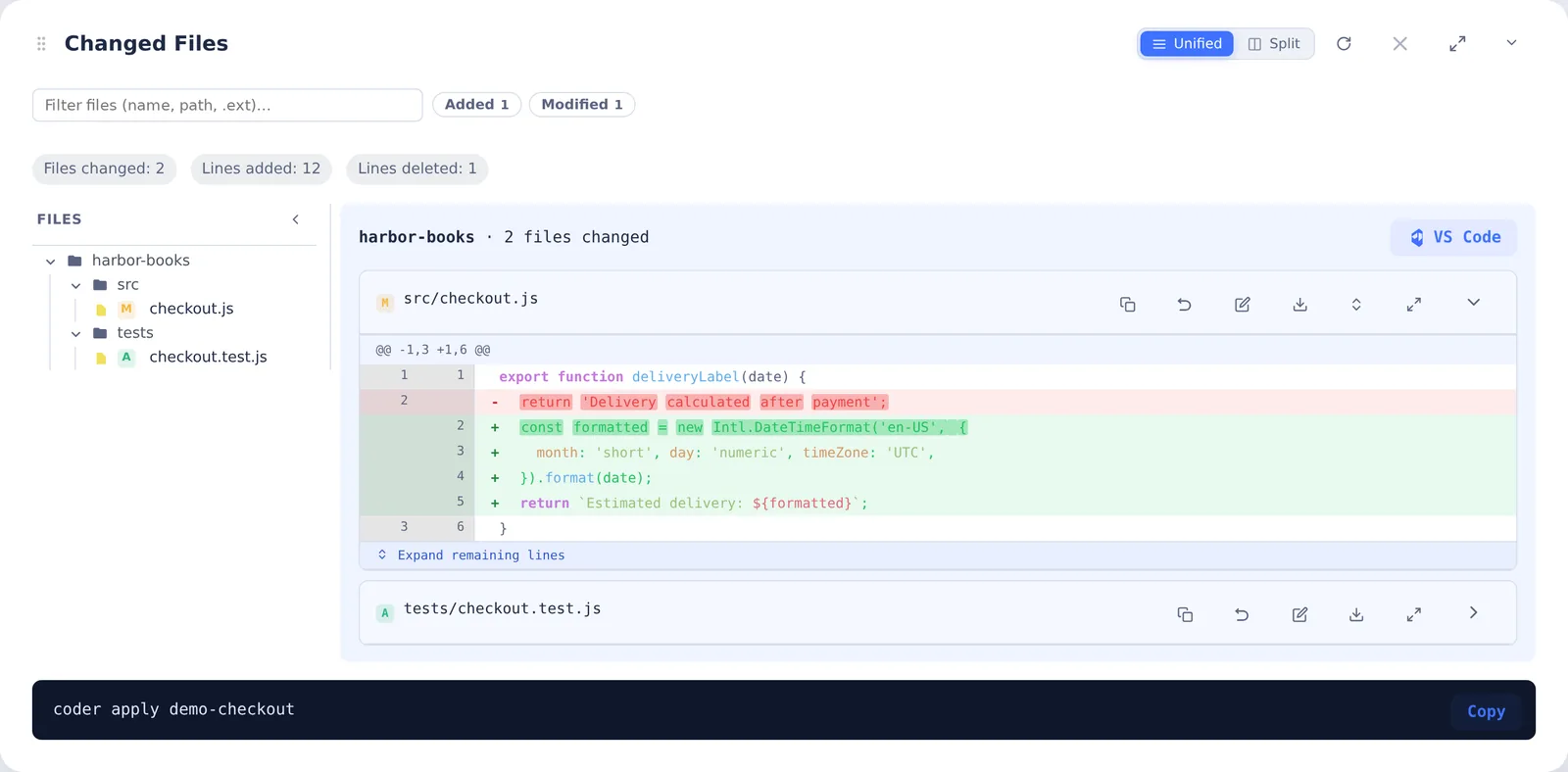
Describe It, Review It, Refine It
Ask for the screen in plain language. Read the proposed files and preview the result, then refine with follow-ups in the same place.
Familiar Where It Matters
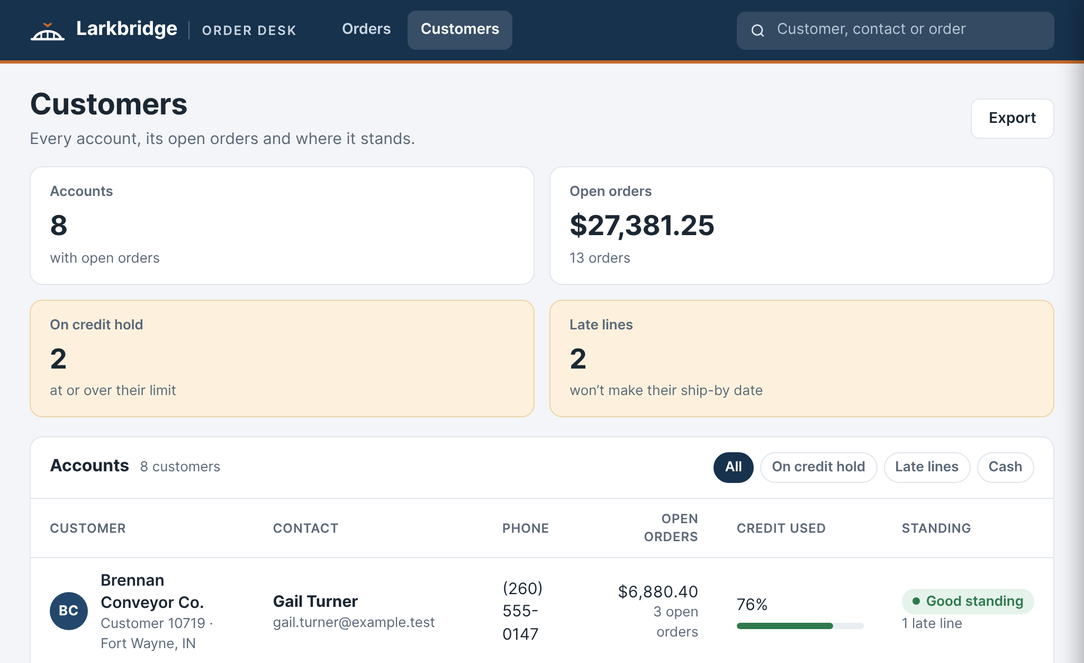
Agents rebuild forms, windows and aging web pages as modern web screens over the same database and logic, keeping familiar workflows where users rely on them.
Ready for Every Screen Size
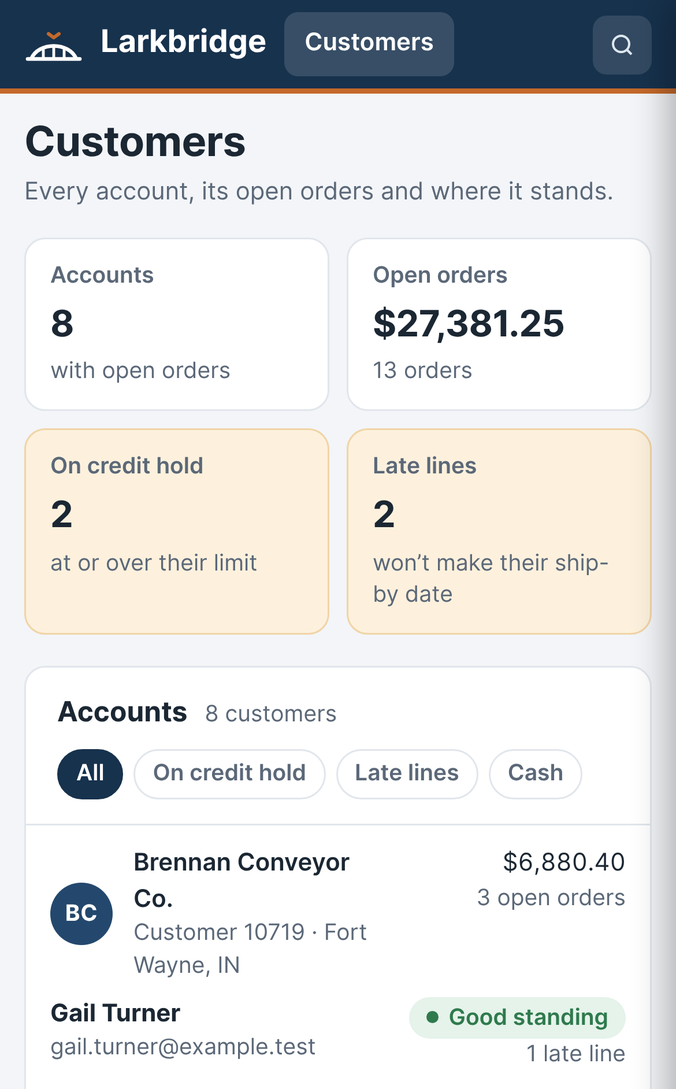
New screens adapt to phones and tablets, so people can work wherever the job is.
Before and After
Before
- Dated desktop forms or aging web pages
- Training required for every new hire
- Logic and screen tangled together
With CoderFlow
- Modern web screens on any device
- Familiar workflows kept where they matter
- Business logic stays where it is
Works With the Systems You Run
Try It Yourself.
Get hands-on with the real CoderFlow app and sample data, in about 4 minutes. Nothing touches real code.
Everything to Explore →
Questions
Do We Have to Rewrite the Application to Get Modern Screens With CoderFlow?
CoderFlow builds modern web screens over the business logic and database you already trust, so there is no rewrite to start. You can move more of the application later, when you have a reason to.
Which Platforms Does CoderFlow Interface Reimagining Cover?
CoderFlow covers desktop and web applications on platforms such as Microsoft Access, VB6, PowerBuilder, Oracle Forms or Visual FoxPro. Agents rebuild screens as web pages over the same data, and you preview them inside the task.
Who Approves the New Screens CoderFlow Builds?
Your team does: every proposed file appears as a diff, and you can preview the running screen inside the task. Nothing is committed until a person approves it.
Will Users Need Retraining on Reimagined Screens?
Usually very little: CoderFlow agents can keep the field order, workflow and terminology people know while making screens easier to use. You preview each screen before it ships, so key users can weigh in early.
How Long Does It Take to Reimagine a Screen With CoderFlow?
A single screen can often be proposed in one agent task and refined with follow-ups. Overall timing depends on how many screens you have; a Reimagine engagement with Profound Logic's team is scoped to your problem.
Give Your Screens a Modern Face, on the Same Logic.
Talk to sales about your systems, or start with a Reimagine engagement.